

Connect HiveDesk to Your Existing Workflow with Asana
HiveDesk integrates with Asana, and a Public API is available on request for custom integrations and reporting tools. Sync your Asana projects and tasks, track time against specific work items, and get reports that combine task progress with time data. Everything else you need is already built in.
No credit card required · $5/user/month · All features included
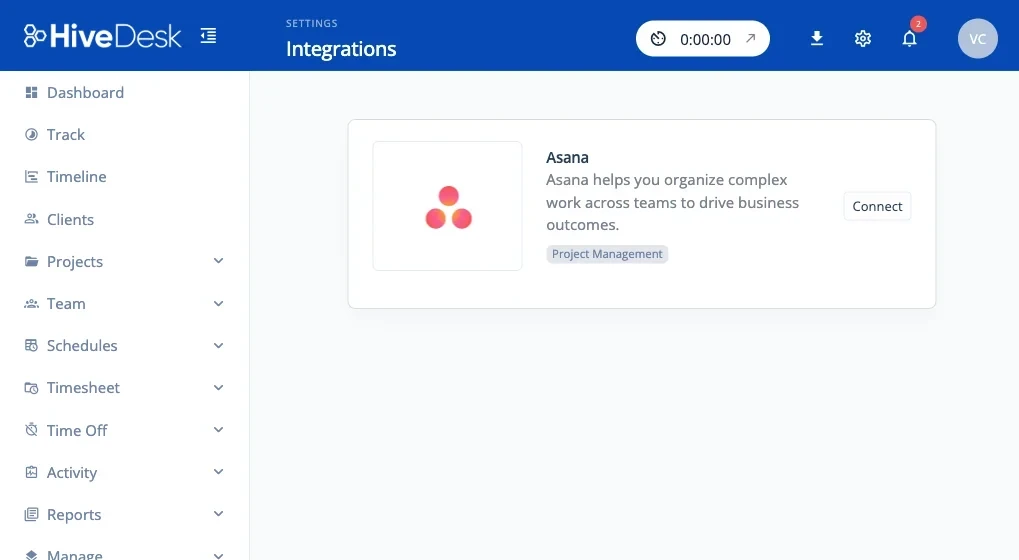
Asana Plus an API, With Everything Else Built In
Most time trackers advertise long integration lists. But how many of those actually work well? HiveDesk takes a different approach: a reliable Asana integration, a Public API available on request for custom work, and everything else built in.
The problem with integration marketplaces
- Integrations break silently and data stops syncing
- Each connector adds complexity and potential security risks
- Shallow integrations only push basic data between tools
- Time spent configuring and debugging integrations
- Still need to switch between multiple dashboards
- More integrations means more vendor lock-in
The HiveDesk approach
- Asana integration that syncs projects and tasks
- Track time inside Asana or against Asana tasks in the HiveDesk app
- Public API available on request for custom integrations and reporting tools
- Built-in scheduling, attendance, leave, and activity monitoring
- One dashboard for workforce management and time tracking
- PDF and Excel exports work with any payroll or billing tool
How the Asana Integration Works
Connect once. Track time inside Asana or from the HiveDesk app.
Connect your Asana workspace
Authorize the connection from HiveDesk settings. Your Asana projects and tasks sync automatically.
Track time against tasks
Team members select an Asana task in HiveDesk and start the timer. Time, screenshots, and activity are captured.
View unified reports
See hours per task, per project, and per team member. Export reports for payroll, client billing, or project reviews.
Everything Else is Built In
You do not need a dozen integrations when the platform already includes what you need.
Time Tracking
Automatic time tracking with desktop (Windows, macOS, Linux), mobile (iOS), Chrome, and web apps.
Activity Monitoring
Periodic screenshots and activity-level tracking. Configurable frequency. Transparent to employees.
Employee Scheduling
Create shifts, copy and publish schedules, and track attendance against scheduled times.
Leave Management
Set up time-off policies with day limits and custom types, and manage requests with an approval workflow.
Timesheets & Reports
Auto-generated timesheets with manager approval. Export as PDF or Excel for any payroll software.
Real-Time Dashboards
Ongoing Sessions shows who is working right now, and Scheduled Activity shows who is present, absent, or not logged in for each shift.
Frequently Asked Questions
Common questions about HiveDesk integrations.
HiveDesk integrates with Asana for project and task management, and a Public API is available on request for custom integrations and reporting tools. Rather than relying on a long list of connectors, HiveDesk builds time tracking, scheduling, attendance, leave management, invoicing, and reporting into the product.
Connect your Asana workspace from your HiveDesk account settings. Your Asana projects and tasks sync automatically. Team members select an Asana task in HiveDesk, start the timer, and time is tracked against that specific task. Managers see reports showing hours per task, per project, and per team member.
A few minutes. Connect your Asana workspace from HiveDesk settings, and your projects and tasks sync automatically. There is no complex configuration or IT involvement required.
HiveDesk has a full built-in project and task management system. You can create projects, add tasks, assign team members, and track time without Asana. The Asana integration is an option for teams already using Asana — not a requirement.
Yes, through the HiveDesk Public API, which is available on request. Teams use it to build custom integrations and feed HiveDesk data into their own reporting tools. Contact us to have it enabled for your account. Because time tracking, scheduling, attendance, leave management, activity monitoring, and reporting are built in, many teams need nothing beyond the Asana integration and PDF or Excel exports.
Yes. Timesheets and reports export as PDF or Excel files, which work with any payroll, accounting, or billing software. You can also schedule automatic raw-data emails of schedule and worksession data at a set frequency, or request Public API access to pull data programmatically.
Yes. HiveDesk uses enterprise-grade security practices with GDPR compliance. Data is encrypted in transit and at rest. The Asana connection uses OAuth for secure authorization. Role-based access controls limit who can view data.
HiveDesk is $5 per user per month with all features included — the Asana integration, time tracking, screenshots, scheduling, attendance, leave management, and reporting. The Public API is available on request; contact us to discuss enabling it for your account. There is a 14-day free trial with no credit card required.
Desktop apps for Windows, macOS, and Linux. An iOS mobile app. A Chrome browser extension. And a web dashboard for managers. All platforms sync to the same account and work with the Asana integration.
Yes. Team members can start tracking time directly inside Asana, or select an Asana task from within the HiveDesk app and start the timer there. Either way, the time is linked to the specific Asana task, so reports show exactly how long each task took without manual entries.
Ready to Get Started?
Join teams worldwide who trust HiveDesk for workforce management, time tracking, and employee monitoring. $5/user/month, all features included.