

Track Time From Anywhere — Desktop, Mobile, or Browser
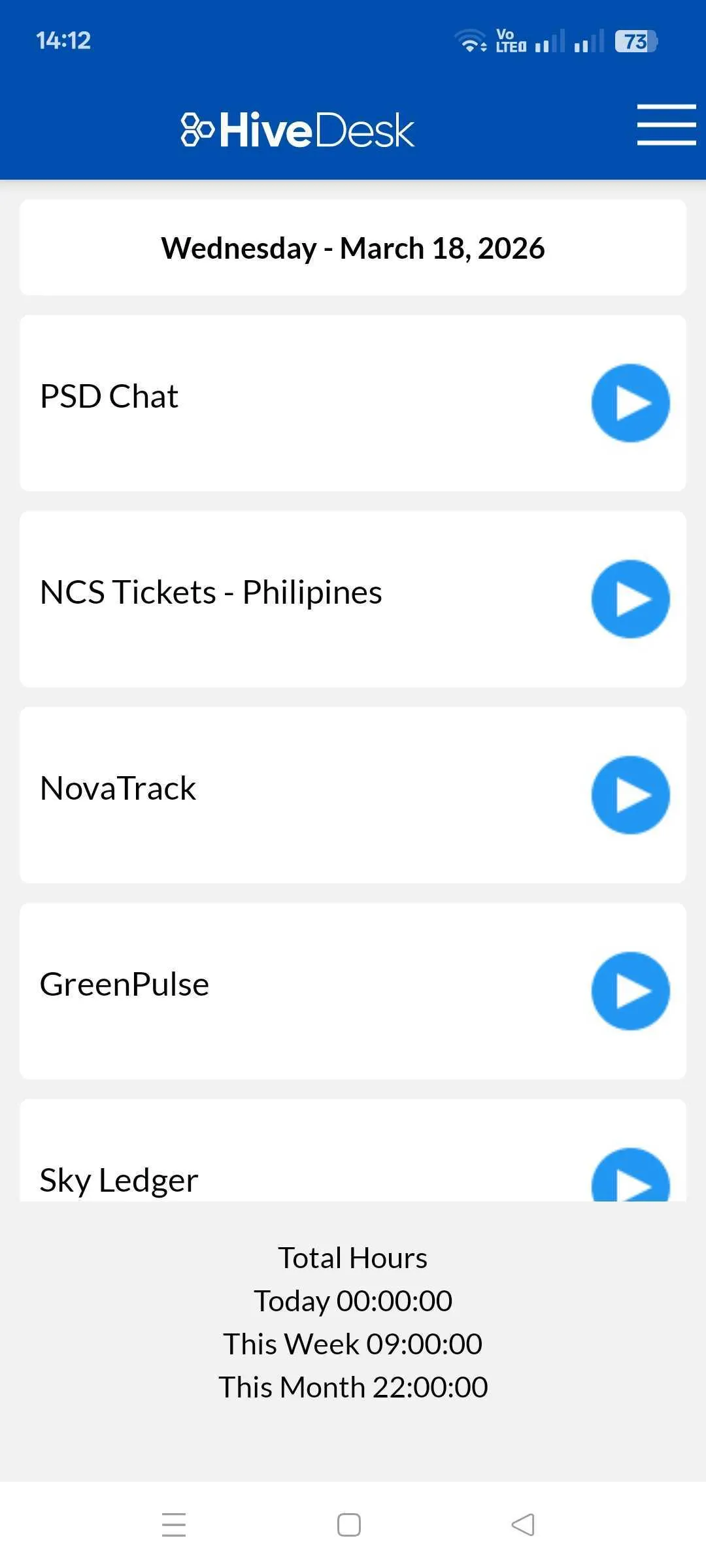
Your team works from different devices and different locations. HiveDesk meets them where they are — with native apps for Windows, macOS, Linux, iOS, and Chrome. GPS tracking on mobile. Screenshots on desktop. Everything syncs to one dashboard.
No credit card required · $5/user/month · All platforms included
Your Team Is Not Always at a Desk
Field workers, mobile employees, and distributed teams need time tracking that works from any device. If tracking is inconvenient, people stop doing it.
Without multi-platform support
- Mobile workers cannot track time without a desktop app
- Paper timesheets and manual entries are inaccurate
- No GPS verification for field or on-site workers
- Employees forget to log hours when switching devices
- Managers cannot see who is working from mobile
- Data is scattered across devices and never reconciled
With HiveDesk
- Native apps for every major platform — desktop, mobile, browser
- iOS app with GPS location tracking for field workers
- Screenshots and activity monitoring on desktop and Chrome
- All devices sync automatically to one account
- Employees can view schedules and request time off from mobile
- Managers see all data from the web dashboard on any device
Every Platform Your Team Uses
One account, five platforms. Employees choose the device that works for them.
Windows Desktop
Native Windows app with automatic time tracking, periodic screenshots, and activity-level monitoring. Runs in the background after a one-click start.
macOS Desktop
Native Mac app with the same features as Windows — time tracking, screenshots, and activity monitoring. Works on Intel and Apple Silicon.
Linux Desktop
Desktop app for Linux distributions. Time tracking, screenshots, and activity monitoring for teams running Ubuntu, Fedora, and other distributions.
iOS Mobile App
Track time from iPhone and iPad. GPS location tracking records where employees clock in and out. View schedules and request time off.
Chrome Extension
Lightweight browser-based time tracking. Screenshots and activity levels without installing a desktop app. Works on any operating system with Chrome.
Web Dashboard
Managers access reports, timesheets, scheduling, attendance, and team management from any browser. No installation required.
Get Your Team Tracking in Minutes
Download the app
Team members download the app for their device — desktop, iOS, or Chrome. Sign in with account credentials.
Start tracking
Select a project or task, click start. Time, screenshots, activity, and GPS (on mobile) are captured automatically.
Review from dashboard
Managers see all data from the web dashboard. Timesheets, attendance, activity reports, and exports are all in one place.
Frequently Asked Questions
Common questions about HiveDesk apps and platform support.
HiveDesk has native desktop apps for Windows, macOS, and Linux. An iOS mobile app with GPS location tracking. A Chrome browser extension. And a web dashboard accessible from any browser. All platforms sync to the same account.
Currently, the HiveDesk mobile app is available for iOS only. Android users can use the Chrome browser extension or web dashboard to track time. Desktop apps are available for Windows, macOS, and Linux.
Yes. The iOS mobile app includes GPS location tracking, which records the location where employees clock in and out. This is useful for field workers, on-site contractors, and teams that need to verify work locations.
Screenshot monitoring is available on the desktop apps (Windows, macOS, Linux) and Chrome browser extension. The iOS mobile app focuses on time tracking, GPS location, schedule viewing, and time-off requests.
Yes. Time tracked on any device syncs to the same account. An employee can start tracking on their desktop in the morning, continue on mobile during a commute, and managers see all the data in one dashboard.
The Chrome extension lets employees track time against projects and tasks directly from their browser. It captures screenshots and activity levels similar to the desktop apps. It is a lightweight option for teams that prefer not to install a desktop application.
Managers primarily use the web dashboard, which is accessible from any browser on any device. The web dashboard provides full access to reports, timesheets, scheduling, attendance, and team management.
HiveDesk is $5 per user per month — one plan that includes every platform and every feature. Desktop apps, mobile app, Chrome extension, scheduling, time tracking, screenshots, and reporting. There is a 14-day free trial with no credit card required.
After signing up, employees download the desktop app from the HiveDesk website, the iOS app from the App Store, or the Chrome extension from the Chrome Web Store. They log in with their account credentials and are ready to track time immediately.
Employees can use any available platform. Managers configure monitoring settings (like screenshot frequency) from the web dashboard, and those settings apply across all platforms the employee uses.
Ready to Get Started?
Join teams worldwide who trust HiveDesk for workforce management, time tracking, and employee monitoring. $5/user/month, all features included.