

Manage Remote Support Agents with the Same Visibility as In-Office
Your support agents work from home, across cities, across time zones. HiveDesk gives you real-time visibility into who is working, what they are doing, and whether they are on schedule — without hovering over anyone's shoulder.
No credit card required · $5/user/month · All features included
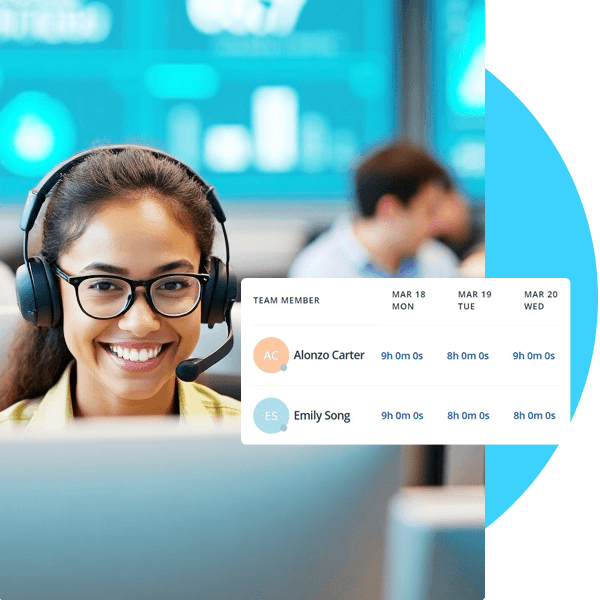
Remote Support Teams Are Invisible by Default. They Don't Have to Be.
When agents work from home, you lose the ambient visibility of a physical office. Are they on schedule? Are they productive? Are they even online? Without answers, you are managing blind.
Without remote team visibility
- No way to verify if remote agents are working during their scheduled hours
- Timezone coordination is a spreadsheet exercise that nobody maintains
- Schedule adherence is impossible to measure — you only catch issues after the fact
- Manual timesheets from remote workers are inaccurate and submitted late
- Managers spend time chasing status updates instead of coaching agents
- Performance issues hide for weeks because there is no objective data
With HiveDesk
- Real-time dashboard shows which agents are online and what they are working on
- Shift schedules span time zones — you see coverage across all regions at a glance
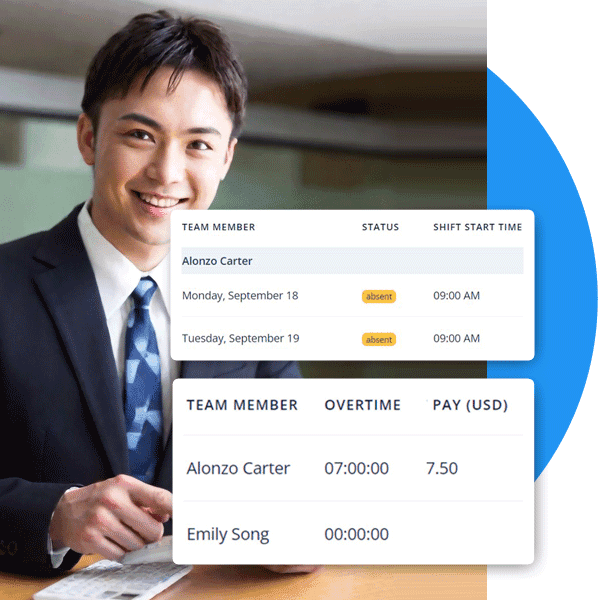
- Attendance reports compare actual clock-in times against scheduled shifts daily
- Timesheets are generated automatically from tracked hours — no chasing required
- Activity screenshots give managers objective data for coaching conversations
- Performance patterns are visible in reports before they become problems
Real-Time Visibility
See your entire remote team on one screen
The HiveDesk dashboard shows every agent who is currently online, their activity level, current project, and hours logged today. It does not matter if they are in your city or on the other side of the world — you see the same data. Click into any agent for detailed activity history, screenshots, and time breakdowns.
- Live view of all online agents with current activity status
- Activity levels show keyboard and mouse engagement during shifts
- Periodic screenshots verify what agents are working on
- Drill into individual agents for detailed time and activity history
- No delay — dashboard updates in real time as agents work
Cross-Timezone Scheduling
Schedule agents across time zones and verify they show up
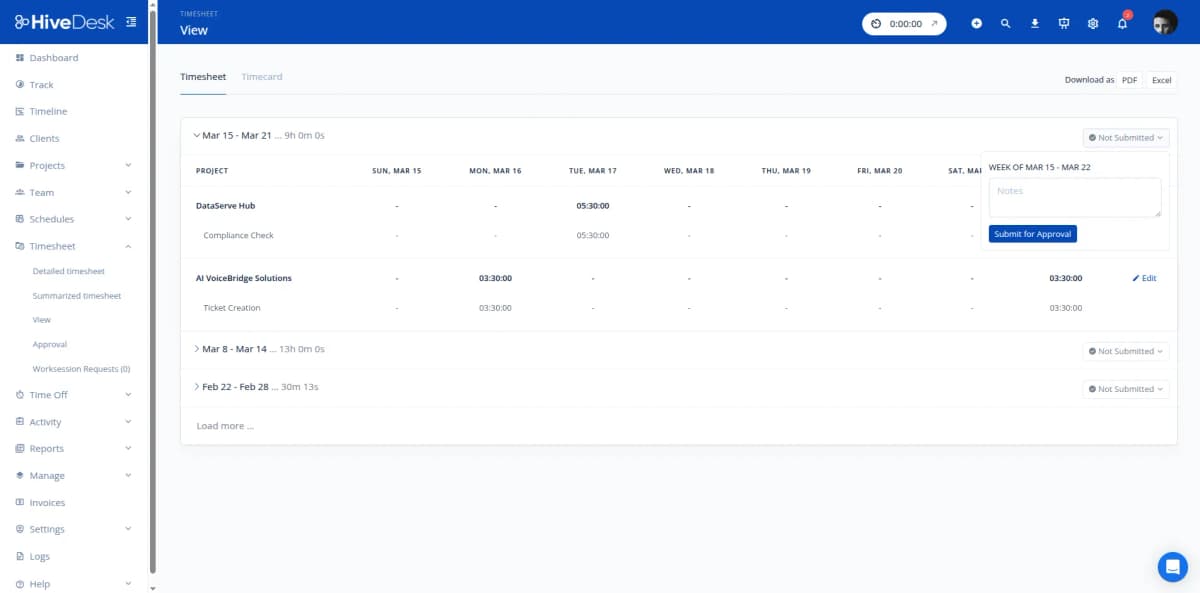
Distributed support teams need coverage during all business hours — not just your local time. HiveDesk lets you create shift schedules for agents in any time zone, set up recurring rotations, and track attendance against those schedules. You see who clocked in when, who was late, and where coverage gaps exist.
- Create shifts for agents in any time zone with specific start and end times
- Set up recurring schedules for regular shift rotations
- Track attendance — compare actual clock-in times against scheduled shifts
- Flag late arrivals, early departures, and missed shifts automatically
- Manage time-off requests so coverage gaps are visible in advance
Schedule Adherence & Accountability
Objective data for schedule adherence — not guesswork
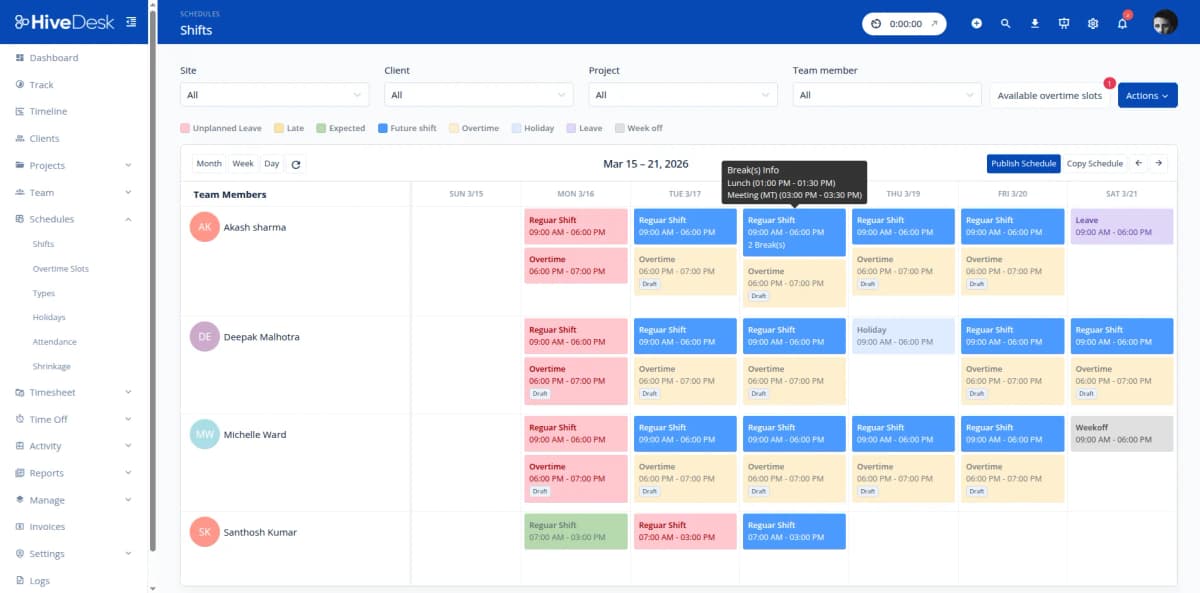
In a physical office, you can see when someone arrives late or leaves early. With remote teams, you need data. HiveDesk gives you attendance reports that compare scheduled shifts against actual clock-in and clock-out times, plus activity data that shows engagement levels during work hours. Use this data for coaching, not surveillance.
- Attendance reports show scheduled vs actual hours for every agent
- Activity monitoring provides objective productivity data during shifts
- Screenshot reports verify work during scheduled hours
- Overtime tracked automatically — visible before payroll processing
- Historical adherence data supports fair, data-driven performance reviews
Timesheets & Payroll
Accurate timesheets from remote teams without chasing anyone
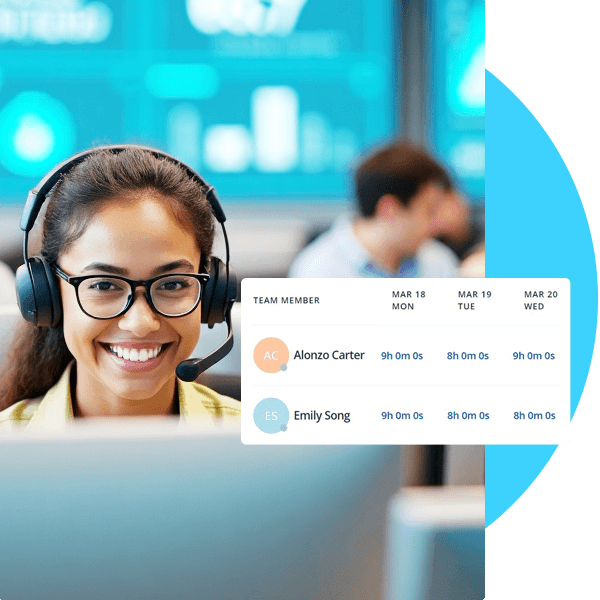
Remote workers submitting manual timesheets is a recipe for inaccuracy and late submissions. HiveDesk auto-generates timesheets from actual tracked time. Managers review and approve through a built-in workflow. Export clean data for payroll — with overtime, attendance, and leave records already included.
- Auto-generated timesheets from tracked hours — no manual entry
- Manager review and approval workflow before payroll processing
- Overtime hours tracked and flagged automatically
- Export approved timesheets as Excel for any payroll software
- Attendance and leave records maintained alongside time data
How Remote Support Teams Use HiveDesk
Whether you manage a small remote team or a distributed operation spanning multiple time zones, HiveDesk provides the visibility and tools you need.
Remote Support Agents
Agents working from home track time automatically as they handle tickets, calls, and chats. Managers get the same visibility they would have in a physical contact center — activity levels, screenshots, and hours logged by project.
- Track time on desktop, mobile, or Chrome browser from any location
- Activity monitoring provides accountability without micromanagement
- Agents view their own time data for full transparency
Distributed Team Managers
Managers overseeing agents across cities, states, or countries need a single dashboard to see team status. HiveDesk shows who is online, their current task, attendance history, and schedule adherence — all in one place.
- Real-time dashboard shows all agents regardless of location
- Attendance reports flag late arrivals and missed shifts
- Schedule adherence data supports coaching conversations
Multi-Timezone Operations
Support teams spanning multiple time zones need coverage during all business hours. Create shift schedules by timezone, verify agents clock in when expected, and ensure there are no gaps in customer coverage.
- Create shifts for agents in different time zones
- Verify clock-in times match scheduled shifts across zones
- Identify coverage gaps before customers experience them
BPO & Outsourced Support
When you outsource support to remote agents or BPO partners, you need verification that hours are being worked. HiveDesk provides time tracking with screenshots and activity data — giving you proof of work for vendor management and billing.
- Track outsourced agent hours with verifiable activity data
- Screenshot reports serve as proof of work for vendor billing
- Generate per-client time reports for cost allocation
Everything Your Remote Team Needs. $5/User/Month.
One plan with every feature included. No tiers, no hidden fees, no per-feature upsells.
Automatic Time Tracking
One-click timer on desktop, mobile, and browser. Remote agents track hours by project and task — no manual entries or end-of-shift guesswork.
Activity Monitoring
Periodic screenshots and activity levels verify what remote agents are working on during their shifts. Configurable frequency, fully transparent to agents.
Employee Scheduling
Create shifts for agents across time zones. Set up recurring rotations, track attendance against schedules, and manage time-off requests.
Timesheets & Approval
Auto-generated timesheets with manager approval workflow. Export as PDF or Excel for payroll processing — no manual compilation needed.
Attendance & Leave
Compare actual clock-in times against scheduled shifts. Track leave balances and manage PTO requests with approval workflow to maintain coverage.
Real-Time Dashboards
See which remote agents are online, their current activity, and hours logged — all from one screen. Drill into individual agents or team-level views.
Trusted by Teams Across 6 Continents Since 2011
HiveDesk has been instrumental in helping us manage our remote team effectively. The automatic time tracking and screenshot features give us the visibility we need without micromanaging. Setup was straightforward and our team adopted it within a day.
We have used every time tracking software under the sun, and they all fall short in some area that we need, but overall HiveDesk has met our needs. Their PDF screenshot reports are clean, easy to use and understand. Our clients prefer them over the complicated reports of other systems.
Simple Pricing for Distributed Teams
One plan with all features included. Works for 5 remote agents or 500.
All features included
- Automatic time tracking across all devices
- Activity monitoring with screenshots
- Employee scheduling across time zones
- Attendance tracking & schedule adherence
- Leave management with approval workflow
- Project & task tracking
- Timesheet generation & approval
- Reporting & analytics dashboards
No credit card required
Frequently Asked Questions
Everything you need to know about managing remote customer service teams with HiveDesk.
HiveDesk tracks time automatically while agents work and captures periodic screenshots during their shifts. The real-time dashboard shows which agents are currently online, their activity levels, and what project or task they are working on. You get the same visibility you would have in a physical office — without requiring agents to be in one.
Create shift schedules for agents in different time zones. The HiveDesk dashboard shows who is currently online regardless of location, so you can ensure support coverage during all business hours. Attendance reports compare actual clock-in and clock-out times against scheduled shifts, making it easy to verify schedule adherence across distributed teams.
Create shift schedules with specific start and end times. HiveDesk tracks when agents actually clock in and out, then compares actual times against the schedule. Attendance reports flag late arrivals, early departures, and missed shifts. Managers can review these reports daily or weekly to address adherence issues before they become patterns.
Yes. Create projects for different clients, support channels, or ticket categories. Remote agents track time against specific projects throughout their shift. You get per-project time reports that show how hours distribute across different types of work — whether your team handles support for one client or many.
Agents start the HiveDesk timer using the desktop app (Windows, macOS, Linux), mobile app (iOS), or Chrome browser extension. The software records hours worked, takes periodic screenshots, and tracks keyboard and mouse activity levels. Agents always know when tracking is active, and they can view their own time data.
HiveDesk integrates with Asana for task and project management. Timesheet and report data can be exported as PDF or Excel for use alongside your helpdesk, CRM, and payroll tools. This lets you combine HiveDesk time and activity data with ticket metrics from your existing systems.
HiveDesk uses AES-256 encryption at rest and TLS 1.2+ in transit. The platform is GDPR compliant with role-based access controls — managers only see data for their assigned teams. Screenshot frequency is configurable, and employees can see their own tracking data at all times.
HiveDesk costs $5 per user per month — one plan that includes every feature. No tiers, no per-feature upsells, no hidden fees. You get time tracking, screenshots, scheduling, attendance, leave management, task tracking, timesheets, and reporting. Teams on 6 continents have used HiveDesk since 2011. There is a free 14-day trial with no credit card required.
Related Resources
Guides
Templates
Ready to Get Started?
Join teams worldwide who trust HiveDesk for workforce management, time tracking, and employee monitoring. $5/user/month, all features included.