

Productivity methods

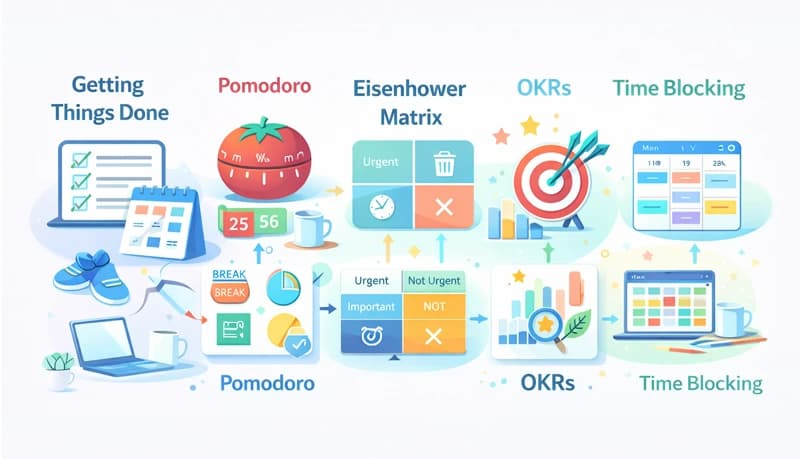
There are many productivity methods, but no single one fits everyone's needs. Finding one that fits your needs and work style is critical. In this post, we explore different productivity methods — when to use them, how to use them, and the tools you need to get the most out of each one.
Getting Things Done (GTD)
This productivity and time management system developed by David Allen is focused on completing tasks in a stress-free and efficient manner using comprehensive lists and calendars.
When to use:
- When you have a lot of tasks to keep track of
- When you have a variety of tasks or wear different hats in your job
- When your tasks include details that are difficult to keep track of
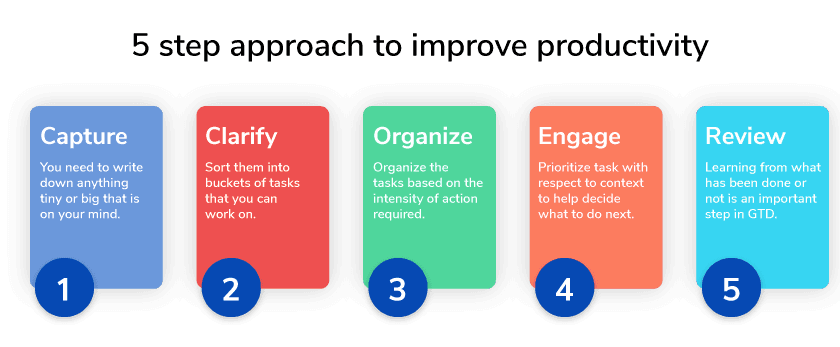
The 5-step approach
- Capture — Note down anything, tiny or big, that is on your mind. You can note them down on paper or digitally using tools like Evernote or Outlook. Nothing is too small.
- Clarify — Once you have the tasks captured, sort them into buckets: tasks you can work on now, tasks to archive, and tasks not for today. This helps you focus on what's on your plate right now.
- Organize — Organize the tasks based on the intensity of action required. Are there multiple action points? Are they blocked or waiting for a next step? This helps you understand what can be done next.
- Engage — Deciding what task to handle next is where we get stuck most often. Getting the context of a task — is it a work, home, or personal project? — helps establish priority. Factor in the time and energy available to you each day so it doesn't add to stress.
- Review — Learning from what has been done (or not) is an important step in GTD. At the end of the week, review how efficiently you knocked out tasks and how you can organize better. This adds a crucial step of improvement to the process.
Tools: Evernote, Outlook, physical files and trays, a simple notebook, or a productivity tracker that helps you measure how much time you spend on each task.
Pomodoro
This technique gamifies your productivity. Francesco Cirillo developed this method to help him study and stay focused for his exams. He used a tomato-shaped timer (Pomodoro is Italian for tomato) — and the name stuck.
When to use:
- When you easily get distracted
- When you have more to do than you expect
- When you want short, focused bursts of work
How it works
Some preparation helps this method work best:
- Break bigger projects into chunks you can complete in 25 minutes
- Group small tasks together
- Once a Pomodoro is set, it must ring — no stopping early
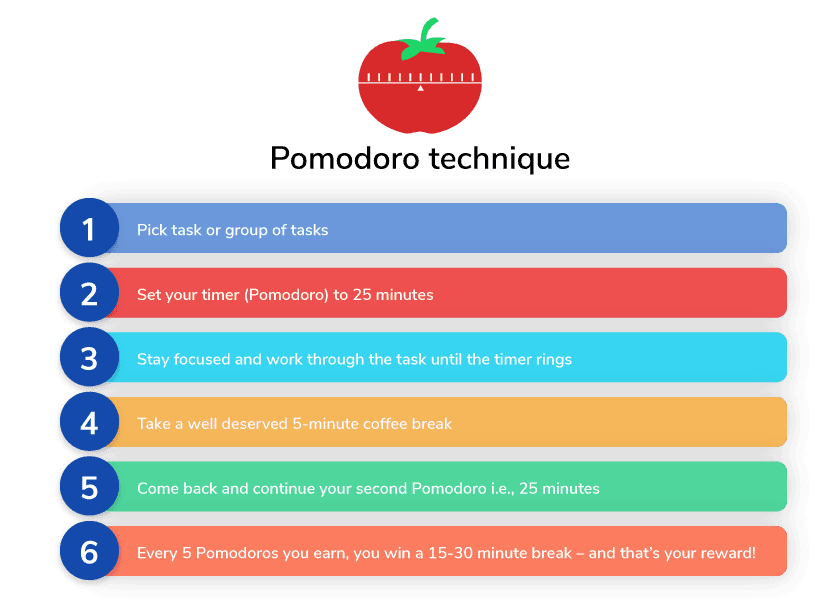
Steps:
- Pick a task or group of tasks
- Set your timer (Pomodoro) to 25 minutes
- Stay focused and work through the task until the timer rings
- Take a 5-minute break
- Come back and start your second Pomodoro
- After every 4 Pomodoros, take a longer 15-30 minute break — that's your reward!
Tools: A loud timer that can be heard easily, and a tally board to keep track of Pomodoros completed.
Eisenhower Matrix
This productivity technique was used by the 34th president of the United States, Dwight D. Eisenhower, and later documented by Stephen Covey. It is also known as the Time Management Matrix.
When to use:
- When you spend too much time reacting to whatever comes up
- When you don't see the impact of your work
- When you struggle to delegate or say no to tasks
Understanding urgent vs. important
Two terms are critical to this method:
- Urgent — Tasks that need immediate action. These are unavoidable, but making sure you don't spend too much time on them is important to reduce stress.
- Important — Tasks that contribute to long-term success and help achieve a bigger vision. These help you focus your energy and time on what really matters.
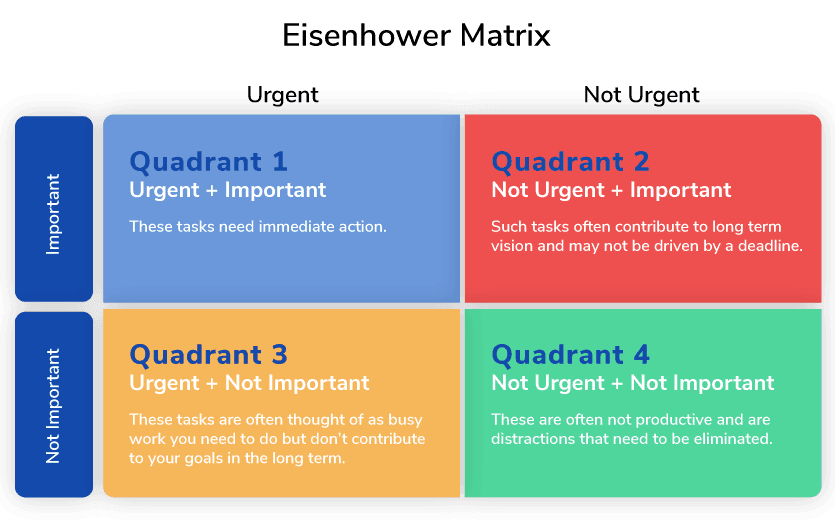
The four quadrants
- Quadrant 1 — Urgent + Important — Tasks that need immediate action, often driven by a deadline. These may come as a surprise, but need to be handled right away.
- Quadrant 2 — Not Urgent + Important — Tasks that contribute to your long-term vision but are not driven by a deadline. Schedule these on your calendar and revisit them regularly. Examples include learning a new skill or investing time with friends and family.
- Quadrant 3 — Urgent + Not Important — Tasks often thought of as busy work. They don't contribute to your long-term goals but need to be done. Delegate these when possible. Examples include running routine reports or attending recurring meetings.
- Quadrant 4 — Not Urgent + Not Important — Distractions that need to be eliminated. These include excessive social media or watching TV.
For this technique to be effective, having the right balance of tasks spread across these 4 quadrants is important.
Tools: Evernote or a simple notebook.
Objectives and Key Results (OKRs)
OKRs is a goal-setting framework used by companies such as Google, Disney, and IBM. This method helps drive results through data-driven metrics that are defined to measure and track goals. OKR evangelist John Doerr has defined standard OKRs and KPIs that help measure both team and individual performance.
When to use:
- When your performance is driven by data and reported metrics
- When challenging yourself to go beyond what is expected
- When you want to align personal goals with team and company goals
Key terms
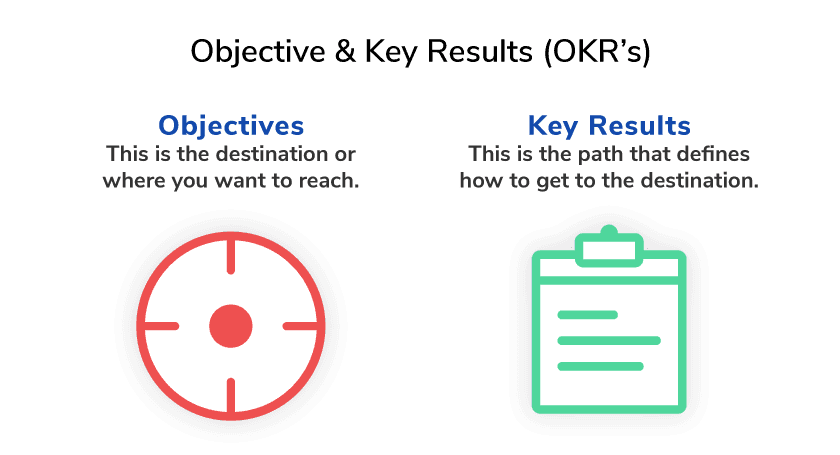
- Objectives — The destination, or where you want to reach
- Key Results — The path that defines how to get to the destination
Defining objectives
Objectives should be:
- Describe what is being accomplished
- Not be time-bound (they describe the "what", not the "when")
- Be action-oriented and concrete
- Contribute to the overall long-term goal or vision
Defining key results
Key Results should:
- Define a path to get to the goal
- Be time-bound actions that can be evaluated at the end of the cycle
- Be measurable
- Be evaluated repeatedly to learn from
Example
Objective — Redesign the web portal to look modern
Key Results:
- Develop mockups
- Narrow down on the theme to use
- Review and evaluate the new design
- Develop the newly designed website
Tools: Gantt charts and KPI dashboards.
Time Blocking
This productivity technique focuses on bringing structure to your daily routine. There are multiple variations such as time batching and day blocking. All revolve around the idea of dividing the day into chunks of time to focus on tasks.
When to use:
- When you have multiple responsibilities
- When you spend too much time on emails or messages
- When too many meetings eat up your day
Variations
In preparation, group your tasks into common areas, prioritize categories, and try to get an idea of what's coming in the upcoming week.
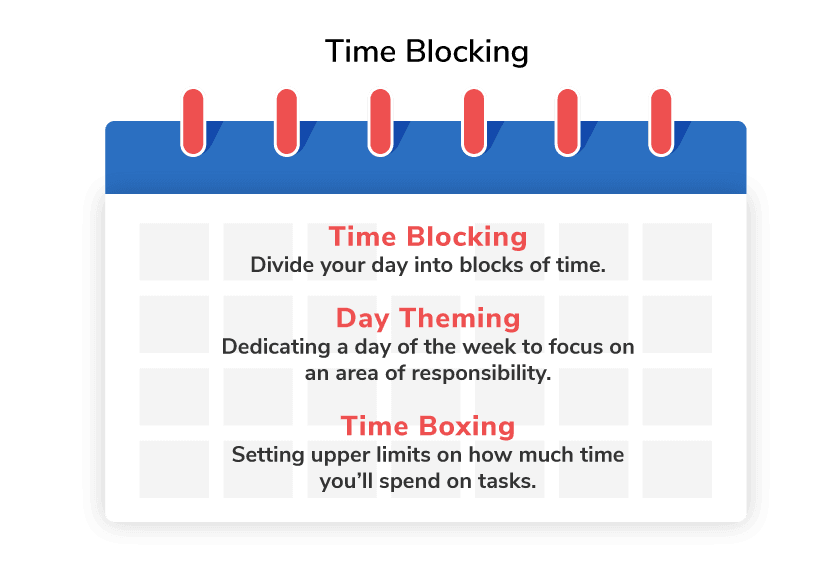
- Time Blocking — Divide your day into blocks of time to focus on a group of tasks based on priority.
- Day Theming — Dedicate a day of the week to focus on one area of responsibility. For example, "Every Friday I will prepare for my certification."
- Time Boxing — Set upper limits on how much time you'll spend on a task or group of tasks. This helps you move on and cross items off your list.
Tools: Outlook or Google Calendar.
