

Monitor Agent Activity. Identify Coaching Opportunities. Raise the Bar.
Quality assurance depends on visibility. HiveDesk gives you periodic screenshots, activity level tracking, and detailed time reports — so you can see how agents actually spend their shifts and coach them with data, not assumptions.
No credit card required · $5/user/month · All features included
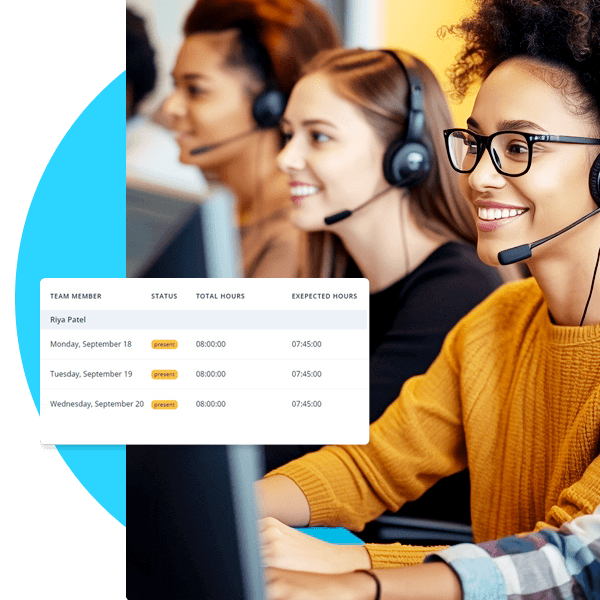
You Cannot Improve What You Cannot Observe
QA in a contact center goes beyond call scoring. You need to understand how agents spend their entire shift — not just the moments you happen to be listening in.
What QA managers struggle with
- Call quality scores only capture a fraction of an agent's shift
- No visibility into what agents do between calls or during non-call work
- Remote agents are harder to observe and coach than in-office staff
- Coaching conversations lack specific, objective examples of behavior
- Inconsistent performance is hard to detect without continuous data
- Time spent on training vs production work is unknown
How HiveDesk solves it
- Periodic screenshots show what agents are doing throughout their entire shift
- Activity level tracking reveals productive vs idle time between calls
- Same monitoring tools for remote and in-office agents — consistent visibility
- Screenshot evidence provides objective data for coaching conversations
- Historical activity data shows performance trends over days, weeks, and months
- Task tracking shows time split between production, training, and admin work
Screenshot Monitoring
See what agents are actually doing during their shifts
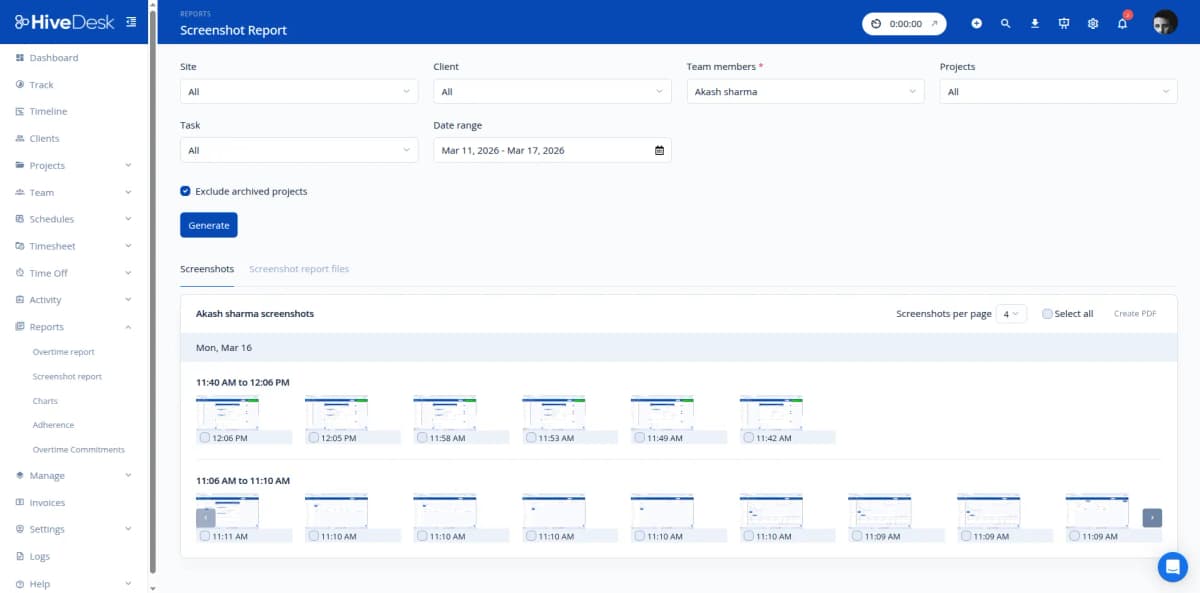
HiveDesk captures periodic screenshots during agent work sessions. Review them through the dashboard to see which applications agents are using, whether they follow standard operating procedures, and how they manage their time. Screenshots provide objective evidence for quality assessments — not just for the calls you happen to monitor.
- Periodic screenshots captured during active work sessions
- Review agent screens by date, time, or work session
- Configurable screenshot frequency based on your QA needs
- Agents always know when tracking is active — transparent monitoring
- Export screenshot reports as PDF for documentation
Activity & Performance Patterns
Spot trends before they become problems
Activity level data shows you when agents are productive and when they are not — by time of day, day of week, or shift type. Over time, patterns emerge: agents whose activity drops every afternoon, teams that underperform on certain shifts, or individuals whose work quality fluctuates. With this data, you can target coaching where it will have the most impact.
- Activity levels tracked throughout each work session
- Historical data reveals productivity patterns over time
- Compare activity levels across agents, teams, and shifts
- Identify agents who need additional coaching or support
- Track improvement over time after coaching interventions
Task Distribution & Time Analysis
Understand how agents divide their time across work types
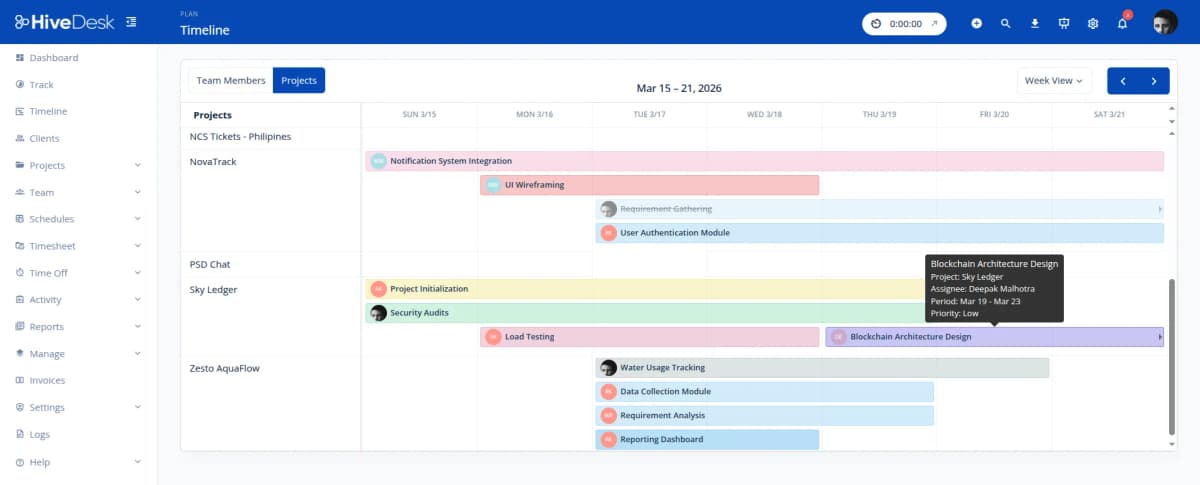
Set up task categories for different work types — inbound calls, outbound calls, email support, chat, training, admin. As agents work, they allocate time to the appropriate task. You get reports showing how each agent distributes their shift across work types. If an agent spends disproportionate time on admin or non-production tasks, you will see it in the data.
- Categorize work by task type for detailed time analysis
- See time distribution across work categories per agent
- Identify agents spending too much time on non-production tasks
- Compare task distribution across agents to find best practices
- Track training time separately from production work
Complete Monitoring & Reporting. $5/User/Month.
One plan with every feature included. No tiers, no hidden fees, no per-feature upsells.
Activity Monitoring
Periodic screenshots and activity level tracking during work sessions. See what agents are working on and identify productivity patterns.
Real-Time Dashboards
See which agents are online, their current activity levels, and hours logged. Monitor your team in real time from a single screen.
Automatic Time Tracking
Agents track hours on desktop, mobile, or browser. Time allocated by project and task for visibility into how agents spend their shifts.
Project & Task Tracking
Categorize work by task type — inbound calls, outbound, email, training. See how agents distribute time across work categories.
Shift Scheduling
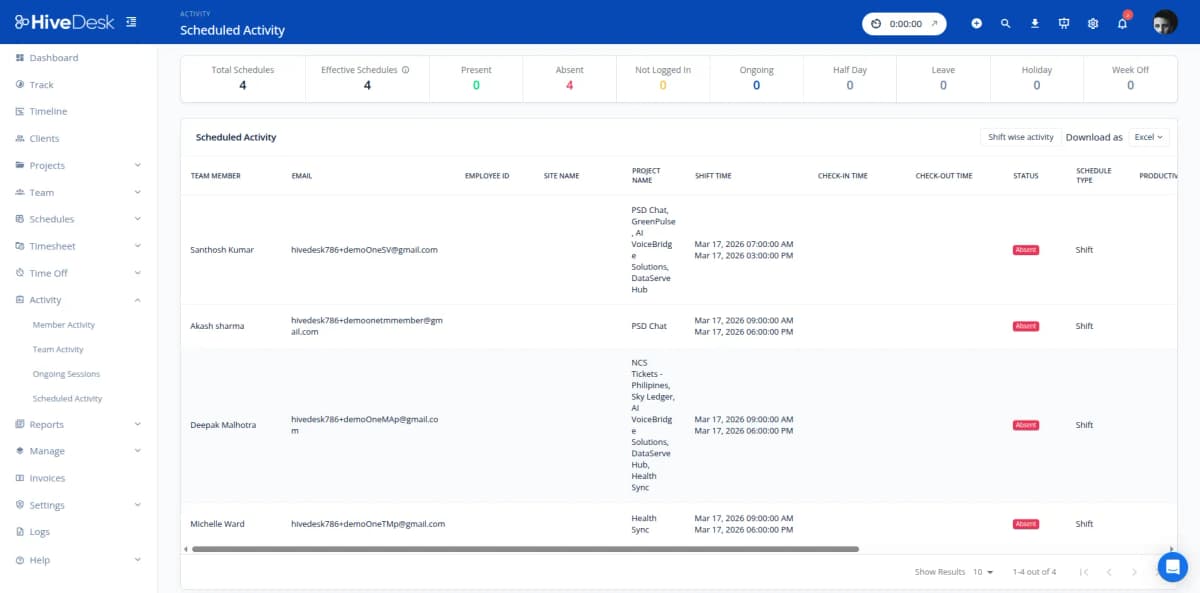
Create shifts and assign agents. Track schedule adherence to see who shows up on time and who needs accountability support.
Reports & Export
Activity, screenshot, time, and task reports. Filter by agent, team, or date range. Export as PDF or Excel for QA documentation.
Trusted by Teams Across 6 Continents Since 2011
HiveDesk has been instrumental in helping us manage our remote team effectively. The automatic time tracking and screenshot features give us the visibility we need without micromanaging. Setup was straightforward and our team adopted it within a day.
Frequently Asked Questions
Common questions about HiveDesk for contact center QA managers.
HiveDesk captures periodic screenshots during agent work sessions. As a QA manager, you can review these screenshots to see what agents are working on during their shifts — which applications they use, whether they follow standard procedures, and how they spend time between calls. This gives you objective data for quality assessments rather than relying on spot checks or self-reporting.
Yes. HiveDesk tracks activity levels (keyboard and mouse activity) during work sessions. You can review activity patterns by agent, shift, or time period to identify when productivity dips — whether it is at certain times of day, during specific shifts, or after particular events. This data helps you target coaching to the agents and situations that need it most.
By combining screenshot data, activity levels, and time tracking, HiveDesk reveals patterns that indicate coaching needs. Low activity during peak hours, excessive time on non-work applications, or inconsistent work patterns are all visible in the data. You can use this information in one-on-one coaching sessions with specific, objective examples.
Yes. Set up projects and tasks in HiveDesk for different work categories — inbound calls, outbound calls, email support, training, etc. Agents allocate time as they switch between tasks. You get reports showing how each agent distributes their time across task types, helping you identify agents who may need support in specific areas.
Screenshot frequency is configurable by your administrator. You can set the interval based on your QA requirements. Agents always know when tracking is active — there is no hidden surveillance. Screenshots are stored securely and accessible only to authorized managers through the HiveDesk dashboard.
HiveDesk provides activity reports, screenshot reports, time reports, and task reports that you can filter by agent, team, date range, or project. Export as PDF or Excel. While HiveDesk does not replace your call quality scoring system, it provides the activity and time data that complements your quality evaluations.
Yes. HiveDesk has native apps for Windows, macOS, Linux, iOS, and a Chrome browser extension. Remote agents are monitored with the same tools as in-office agents — screenshots, activity levels, and time tracking work identically regardless of location. This is particularly valuable for QA when you cannot physically observe remote agents.
HiveDesk costs $5 per user per month — one plan with every feature included. No tiers, no per-feature upsells, no hidden fees. You get time tracking, screenshots, activity monitoring, scheduling, attendance, leave management, and reporting. There is a 14-day free trial with no credit card required.
Related Resources
Role-Specific Solutions
Contact Center Solutions
Ready to Get Started?
Join teams worldwide who trust HiveDesk for workforce management, time tracking, and employee monitoring. $5/user/month, all features included.