

Every Feature Your Team Needs. One Plan. $5/User/Month.
Time tracking, employee scheduling, activity monitoring, timesheets, attendance, leave management, and real-time dashboards — all included in a single plan. No tiers. No upsells. No feature gating.
No credit card required · Set up in under 10 minutes · Works on Windows, macOS, Linux, iOS, Chrome
Workforce Planning
Schedule shifts, manage leave, optimize staffing, and keep your team running smoothly across time zones.
Workforce Scheduling
Build shift schedules in day, week, or month views with breaks inside shifts. Save drafts, publish or copy schedules, handle shift change requests with manager approval, and post overtime slots agents can commit to.
Learn more →Leave Management
Set time-off policies with a limit in days, create custom time-off types, and route requests to managers for approval. Holidays and leave show on the schedule.
Learn more →Shrinkage Management
The Shrinkage report compares scheduled start, end, and hours with actual hours worked for every member and date, showing shrinkage hours and percentage. Filter by site, client, team group, project, or shift.
Learn more →Workforce Optimization
Use the Adherence report to compare check-in and check-out times with shift start and end, and Scheduled Activity to see who is present, absent, or not logged in for each shift.
Learn more →Timezone Management
Manage teams across multiple time zones. Set up countries and sites for multi-site operations, then filter reports by site and timezone.
Learn more →Agent Performance
Track time, manage tasks, generate timesheets, and measure productivity across your workforce.
Agent Time Tracking
Automatic time tracking with desktop, mobile, and browser apps. Employees log hours by task and project, and take breaks using custom break types with short codes.
Learn more →Performance Analytics
Detailed reports on employee performance, activity levels, and productivity trends over time.
Learn more →Agent Productivity Tools
Activity monitoring with periodic screenshots. Ongoing Sessions shows who is working right now, and managers can check users out or edit breaks in a live session.
Learn more →Task Management
Create and assign tasks. Track time spent on each task and manage workload across your team.
Learn more →Timesheet Management
Detailed, summarized, and timecard views with an optional approval step. Members can request time edits, and managers review them before timesheets export to PDF or Excel.
Learn more →Quality and Monitoring
Review agent activity with screenshot reports and activity data, then fix the staffing and attendance issues that hurt service quality.
Agent Monitoring
Monitor agent activity with periodic screenshots and activity levels. Screenshot reports group captures by session, and you can select screenshots and create a PDF.
Learn more →Quality Assurance
Use screenshot reports, activity levels, and adherence data to review how agents spend their shifts, alongside the QA process you already run.
Learn more →Customer Satisfaction Tracking
HiveDesk does not measure CSAT. It helps you fix the workforce issues behind poor CSAT: late check-ins, absences, schedule gaps, and shrinkage.
Learn more →Compliance and HR
Stay compliant with labor laws, track attendance, manage overtime, and generate audit-ready reports.
Compliance Reporting
Generate audit-ready reports for FLSA, state labor laws, and industry regulations. Track breaks, overtime, and working hours.
Learn more →Attendance Management
Track clock-in and clock-out against schedules with configurable late thresholds, run the Attendance report, and spot absence patterns across sites and countries.
Learn more →Overtime Management
Set a weekly overtime threshold and a pay multiplier on each member's hourly rate. Post overtime slots agents commit to, and review the Overtime and Overtime Commitments reports.
Learn more →Core Platform
Real-time dashboards, project management, integrations, mobile apps, and client billing.
Real-Time Dashboards
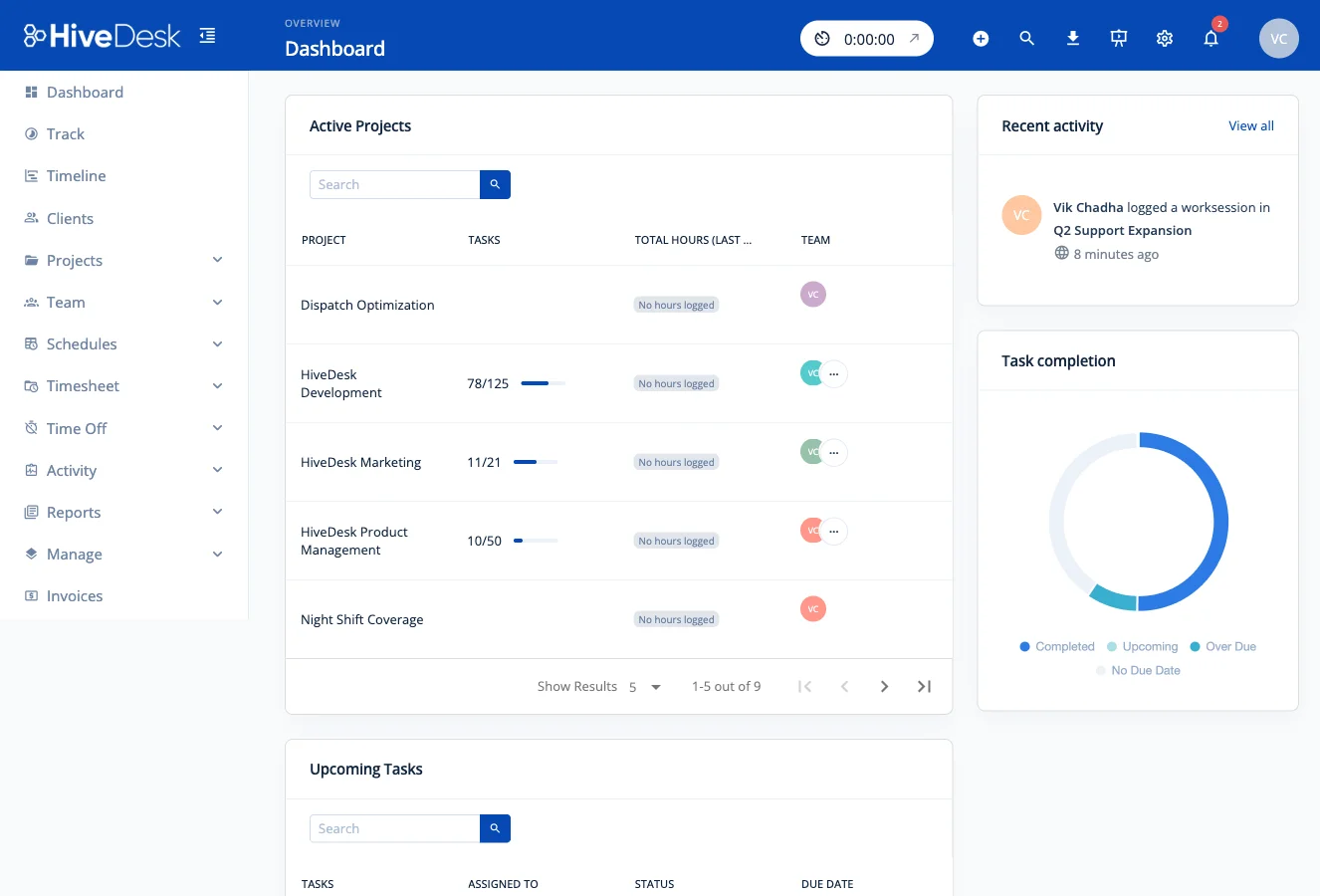
The Dashboard shows projects, hours for the last 7 days, recent activity, and upcoming tasks. Daily email summaries go to the recipients you choose, including people outside the team.
Learn more →Project Management
Track project status, hours, and labor costs. Add hourly rates to calculate project profitability, and set custom roles and permissions to control who sees what.
Learn more →Integrations
Track time against Asana tasks and projects. A Public API is available on request for custom integrations and reporting tools.
Learn more →Mobile Apps
Track time on the go with the iOS app, which records GPS location at clock-in and clock-out. The iOS app does not capture screenshots or activity levels.
Learn more →Client Billing
Track billable hours by client and project, then create custom invoices or auto-generate them from tracked time with your tax rate, Tax/VAT number, and logo.
Learn more →Why One Plan at $5/User/Month?
Most workforce tools lock their best features behind expensive tiers. We think that is wrong. Every team deserves access to every tool they need to manage their workforce.
No Surprise Charges
$5/user/month is all you pay. No setup fees, no add-on costs, no per-feature pricing. Your bill is predictable every month.
No Feature Gating
Screenshots, scheduling, timesheets, attendance, leave management, dashboards — every feature is available to every team from day one.
Every Team Gets Everything
Whether you have 5 users or 500, your team gets the same complete platform. No negotiating with sales for features you need.
Explore More Tools
Specialized time tracking and workforce tools for every need.
Works on multiple devices
Your employees can use HiveDesk on Windows, Mac, Linux, and iOS. You can also track employee time with our Chrome browser extension.
Frequently Asked Questions
Common questions about HiveDesk features, pricing, and getting started.
HiveDesk includes automatic time tracking, employee scheduling, activity monitoring with screenshots, timesheet generation and approval, attendance management, leave and time-off tracking, task and project management, real-time dashboards, adherence and shrinkage reports, overtime slots, shift change requests, multi-site management, custom roles and permissions, daily email summaries, compliance reporting, client invoicing, and mobile apps. Every feature is included in a single plan — there are no tiers or add-ons. A Public API is also available on request.
HiveDesk costs $5 per user per month. That is the only plan and it includes every feature. There are no hidden fees, no per-feature charges, and no enterprise tiers. You also get a free 14-day trial with no credit card required.
Yes. Unlike most workforce management tools that lock features behind higher-priced tiers, HiveDesk gives every team access to every feature for $5/user/month. Time tracking, scheduling, screenshots, timesheets, attendance, leave management, reporting, and mobile apps are all included from day one.
HiveDesk has native desktop apps for Windows, macOS, and Linux, an iOS mobile app that records GPS location at clock-in and clock-out, a Chrome browser extension, and a web dashboard accessible from any browser. Your team can track time from whichever device they prefer.
HiveDesk integrates with Asana for project and task management. Team members can track time directly inside Asana, or select an Asana task in the HiveDesk app and start the timer. Either way, reports show hours per task, project, and team member. A Public API is available on request for custom integrations and reporting tools. Timesheet data can also be exported to Excel and PDF for use with any payroll or accounting software.
Yes. HiveDesk offers a 14-day free trial with full access to every feature. No credit card is required to start. You can add your team, track time, generate timesheets, and test every feature before making a decision.
Most teams are up and running in under 10 minutes. Create an account, add your projects and team members, and have employees install the desktop or mobile app. There is no complex onboarding, no IT department required, and no training sessions needed — employees click one button to start tracking.
Most time tracking tools are just timers. HiveDesk is a complete workforce management platform — combining time tracking, employee scheduling, attendance management, leave tracking, activity monitoring, timesheet approval, and compliance reporting in a single tool. And it all costs $5/user/month with no feature gating. Tools like Toggl and Clockify lack workforce management. Hubstaff charges $7-10+/user for comparable features.
Ready to Get Started?
Join teams worldwide who trust HiveDesk for workforce management, time tracking, and employee monitoring. $5/user/month, all features included.