

The Ultimate Guide to Daily and Weekly Status Reports

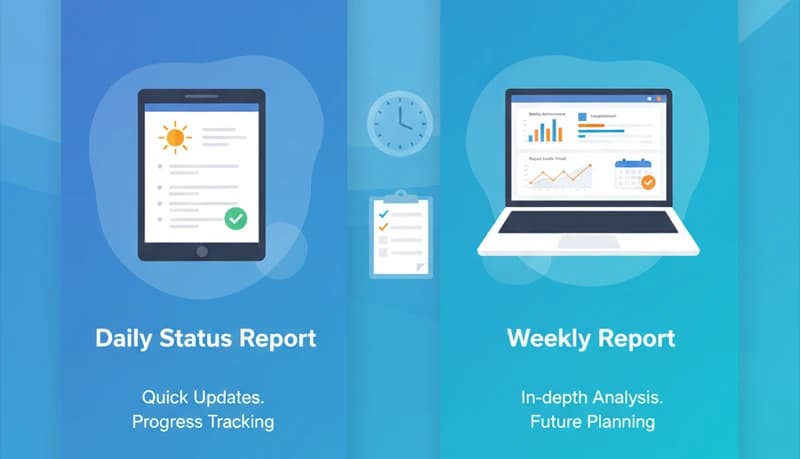
Daily and weekly status reports are one of the most effective ways to keep a remote or hybrid team aligned. They give managers visibility into progress and blockers without requiring constant meetings, and they give team members a structured way to communicate what they're working on.
For remote teams especially, where managing employees across locations and time zones is already challenging, regular status reports build the trust and transparency that keep projects on track.
Why status reports matter
Keep track of project health
It's demoralizing to work hard on a project only to discover you've been off track the whole time. Regular status reports let you catch problems early and course-correct before they become costly.
Summarize progress
Status reports aren't real-time updates — they're summaries of what happened, what's happening now, and what's coming next. They keep everyone informed without requiring them to dig through task lists or chase people for updates.
Share action items
Status reports are the right place to communicate next steps and expectations. When action items are documented and shared, everyone knows what's expected of them.
Identify roadblocks early
When team members report blockers consistently, managers can take a proactive approach to clearing obstacles instead of reacting after deadlines are missed.
Reduce meetings
Well-written status reports can replace many recurring meetings. Combining reports with data from an employee time tracking tool gives managers an even clearer picture of project health. Instead of gathering everyone to ask "what are you working on?", the report answers that question asynchronously — saving time for everyone.
Daily status reports
Daily reports are quick, focused updates that keep the team aligned day to day. They're especially valuable for fast-moving projects or teams where work changes frequently.
Benefits of daily reports
- Consistency — Managers and team members see the same information patterns daily, regardless of location
- Accountability — Daily updates hold team members accountable for what they said they'd do
- Fewer meetings — A concise daily update can replace a daily standup meeting
- Early warning — Problems surface quickly when people report daily
What to include
A daily status report should answer three questions:
What did I do yesterday? — List the tasks you completed. This saves the manager from having to ask each person individually and gives the team visibility into overall progress.
What am I doing today? — List the tasks you plan to work on. This helps the manager confirm that priorities are aligned and gives teammates context about shared work.
What's blocking me? — Note any obstacles or bottlenecks. Capturing blockers in writing creates an opportunity for managers or teammates to step in and help resolve them.
Keep daily reports brief — a few bullet points per section is enough. If it takes more than five minutes to write, you're including too much detail.
Weekly status reports
Weekly reports operate at a higher level than daily reports. They focus on progress toward milestones, overall project health, and upcoming priorities. If a blocker makes it into a weekly report without being resolved, it's a serious issue that needs immediate attention.
What to include
Project name and date — Basic identifiers that make reports easy to find and reference later. This seems obvious, but without dates, it's hard to maintain an accurate project timeline.
Summary — A brief overview of what happened during the week and what's planned for the next week. Use bullet points to cover task status, key decisions, deliverables completed, and anything noteworthy.
Overall progress — Report the completion status of the project or current phase. This gives stakeholders a quick read on whether things are on track.
Action items for next week — What's planned and who owns each item. This gives the manager visibility into upcoming work and helps the team stay coordinated.
Risks and blockers — Document any challenges encountered during the week, their impact, and suggested mitigation steps. This section is where managers look first to understand what needs their attention.
Tips for effective status reports
Keep them concise
Status reports should take minutes to read, not hours. Use bullet points, not paragraphs. Focus on what matters — progress, plans, and problems.
Be consistent
Use the same format every time. Consistency makes reports easier to write, easier to read, and easier to compare over time.
Be honest
A status report that says "everything is fine" when it isn't helps no one. Encourage team members to report problems openly. The purpose of status reports is to surface issues, not hide them.
Automate where possible
Use project management tools to pull data automatically instead of compiling it manually. Many tools can generate progress summaries from task data, reducing the effort required to write reports.
Use the right cadence
Not every team needs both daily and weekly reports. Daily reports work well for fast-paced projects or teams that need close coordination. Weekly reports are better for longer-term projects or teams with more autonomy. Choose the cadence that matches your team's needs — and be willing to adjust it.
Making status reports work for your team
The best status reports are ones that people actually read and act on. If your reports are too long, too frequent, or too detailed, people will stop paying attention. If they're too sparse, they won't provide enough value.
Start with a simple format, gather feedback from your team, and refine over time. Pair status reports with time tracking data to get a complete picture of not just what your team accomplished, but how much effort it took — which helps you plan more accurately and keep projects within budget.
