

Free Employee Information Form Template
Collect personal details, emergency contacts, employment data, and tax information during employee onboarding. Covers all the standard fields HR needs for payroll processing, benefits enrollment, and regulatory compliance.
Download Template (Google Docs) →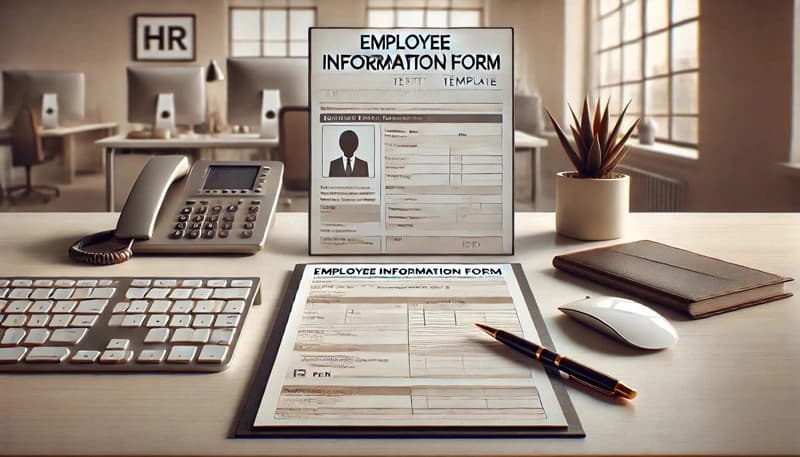
What This Covers
| Section | Details |
|---|---|
| Personal Information | Full name, date of birth, SSN, address, phone, email |
| Emergency Contacts | Contact name, relationship, phone numbers, address |
| Employment Details | Position, department, start date, employment type, supervisor, work location |
| Compensation and Benefits | Salary/hourly rate, pay cycle, direct deposit banking details |
| Tax Information | W-4 status, filing status, allowances |
| Additional Information | Citizenship status, work authorization, languages, communication preferences |
| Acknowledgment | Employee and HR representative signatures with dates |
Employee Information Form Template
Please complete all sections of this form to ensure we have the correct information on file for you.
Employee Information
Full Name: ______________________________
Date of Birth: ______________________________
Social Security Number: ______________________________
Address:
Street: ______________________________
City: ______________________________
State: ______________________________
ZIP Code: ______________________________
Home Phone: ______________________________
Cell Phone: ______________________________
Email Address: ______________________________
Emergency Contact Information
Full Name: ______________________________
Relationship: ______________________________
Phone Number: ______________________________
Alternate Phone Number: ______________________________
Address:
Street: ______________________________
City: ______________________________
State: ______________________________
ZIP Code: ______________________________
Employment Details
Position: ______________________________
Department: ______________________________
Employment Start Date: ______________________________
Employment Type: Full-time / Part-time / Temporary
Supervisor's Name: ______________________________
Work Location: ______________________________
Compensation and Benefits
Salary/Hourly Rate: ______________________________
Pay Cycle: Weekly / Bi-weekly / Monthly
Bank Name: ______________________________
Account Number: ______________________________
Routing Number: ______________________________
Tax Information
W-4 Form Submitted: Yes / No
Filing Status: Single / Married / Head of Household
Number of Allowances: ______________________________
Additional Information
Citizenship Status: ______________________________
Work Authorization (if applicable): ______________________________
Languages Spoken: ______________________________
Preferred Method of Communication (Email/Phone): ______________________________
Acknowledgment
I acknowledge that the information provided above is accurate and up-to-date. I agree to inform HR promptly of any changes to my personal or employment details.
Employee Signature: ______________________________
Date: ______________________________
HR Representative Signature: ______________________________
Date: ______________________________
How to Use This Employee Information Form
1. During onboarding
Provide the form to new hires on their first day or as part of a pre-boarding packet sent before their start date.
2. Verify completeness
HR should review all sections before filing to confirm nothing is missing, particularly emergency contacts and tax information.
3. Store securely
Keep completed forms in a secure location, whether physical or digital, with access restricted to authorized HR personnel.
4. Update regularly
Ask employees to review and update their information at least once per year, or whenever they experience a life change such as a move, marriage, or new emergency contact.
5. Customize as needed
Add fields relevant to your business, such as shift preferences, uniform sizes, or certifications required for the role.
Frequently Asked Questions
Common questions about employee information forms.
An employee information form collects essential personal, employment, and tax details from new hires. It serves as the foundational HR document for payroll processing, benefits enrollment, emergency contact records, and regulatory compliance.
Employees should complete the form during onboarding, ideally on or before their first day of work. This ensures HR has the information needed to process payroll, set up benefits, and maintain accurate records from the start.
Store completed forms in a secure system with restricted access. If using physical copies, keep them in a locked filing cabinet. Digital copies should be encrypted and stored in a system that limits access to authorized HR personnel only.
Employees should review and update their information at least annually. Additionally, updates should be requested whenever there is a change in address, emergency contact, marital status, or banking details.
Yes. The template covers standard fields that apply to most businesses. You can add industry-specific fields such as language proficiencies, shift preferences, licensure details, or equipment assignments depending on your needs.
Simplify Employee Onboarding with HiveDesk
Track employee time, manage schedules, and monitor attendance from day one. HiveDesk works on Windows, macOS, Linux, iOS, and Chrome. $5/user/month, all features included.