Employee Shift Scheduling — What It Is and How to Do It

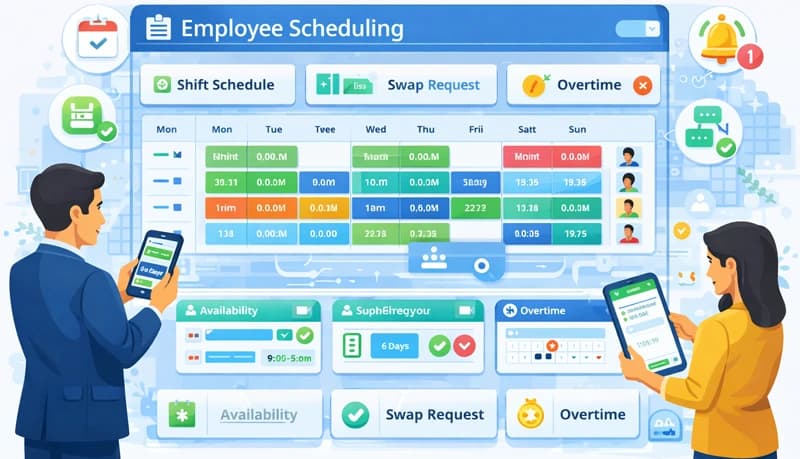
Employee shift scheduling is the process of assigning work hours and shifts to employees. For businesses that operate across multiple shifts — contact centers, BPO operations, support teams — getting scheduling right is critical to maintaining coverage, controlling labor costs, and keeping employees satisfied.
Done manually, scheduling is tedious and error-prone. Employee scheduling software automates the process, letting managers create, edit, and distribute schedules while tracking attendance, time off, and overtime in one place.
Why shift scheduling matters
Ensure coverage
The most basic purpose of scheduling is making sure you have enough people working at the right times. Gaps in coverage mean missed calls, delayed projects, or overwhelmed staff. Overstaffing wastes money.
Reduce conflicts and burnout
Without a clear schedule, employees end up with overlapping shifts, unexpected overtime, or too many consecutive workdays. This leads to burnout and dissatisfaction. A well-planned schedule distributes work fairly and gives employees predictability.
Control labor costs
Scheduling directly impacts your labor budget. By tracking overtime and ensuring shifts are filled efficiently, you avoid unnecessary overtime costs and overstaffing during slow periods.
Stay compliant
Many jurisdictions have rules about maximum working hours, mandatory rest periods, and overtime compensation. A scheduling system helps you stay compliant with labor laws by flagging violations before they happen.
How to create an employee schedule
1. Assess your staffing needs
Start by understanding your workload patterns. When are your busiest hours? How many people do you need during each shift? What skills are required for each time slot?
For support teams, this might mean analyzing ticket volume by hour. For project teams, it might mean mapping task deadlines against team capacity.
2. Understand employee availability
Consider employee preferences, time zones (for remote teams), and personal commitments. Employees who have input into their schedules are more satisfied and more likely to stick to them.
For hybrid teams, scheduling also needs to account for which days employees work on-site versus remotely.
3. Build the schedule
Create shifts with clear start and end times, and assign employees to each shift. Account for:
- Shift rotations — If you rotate shifts, make sure the rotation is fair and gives employees adequate rest between changes.
- Holidays — Build in company holidays and manage time-off requests so you don't end up short-staffed.
- Time zones — For distributed teams, make sure shift times are clear about which timezone they reference.
4. Communicate clearly
Publish the schedule with enough lead time for employees to plan around it. Make it accessible online so employees can check their shifts anytime. Communicate changes promptly to avoid confusion.
5. Monitor and adjust
No schedule is perfect from day one. Track attendance, monitor overtime trends, and gather employee feedback. Adjust the schedule regularly based on what you learn.
What to look for in scheduling software
Real-time visibility
Managers and employees should both be able to see the current schedule at any time. Employees need to know when they're working. Managers need to see who's available and where gaps exist.
Conflict detection
The software should flag scheduling conflicts — double-booked employees, shifts that violate rest period rules, or overtime thresholds being exceeded.
Holiday and time-off management
Built-in holiday calendars and time-off request handling prevent the back-and-forth of managing leave through email or spreadsheets. The schedule should automatically account for approved time off.
Integration with time tracking
When scheduling software is integrated with time tracking, you get a complete picture — not just when employees are scheduled to work, but when they actually worked, how long, and on what tasks. This makes payroll processing, client billing, and performance tracking much simpler.
Mobile access
Employees should be able to check their schedules from their phone. For remote and hybrid teams, this is essential.
Best practices for shift scheduling
Be fair
Distribute desirable and undesirable shifts as evenly as possible. If certain shifts are less popular (nights, weekends), rotate them so the same people aren't always stuck with them.
Build in flexibility
Life happens. Build some flexibility into your schedules so employees can swap shifts or adjust when needed. Rigid schedules that don't accommodate personal needs lead to higher turnover.
Plan ahead
Publish schedules at least a week in advance — two weeks is better. Last-minute schedule changes disrupt employees' lives and erode trust.
Use data
Track patterns over time. Which shifts consistently run short? When does overtime spike? Where are the bottlenecks? Use this data to improve your scheduling process rather than relying on guesswork.
Communicate openly
Regular communication with your team about scheduling decisions builds trust. When employees understand why the schedule is structured the way it is, they're more likely to accept it — even when it's not their ideal.
Effective employee scheduling balances business needs with employee well-being. Get it right, and you'll have a team that shows up reliably, works productively, and stays with your company longer.