

Gusto vs QuickBooks — Payroll & HR Comparison for 2026

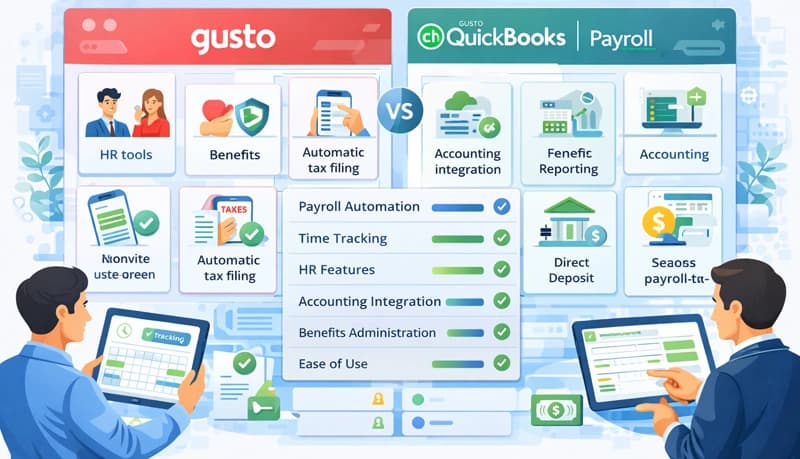
Gusto and QuickBooks Payroll are two of the most popular payroll providers for small businesses. They overlap in core payroll features but take different approaches.
Gusto is focused on HR — payroll, benefits, time and attendance, hiring, and talent management. QuickBooks Payroll is an add-on to the popular accounting software, with stronger integration into financial reporting.
In this post, we compare their payroll features, HR capabilities, benefits, pricing, and integrations. If your primary need is accurate employee time tracking rather than full payroll processing, a dedicated time tracking tool may be a better starting point.
Feature comparison
| Feature | Gusto | QuickBooks Payroll |
|---|---|---|
| Automated federal and state tax filing | Yes | Yes |
| W-2 and 1099 filing | Yes | Yes |
| Employee portal | Yes | Yes |
| Unlimited payroll runs | Yes | Yes |
| Support for all 50 states | Yes | Yes |
| Contractor payments | Yes | Yes |
| International contractor payroll | Yes | No |
| Health benefits | Yes | Via SimplyInsured |
| Workers' compensation | Premium only | Premium + fee |
| 401(k) retirement | Yes | Yes |
| 529 college savings | Yes | No |
| HSA and FSA | Yes | No |
| Commuter benefits | Yes | No |
| Life and disability insurance | Yes | No |
| Time tracking | Plus and Premium plans | Premium and Elite plans |
| Team directory and org chart | Yes | No |
| Hiring and onboarding | Yes | No |
| Performance reviews | Yes | No |
| Tax credit identification | Yes | No |
| Document vault and e-signing | Yes | No |
| HR professional access (additional fee) | Yes | Yes |
| Compliance support | Yes | Yes |
Pricing
Gusto:
- Simple — $40/month + $6/employee/month
- Plus — $80/month + $12/employee/month
- Premium — Custom pricing
QuickBooks Payroll:
- Core — $45/month + $4/employee/month
- Premium — $75/month + $8/employee/month
- Elite — $125/month + $10/employee/month
QuickBooks has a lower per-employee cost on its base plan, but Gusto includes more features at each tier. Calculate the total cost at your team size to compare accurately.
Payroll
Both platforms handle core payroll well — unlimited payroll runs, direct deposits, and automated tax filing.
Gusto is faster and simpler for processing payroll. It collects and files payroll taxes automatically, including W-2 and 1099 forms and federal, state, and local taxes at no extra cost — regardless of how many states you operate in.
QuickBooks Payroll offers same-day direct deposits on its top-tier plan and provides more detailed financial reports thanks to its accounting backbone. However, multi-state tax filing costs $12/month per additional state beyond the first, and local tax forms must be printed and mailed rather than filed electronically.
Human resources
This is where Gusto has a clear advantage.
Gusto HR features
- Organizational chart and employee directory
- Online offer letters and onboarding checklists
- Performance reviews and employee surveys
- HR resource center and dedicated support (Premium plan)
- Customizable employee profiles
QuickBooks HR features
- Job descriptions and onboarding checklists
- Employee handbooks
- HR support center and personal HR advisor (Elite plan)
QuickBooks lacks offer letters, performance reviews, employee surveys, and org charts.
Employee benefits
Gusto offers a broad range of benefits at no additional platform fee — you only pay the premiums:
- Health, dental, and vision insurance (3,500+ plans)
- 401(k) retirement plans
- 529 college savings accounts
- HSA and FSA
- Commuter benefits
- Life and disability insurance
- Workers' compensation
You can purchase new plans or transfer existing coverage to Gusto without losing benefits.
QuickBooks Payroll offers health, vision, and dental plans through the online broker SimplyInsured, and 401(k) plans through Guideline. Workers' compensation is available only on Premium and Elite plans.
Integrations
Gusto integrates with popular accounting tools like QuickBooks, Xero, and FreshBooks, as well as expense management and scheduling tools.
QuickBooks Payroll is built primarily to work with other Intuit products like QuickBooks Accounting. If you're already in the Intuit ecosystem, this integration is seamless.
Which should you choose?
Choose Gusto if you want a comprehensive HR and payroll platform — especially if you need hiring and onboarding tools, performance management, multi-state tax filing without extra fees, or international contractor payments.
Choose QuickBooks Payroll if you're already using QuickBooks for accounting and want tight integration between payroll and your financial data. It's also a good fit if you need same-day direct deposits or detailed financial reporting.
For tracking how your remote team spends their time across projects — which feeds directly into accurate payroll — a time tracking tool can complement either payroll platform. And if you're eligible, don't overlook the Work Opportunity Tax Credit — it can offset hiring costs for qualifying employees.
