

How to Run a Successful Remote Team Meeting

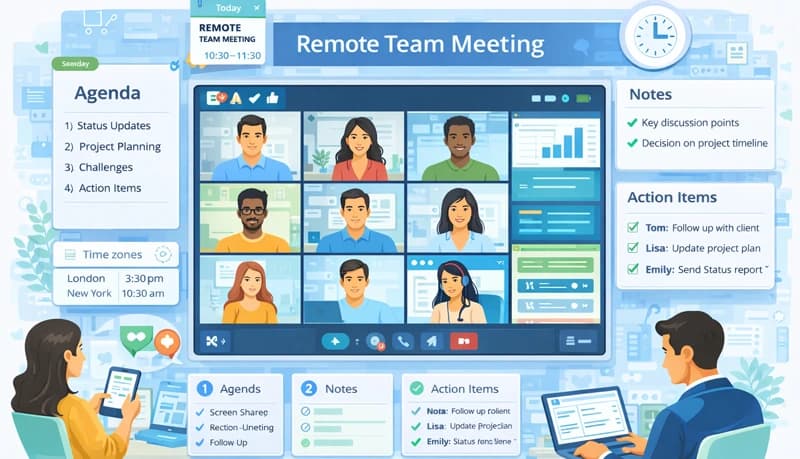
Remote meetings are essential for team collaboration, but they're easy to get wrong. Different time zones, communication gaps, and technical issues can make them frustrating and unproductive.
The good news is that effective remote meetings follow a predictable pattern. This guide covers what to do before, during, and after a virtual team meeting to make it worth everyone's time.
Before the meeting
Schedule across time zones
Remote team members are often spread across multiple time zones. Finding a time that works for everyone isn't always possible, but you can get close:
- Ask participants for their preferred meeting windows
- Use a shared calendar or scheduling tool to find overlap
- If no single time works, rotate meeting times so the same people aren't always inconvenienced
- For teams with no timezone overlap, consider whether the meeting could be replaced with an async update
Choose video or audio
Not every meeting needs video. Choose the format that fits the purpose:
Video works best for:
- Discussions and brainstorming where seeing reactions matters
- Meetings with new team members who are still building relationships
- Presentations where screen sharing is needed
Audio-only works best for:
- Quick status updates and check-ins
- Meetings where participants need to multitask
- Large group calls where bandwidth is a concern
Pick the right tool
Your meeting tool should be reliable and easy to use. Key considerations:
- Does it work well for all participants regardless of location and internet speed?
- Does it support the features you need (screen sharing, recording, chat)?
- Is it intuitive enough that participants don't need training?
Zoom and Microsoft Teams are the most common options for remote teams.
Create a clear agenda
A meeting without an agenda wastes everyone's time. A good agenda includes:
- Meeting goals — What decisions need to be made or what information needs to be shared?
- Topics with time limits — List each item and how long it should take. This keeps the meeting focused and on schedule.
- Topic owners — If specific people are leading discussions on certain items, name them so they can prepare.
- Purpose for each item — Is the group making a decision, brainstorming, or just receiving information? This tells participants when to listen and when to engage.
Send the agenda to participants a few days before the meeting so they have time to prepare. Using a remote work solution with built-in project tracking makes it easy to pull status updates and build meeting agendas from real data.
During the meeting
Start on time
Don't wait for latecomers. Starting on time signals that you respect everyone's schedule. Once the team knows you're punctual, they'll show up on time too.
Keep introductions short
If the team includes new members or external participants, a brief introduction round helps people feel comfortable. For large meetings, limit introductions to the people leading agenda items. For regular team meetings where everyone knows each other, skip introductions entirely and get to the agenda.
Set ground rules
A few simple guidelines prevent common problems:
- Mute when you're not speaking
- Join from a quiet location
- Keep cameras on when possible (especially for discussions)
- Don't interrupt — use the chat or raise hand feature to signal you want to speak
- Stick to the time limits in the agenda
Encourage participation
Quiet meetings aren't productive meetings. To draw people in:
- Ask specific people for their input rather than open-ended "any thoughts?"
- When brainstorming, collect all ideas before critiquing any of them
- Use the chat for written input — some people contribute better in writing than speaking
- Check in with quiet participants: "Sarah, what's your take on this?"
Take notes and capture action items
Designate someone to take notes. Focus on:
- Decisions made
- Action items with clear owners and deadlines
- Key discussion points and rationale
Keep notes concise — the goal is to capture what was decided and who is doing what, not to transcribe every word.
After the meeting
Share notes promptly
Send the meeting notes to all participants within a day, even if everyone was taking their own notes. This eliminates confusion about decisions and ensures everyone has the same understanding of what was agreed.
Follow up on action items
Action items without follow-up are meaningless. Track them in your project management or task tracking tool and check in with owners before the next meeting. This creates accountability and ensures that meetings actually lead to progress.
Evaluate and improve
Periodically ask your team for feedback on meetings:
- Are meetings too long, too frequent, or too short?
- Is the agenda working, or are important topics being missed?
- Are the right people attending?
- Could any recurring meetings be replaced with async updates?
The best remote meetings are the ones that respect people's time, accomplish clear goals, and lead to concrete next steps. Everything else is optional.
