Hubstaff Alternatives for Time Tracking and Monitoring

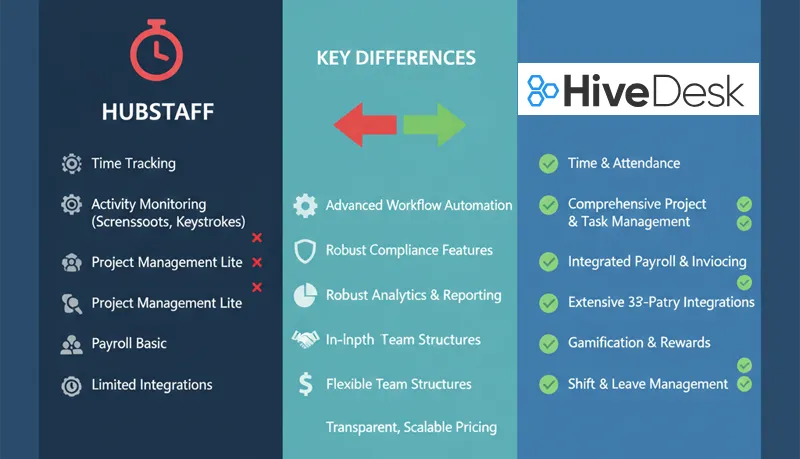
Hubstaff is a well-established time tracking and workforce management tool, particularly strong for field teams that need GPS tracking and location-based time verification. But its pricing structure — where many core features require the $12/user/month plan — means that teams needing workforce management features end up paying significantly more than the $7.50 starter price suggests.
If you are evaluating alternatives, the right choice depends on what you actually need: basic time tracking, employee monitoring with screenshots, full workforce management (scheduling, leave, attendance), or some combination. Here is how the main options compare.
HiveDesk
HiveDesk is a workforce management and time tracking tool built for remote teams, call centers, and BPOs. All features are included in a single plan at $5/user/month — there are no feature tiers or add-on charges.
What it does:
- Automatic time tracking with desktop apps (Windows, macOS, Linux), mobile (iOS), and Chrome browser extension
- Periodic screenshots at configurable intervals
- Keyboard and mouse activity tracking
- Employee shift scheduling and attendance tracking
- Leave and time-off management with custom policies and holiday calendars
- Task and project tracking with Kanban and calendar views
- Timesheet generation and approval
- Overtime tracking and labor cost tracking
- Billable hours tracking and invoicing
- Asana integration for project-level time tracking
- Role-based access controls and team management
- Reporting dashboards
Where it fits best: Remote teams, agencies, BPOs, call centers, IT services companies, consulting firms, and other service businesses that need time tracking with activity monitoring and workforce management in a single tool.
Where it does not fit: Teams that need GPS location tracking (Hubstaff is better for this), or teams that need deep integrations with a large ecosystem of project management tools.
Pricing: $5/user/month, single plan, all features included. 14-day free trial, no credit card required.
HiveDesk vs. Hubstaff
The core difference is pricing structure. Hubstaff's starter plan ($7.50/user) covers basic time tracking but excludes features that most teams need — attendance tracking, leave management, overtime tracking, shift scheduling, timesheet approvals, and team management all require the $12/user/month plan. HiveDesk includes all of these at $5/user/month.
| Feature | Hubstaff Starter ($7.50) | Hubstaff Growth ($12) | HiveDesk ($5) |
|---|---|---|---|
| Time tracking | Yes | Yes | Yes |
| Screenshots | Limited | Yes | Yes |
| Activity monitoring | Yes | Yes | Yes |
| Attendance tracking | No | Yes | Yes |
| Leave / time-off tracking | No | Yes | Yes |
| Holiday calendar | No | Yes | Yes |
| Overtime tracking | No | Yes | Yes |
| Timesheet approval | No | Yes | Yes |
| Shift scheduling | No | Yes | Yes |
| Labor cost tracking | No | Yes | Yes |
| Team management | No | Yes | Yes |
| Task tracking | Yes | Yes | Yes |
| GPS tracking | Yes | Yes | No |
| Invoicing | Yes | Yes | Yes |
| Integrations | Limited | Extensive | Asana |
For a 50-person team needing workforce management features, Hubstaff costs $600/month (Growth plan). HiveDesk costs $250/month — a $4,200 annual difference.
Hubstaff's advantage is GPS tracking for field teams and a broader integration ecosystem. If your team works from fixed locations (offices, home offices, call center floors), GPS tracking is unnecessary and you are paying for a feature you do not use. For a full side-by-side breakdown, see our HiveDesk vs Hubstaff comparison.
Clockify
Clockify is a time tracking tool oriented toward larger organizations that need detailed reporting and enterprise features. It offers a free tier with basic time tracking, which makes it popular with freelancers, but its paid plans scale up quickly for teams needing more functionality.
What it does well:
- Detailed, customizable reporting — one of the strongest reporting tools in this category
- Project and task time tracking with billable/non-billable classification
- Browser extension for tracking time within other apps
- Self-hosted option for organizations with data residency requirements
- Multi-platform support (desktop, mobile, web)
Limitations:
- Screenshots and activity monitoring only available on Pro plan and above
- Labor cost tracking requires higher-tier plans
- Complex interface — significant setup and training effort for new users
- Mobile app performance can be inconsistent
Pricing: Free tier available. Paid plans start at $6.99/user/month.
Best for: Large teams that prioritize reporting and analytics, or organizations that need a self-hosted time tracking solution.
Toggl Track
Toggl Track is a lightweight time tracking tool designed for simplicity. It is popular with freelancers and small teams that need basic time logging without the overhead of workforce management features.
What it does well:
- Simple one-click timer — minimal friction to start tracking
- Clean, intuitive interface with very little learning curve
- Good integrations with project management tools (Asana, Trello, Jira, Slack)
- Browser extensions for tracking time within other apps
- Offline tracking with automatic sync
- Pomodoro timer built in
Limitations:
- No overtime tracking or attendance tracking
- No screenshot or activity monitoring
- No employee scheduling or shift management
- Timesheet approvals only available on Premium plan ($20/user/month)
- No leave or time-off management
- No built-in invoicing
Pricing: Starts at $10/user/month. Premium (with timesheet approvals) is $20/user/month.
Best for: Freelancers and small teams that need straightforward time logging and reporting, without workforce management or employee monitoring.
Time Doctor
Time Doctor is a time tracking and employee monitoring tool focused on productivity analytics for remote teams.
What it does well:
- Screenshots at customizable intervals
- Website and app usage tracking with productivity classification (productive vs. non-productive)
- Detailed productivity analytics and distraction alerts
- Payroll integration with PayPal, Payoneer, and other payment platforms
- Integrations with Trello, Asana, Jira, Slack, and Zapier
- Multi-platform support (desktop, mobile, web)
Limitations:
- No employee scheduling or shift management
- Limited leave and time-off management
- Pricing can be opaque — tiered plans with feature restrictions
- The monitoring can feel invasive to employees if not implemented thoughtfully
Pricing: Starts at $7/user/month.
Best for: Remote teams that prioritize productivity monitoring and want detailed analytics on how time is spent across applications and websites.
DeskTime
DeskTime focuses on productivity analysis by automatically categorizing time as productive, unproductive, or neutral based on the applications and websites used.
What it does well:
- Automatic time tracking — no manual start/stop required
- Productivity analysis that classifies activities automatically
- Offline time tracking for work away from the computer
- Project cost tracking
- Optional screenshots
Limitations:
- Limited integrations compared to Hubstaff or Toggl
- No employee scheduling or shift management
- No leave management
- Productivity categorization can be inaccurate if not configured carefully
Pricing: Starts at $7/user/month.
Best for: Teams that want automatic productivity insights without requiring employees to manually log time.
Everhour
Everhour is a time tracking tool designed to work inside project management tools rather than as a standalone application.
What it does well:
- Native integration with Asana, Trello, Basecamp, Jira, and other project management tools — time tracking happens inside the tool you already use
- Real-time budget tracking for projects
- Task-based time tracking with estimates vs. actuals
Limitations:
- Limited functionality as a standalone tool — depends on integration with a project management platform
- No employee monitoring (screenshots, activity tracking)
- No workforce management features (scheduling, leave, attendance)
Pricing: Starts at $10/user/month.
Best for: Teams already using a project management tool who want to add time tracking without switching context.
Comparison summary
| Tool | Price (per user/month) | Screenshots | Scheduling | Leave mgmt | Monitoring | GPS | Best for |
|---|---|---|---|---|---|---|---|
| HiveDesk | $5 | Yes | Yes | Yes | Yes | No | Remote teams, BPOs, call centers |
| Hubstaff | $7.50–$12 | Yes | $12 plan | $12 plan | Yes | Yes | Field teams, GPS-dependent work |
| Clockify | Free–$6.99+ | Pro plan | No | No | Pro plan | No | Large teams, reporting-heavy |
| Toggl Track | $10–$20 | No | No | No | No | No | Freelancers, simple time logging |
| Time Doctor | $7+ | Yes | No | Limited | Yes | No | Remote productivity analytics |
| DeskTime | $7 | Yes | No | No | Yes | No | Automatic productivity tracking |
| Everhour | $10 | No | No | No | No | No | PM tool integration |
The right tool depends on what problem you are solving. If you need time tracking with full workforce management (scheduling, leave, attendance, overtime) at a straightforward price, HiveDesk covers that at $5/user/month. If you need GPS tracking for mobile teams, Hubstaff is purpose-built for it. If you need lightweight time logging with minimal overhead, Toggl Track is the simplest option.