

What is Timekeeping Software and How to Use It

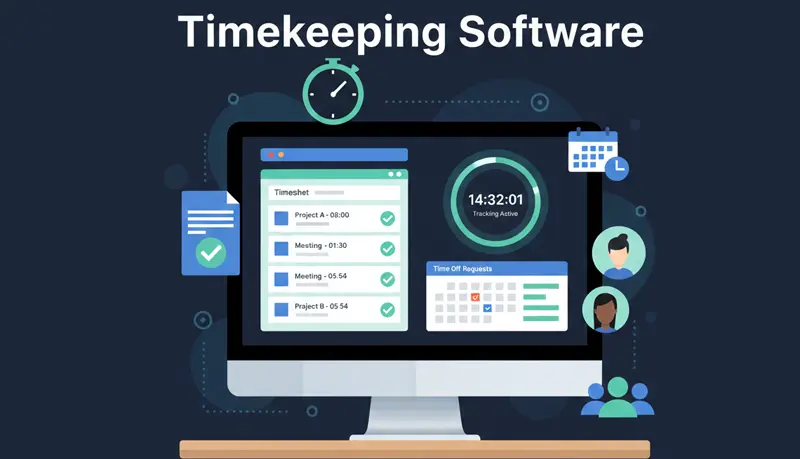
Timekeeping software tracks employee work hours, manages attendance, and streamlines payroll processing. It replaces manual methods — paper timesheets, spreadsheets, and self-reported hours — with automated, accurate time data.
Before dedicated timekeeping software, businesses used pen and paper or spreadsheet templates in Excel. While spreadsheets were an improvement over paper, they still relied on manual data entry. Employees made errors filling in timesheets, and HR teams spent hours collecting and processing the information.
Modern timekeeping software eliminates manual data entry entirely. It records start, end, and break times automatically, stores everything in a central database, and gives managers instant access to reports and analytics.
What timekeeping software does
Timekeeping software is a tool that tracks and logs working hours, attendance, and related data. Businesses use it to manage payroll, monitor labor costs, ensure compliance with labor laws, and gain insight into how time is spent across projects and teams.
At its core, timekeeping software answers two questions: how much did each employee work, and what did they work on?
Key features
Record work hours
The most basic function — employees start and stop a timer, and the software records their hours automatically. This ensures accurate records without relying on memory or manual entry.
Create automatic timesheets
The software generates timesheets from tracked time data. These timesheets can be used for payroll processing, client billing, tax records, and identifying overtime issues. No more collecting spreadsheets from employees at the end of the week.
Track projects and tasks
Many timekeeping tools include project management features. Employees log time against specific projects and tasks, giving managers visibility into how time is distributed and whether projects are on schedule.
Track overtime
Overtime tracking helps ensure employees who work extra hours are paid correctly. It also helps businesses stay compliant with state and federal labor laws by flagging when employees approach or exceed overtime thresholds.
Generate reports
Reports on time usage, productivity, task completion, and project progress help managers make informed decisions. Historical data is valuable for estimating future projects, identifying bottlenecks, and improving resource allocation.
Manage time off
Timekeeping software can also track absences, vacation days, and sick leave. This helps businesses ensure employees don't exceed their allotted time off and stay compliant with leave management requirements.
Bill clients
For businesses that bill by the hour, timekeeping software provides accurate, trustworthy billing data. Automatically generated timesheets backed by tracked data are more credible to clients than manually created invoices.
Benefits of timekeeping software
Accuracy
Automated time capture eliminates the errors that come with manual timekeeping. Employees don't have to remember what they worked on last Tuesday, and payroll teams don't have to reconcile inconsistent spreadsheets.
Time savings
By automating data collection and report generation, timekeeping software frees up hours that managers and HR teams would otherwise spend on manual processing.
Compliance
An accurate record of employee hours and wages helps businesses comply with wage and hour requirements. This is especially important for businesses with employees in multiple states or countries, where regulations vary.
Productivity insights
When you know how time is being spent, you can identify inefficiencies, redistribute workloads, and make better decisions about staffing and resource allocation. Understanding why time tracking matters for your business starts with having reliable data.
Fair compensation
Timekeeping software ensures employees are paid for every hour they work — no more, no less. This builds trust and prevents disputes over pay.
How to choose the right timekeeping software
When evaluating options, consider these factors:
Features that match your needs
Not every business needs every feature. A freelancer billing clients by the hour has different needs than a company managing 50 remote employees across time zones. Identify your must-have features before comparing tools.
Ease of use
The software only works if your team actually uses it. If it's complicated or adds friction to the workday, adoption will be low and data will be unreliable. Look for a tool that's simple enough to use without training.
Platform support
Make sure the software works on the devices your team uses — Windows, Mac, Linux, mobile, or browser-based. For remote teams, cross-platform support is essential.
Pricing
Compare pricing structures carefully. Some tools charge per user per month with all features included, while others lock key features behind higher-tier plans. Calculate the total cost at your team size, not just the advertised starting price.
Support
Good customer support matters, especially during setup and onboarding. Check reviews for responsiveness and helpfulness before committing.
The right timekeeping software pays for itself through more accurate payroll, better billing, and time saved on manual processes. If you're evaluating options, see our guides to employee time tracking software and timesheet software. Start with your specific needs, try a few options, and choose the one that your team will actually use consistently.
