

Time Tracking for Accountants — Best Practices & Software

Accounting firms sell expertise measured in hours. Whether you bill by the hour or quote fixed fees, knowing how long work actually takes determines whether your firm is profitable — and whether your clients are billed fairly.
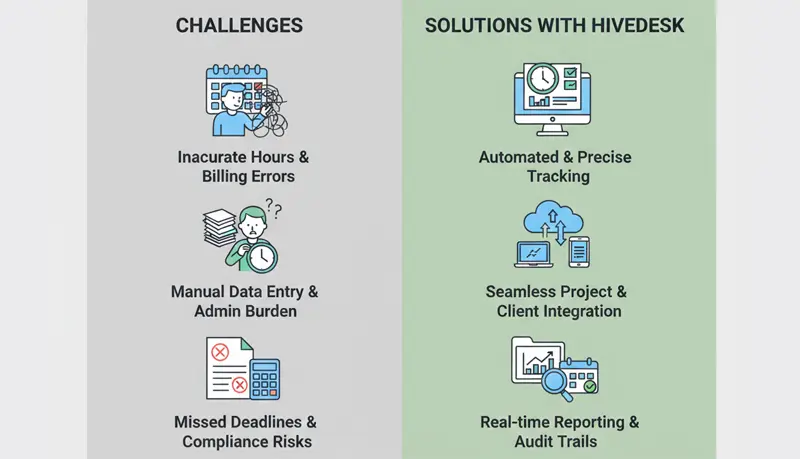
Yet many accounting firms still struggle with time tracking. Staff forget to log hours. Entries are vague. Non-billable work goes unrecorded. The result is undercharging clients, inaccurate profitability analysis, and estimates based on guesswork rather than data.
These best practices address the specific challenges accounting firms face with time tracking.
Track time as you work, not at the end of the week
This is the single most impactful change a firm can make. Accountants who reconstruct their week on Friday afternoon lose billable hours — short client calls, quick email responses, and brief file reviews that seemed too small to remember but add up over a week.
The standard for accounting firms should be same-day time entry. An automatic time tracker helps by logging each activity as you finish it or at natural break points throughout the day. A 30-second time entry in the moment is far more accurate than a 15-minute reconstruction exercise days later.
During busy season (tax preparation, year-end audits), the temptation to defer time entry is strongest — but that's precisely when the most billable work happens and the most hours get lost.
Define billable and non-billable categories clearly
Ambiguity about what's billable leads to inconsistent billing across the firm. One accountant bills a client for a quick phone question; another writes it off as overhead. Neither knows what the other does.
Common billable activities for accounting firms
- Tax preparation and filing
- Audit fieldwork and review
- Bookkeeping and reconciliation
- Financial statement preparation
- Client consultations and advisory
- IRS or regulatory correspondence on behalf of a client
- Research on client-specific tax or compliance questions
Common non-billable activities
- Internal meetings and firm administration
- Business development and proposals
- Professional development and CPE
- Marketing and networking
- Billing and collections
- Staff supervision and training (unless for a specific client engagement)
Document these categories, share them with every staff member, and apply them consistently. When edge cases arise ("Is this research billable to the client or is it general knowledge-building?"), make a decision and add it to the guidelines.
Write descriptive time entries
Vague entries like "tax work — 3 hours" create two problems: clients question what they're paying for, and the firm can't analyze where time actually goes.
Good entries for accounting work
-
Vague: "Worked on return — 2.0 hours"
-
Specific: "Prepared Schedule C for client's consulting business; reconciled reported income against 1099s and bank statements — 2.0 hours"
-
Vague: "Research — 1.5 hours"
-
Specific: "Researched Section 199A qualified business income deduction applicability for client's S-corp rental activities — 1.5 hours"
-
Vague: "Meeting with client — 0.5 hours"
-
Specific: "Conference with client re: estimated tax payment options and year-end planning strategies for 2026 — 0.5 hours"
Descriptive entries serve three purposes: they justify the bill to the client, they help the reviewer during timesheet approval in your timesheet software, and they create a record of work performed that's useful for future engagements with the same client.
Use consistent time increments
Most accounting firms bill in six-minute increments (0.1 hour) or fifteen-minute increments (0.25 hour). Whichever your firm uses, apply it uniformly.
Common pitfalls:
- Rounding up excessively — A two-minute email shouldn't be billed as 0.3 hours. Clients notice patterns of over-billing and lose trust.
- Rounding down habitually — Consistently rounding a 25-minute task to 0.3 instead of 0.4 undercharges over time. Track honestly.
- Bundling small tasks — Multiple short interactions with a client can be grouped into a single entry ("3 brief phone calls and 2 emails re: Q3 estimated payments — 0.5 hours") rather than logging each one as the minimum increment.
Track non-billable time
Firms that only track billable hours are missing half the picture. Non-billable time directly affects profitability — if your staff spends 40% of their week on admin, meetings, and business development, your effective billing rate is 40% lower than your stated rate.
Track non-billable time in broad categories:
- Firm administration — Internal meetings, HR, office management
- Business development — Proposals, networking, marketing
- Professional development — CPE courses, technical research, conferences
- Billing and collections — Preparing invoices, following up on receivables
This data helps you:
- Set rates that cover overhead — If your staff averages 65% billable utilization, your rates need to cover the other 35% of paid time.
- Identify overhead creep — If non-billable time has grown from 30% to 40% over a year, something changed that needs attention.
- Evaluate staff efficiency — Is a senior accountant spending too many hours on admin that should be delegated?
Manage seasonal workload with time data
Accounting firms have dramatic seasonal swings — tax season, year-end closes, quarterly deadlines. Time tracking data from previous seasons helps you plan:
Staffing decisions
How many billable hours did the firm produce during last year's tax season? How much overtime was required? This data tells you whether you need seasonal staff, whether to limit new client intake, or whether workload can be redistributed.
Client capacity planning
If you know that preparing a specific client's return took 12 hours last year, you can plan capacity for this year. Multiply that across your client base and you have a realistic picture of the upcoming workload — not an optimistic guess.
Pricing adjustments
If a client's work consistently takes more time than you charge for (common with fixed-fee arrangements), time data gives you the evidence to justify a price increase. "Your return took 15 hours this year compared to the 8 hours we estimated when we set your fee" is a fact-based conversation, not a negotiation.
Track time at the engagement level
For firms with clients who have multiple engagements (tax preparation, quarterly bookkeeping, year-end audit, advisory), track time separately for each engagement — not just at the client level.
This matters because:
- Different engagements may have different billing arrangements (hourly vs. fixed fee)
- Profitability varies by service type — you may lose money on bookkeeping but profit on tax and advisory
- It helps you decide which services to promote, price differently, or stop offering
Review and approve timesheets weekly
Don't let weeks of unreviewed time entries accumulate. Weekly timesheet review catches problems while the work is still fresh in everyone's memory:
- Hours logged to the wrong client or engagement
- Missing entries for work that was definitely performed
- Entries that need more descriptive detail before they appear on an invoice
- Overtime patterns that need to be addressed
During busy season, daily reviews may be warranted for staff working on high-volume client work.
Use time data to improve firm operations
Analyze profitability by client and service
Compare the revenue from each client against the actual cost of hours spent (staff hourly cost × hours tracked). Some clients that seem profitable on paper are actually money-losers when you account for the time they consume.
Do the same analysis by service type. Is tax preparation profitable? What about bookkeeping? Advisory? The answers inform your firm's strategic direction.
Improve estimates for fixed-fee work
If your firm does fixed-fee engagements, historical time data is essential for pricing. Without it, you're guessing — and in a competitive market, guessing usually means underpricing.
Track actual hours for every fixed-fee engagement. After a year, you'll have the data to price next year's work accurately. If a "simple" 1040 preparation consistently takes 4 hours, you know your minimum fee needs to cover 4 hours of staff time plus overhead.
Identify training needs
Time tracking data can reveal where staff are struggling. If a junior accountant consistently takes twice as long as peers on similar work, it may indicate a training gap. If everyone takes longer than expected on a particular type of return, the firm's process or templates may need improvement.
Benchmark across staff
Compare time spent on similar engagements across staff members. Significant variances warrant investigation — not to punish slower staff, but to understand why. The faster accountant may have a more efficient workflow that others can learn from. The slower one may be more thorough, catching issues that others miss.
