

Time Tracking and Data Privacy — What Employers Must Know

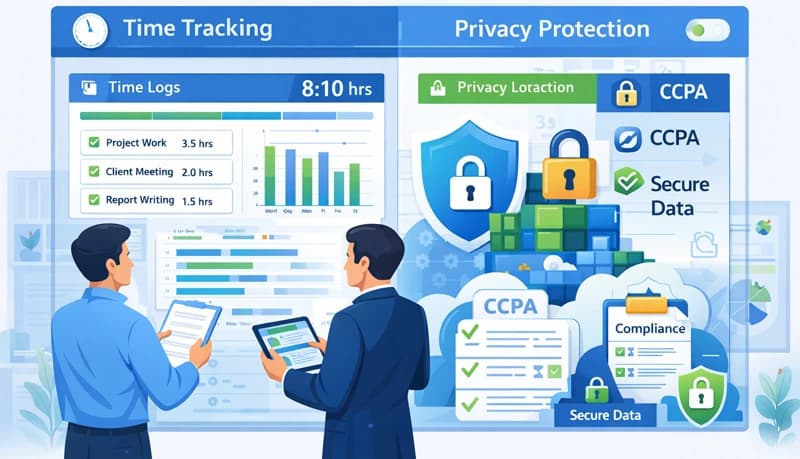
Employee time tracking software is a legitimate business need — you need accurate hours for payroll, client billing, project management, and labor law compliance. But the data you collect about when, where, and how employees work is personal data, and privacy laws govern how you handle it.
Getting this wrong has real consequences: fines under data protection regulations, lawsuits from employees, and a damaged relationship with your workforce. Getting it right means collecting only what you need, being transparent about it, and protecting the data you collect.
What data does time tracking collect?
Before thinking about privacy obligations, understand exactly what data your time tracking system captures. This varies by tool and configuration, but common categories include:
Basic time data
- Clock-in and clock-out times
- Total hours worked per day and week
- Break times and durations
- Overtime hours
Project and task data
- Which projects and tasks time is logged against
- Time spent per project, client, or activity
- Task descriptions and notes entered by employees
Activity and monitoring data
- Screenshots taken at intervals
- Application and website usage logs
- Keystroke or mouse activity levels
- GPS or location data (for mobile workers)
The privacy implications increase significantly as you move down this list. Basic time data is straightforward — employers have always recorded work hours. Activity monitoring data is where privacy concerns become serious — and where the ethics of employee monitoring deserve as much attention as the legal requirements.
Key privacy regulations
GDPR (European Union)
The General Data Protection Regulation applies to any business with employees in the EU, regardless of where the company is based. Key requirements for time tracking:
- Lawful basis — You need a legal justification for collecting the data. For basic time tracking, "legitimate interest" (running payroll, billing clients) usually suffices. For invasive monitoring like screenshots, you may need explicit consent — and consent given under employment pressure may not qualify as freely given.
- Purpose limitation — Data collected for one purpose (payroll) can't be repurposed for another (performance surveillance) without additional justification.
- Data minimization — Collect only what's necessary. If you need hours worked, you don't need screenshots.
- Transparency — Employees must be informed about what data is collected, why, how long it's retained, and who has access.
- Data subject rights — Employees can request access to their data, ask for corrections, and in some cases request deletion.
- Data protection impact assessment — Required for high-risk processing like systematic monitoring of employees.
CCPA/CPRA (California)
The California Consumer Privacy Act and its amendment, the California Privacy Rights Act, give employees rights over their personal data:
- Right to know what personal information is collected
- Right to know how it's used and shared
- Right to delete personal information (with exceptions for legal obligations)
- Employers must provide a privacy notice at or before the point of data collection
ECPA (United States federal)
The Electronic Communications Privacy Act allows employers to monitor electronic communications on company-owned devices, but requires notification in most cases. State laws add additional requirements — many states require employee consent before monitoring.
Other jurisdictions
Most countries with data protection laws — Canada (PIPEDA), Australia (Privacy Act), Brazil (LGPD), India (DPDP Act) — impose similar requirements: notice, purpose limitation, data minimization, and security obligations. If you have employees in multiple countries, you need to comply with each jurisdiction's rules.
Where the privacy line is
Generally acceptable
- Recording clock-in/clock-out times for payroll
- Tracking hours against projects for client billing
- Generating timesheets for approval and payroll processing
- Monitoring overtime to ensure compliance with labor laws
- Reporting aggregate team productivity metrics
These practices have clear business justifications, collect limited personal data, and are standard across industries.
Requires careful implementation
- Taking periodic screenshots during work hours
- Logging which applications employees use during tracked time
- Tracking location for mobile or field workers
- Recording activity levels (mouse/keyboard activity indicators)
These practices collect more sensitive data and require:
- Clear policy documentation
- Employee notification and, in many jurisdictions, consent
- A demonstrated business need that justifies the level of monitoring
- Restrictions on who can access the data and how long it's retained
High risk
- Continuous video or screen recording
- Keystroke logging
- Monitoring personal devices
- Tracking employees outside of work hours
- Using monitoring data as the primary basis for termination decisions
These practices carry significant legal risk and are prohibited or heavily restricted in many jurisdictions. Even where technically legal, they tend to destroy employee trust and morale.
Best practices for privacy-respecting time tracking
Only collect what you need
Start with your business objectives — accurate payroll, client billing, project estimation — and collect only the data those objectives require. If hours and project assignments accomplish your goals, you don't need screenshots or activity monitoring.
This isn't just good practice — it's a legal requirement under most data protection laws (data minimization principle).
Be transparent
Tell employees before you start tracking:
- What data the system collects
- Why you're collecting it
- Who has access to it
- How long you retain it
- What rights they have regarding their data
Put this in a written policy that every employee receives. Don't bury it in a 50-page employee handbook — make it a clear, standalone document.
Give employees access to their own data
Employees should be able to see the same data about themselves that managers see. This builds trust and satisfies data access rights under GDPR, CCPA, and similar laws. When employees can view their own time records, they're more likely to see the system as fair rather than secretive.
Limit who can access the data
Not everyone in management needs to see detailed time tracking data. Restrict access to those who have a legitimate need — direct managers for their team's data, payroll staff for hours and pay calculations, project managers for project-level reports. The broader the access, the higher the privacy risk.
Set retention limits
Don't keep time tracking data indefinitely. Define how long you retain it based on your legal obligations (payroll records may need to be kept for several years under tax law) and delete it when the retention period expires. Keeping data longer than necessary increases your exposure in a breach.
Separate monitoring from punishment
If you use activity monitoring features (screenshots, activity levels), establish clear guidelines for how that data will and won't be used. Using a single low-activity screenshot to justify disciplinary action erodes trust across the entire team. Activity data should inform conversations and identify patterns — not serve as evidence for gotcha moments.
Document your policies
Create a written time tracking and monitoring policy that covers:
- What tools are used and what they collect
- The business purpose for each type of data collected
- How data is stored and protected
- Who has access and under what circumstances
- How long data is retained
- How employees can access, correct, or raise concerns about their data
- The process for updating the policy
Review this policy annually or whenever you change your time tracking tools or practices.
When employees push back
Resistance to time tracking often signals a privacy concern — real or perceived. Address it directly:
- "I feel like I'm being watched" — Explain specifically what is and isn't tracked. Often, employees imagine the monitoring is more invasive than it actually is.
- "I don't trust how the data will be used" — Share the written policy. Give examples of how the data is actually used (payroll, billing, project planning). Demonstrate that it's not used for surveillance.
- "This is a waste of my time" — Simplify the tracking process. If logging time takes more than a few seconds per entry, the tool is creating unnecessary friction.
- "Only some people have to do it" — Apply time tracking consistently. If managers and senior staff are exempt, it sends the message that tracking is about control, not business operations.
Time tracking and privacy aren't in conflict — but they do require intentional balance. Collect what you need, be honest about what you collect, protect the data responsibly, and treat your employees' privacy as something worth protecting rather than an obstacle to work around.
