

Employee Attendance Tracking — Methods and Best Practices

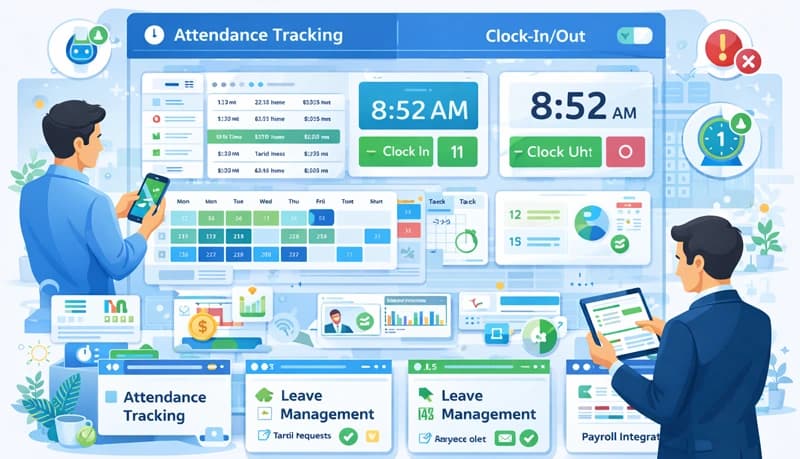
Employee attendance tracking is the process of recording when employees start and stop working, tracking absences and tardiness, and managing time-off requests. It gives businesses the data they need for accurate payroll, labor law compliance, and workforce planning.
Manual methods — paper sign-in sheets, spreadsheets, self-reported hours — are error-prone and time-consuming. Modern time tracking software automates the process, capturing work hours as they happen and giving managers real-time visibility into attendance patterns.
Why attendance tracking matters
Payroll accuracy
Attendance data feeds directly into payroll. If the data is wrong, employees get overpaid or underpaid — both of which create problems. Automated tracking eliminates the guesswork and manual errors that come with self-reported hours.
Labor law compliance
Most jurisdictions have rules about maximum working hours, mandatory rest periods, overtime compensation, and record-keeping requirements. An attendance tracking system creates the documentation you need to demonstrate compliance during audits and protects you from wage-and-hour disputes. See our labor law compliance center for country-specific requirements.
Identifying attendance patterns
Consistent tracking reveals patterns that one-off observations miss. You can spot chronic tardiness, frequent Monday absences, or seasonal spikes in time-off requests. These patterns often point to underlying issues — burnout, scheduling conflicts, or disengagement — that you can address before they become bigger problems.
Resource planning
When you know your team's actual attendance patterns, you can plan coverage more effectively. This is especially important for shift-based operations where understaffing means missed deadlines or overwhelmed employees.
Attendance tracking vs. time tracking
These terms are often used interchangeably, but they serve different purposes.
Attendance tracking focuses on presence — when employees clock in and out, whether they're on time, and how they use their leave. It answers: "Was this person at work when they were supposed to be?"
Time tracking focuses on activity — what employees worked on, which projects consumed their hours, and how time was distributed across tasks. It answers: "What did this person work on and for how long?"
Most modern time tracking software includes attendance features, so you don't need separate systems. The time data serves both purposes — it tells you when employees worked and what they worked on.
Key features to look for
Automated time capture
The software should work as a time clock app that records clock-in and clock-out times automatically rather than relying on manual entry. This reduces errors and removes the burden of daily timesheet completion from employees.
Leave and time-off management
Built-in leave management lets employees request time off, managers approve or deny requests, and the system automatically adjusts schedules and attendance records. This eliminates the back-and-forth of managing leave through email.
Overtime tracking
The system should flag when employees approach or exceed overtime thresholds, helping you control labor costs and stay compliant with overtime regulations.
Reporting and analytics
Look for software that generates attendance reports — tardiness trends, absence rates, overtime patterns, and hours worked by team, department, or individual. These reports inform staffing decisions and help you spot issues early.
Time zone support
For remote and distributed teams, the software needs to handle multiple time zones cleanly. Employees should see schedules in their local time, while managers can view everything normalized to a single reference.
Employee self-service
Employees should be able to view their own attendance records, check leave balances, submit time-off requests, and see their upcoming schedules without involving HR or their manager for routine inquiries.
How to choose attendance tracking software
Match features to your needs
A five-person team has different requirements than a 200-person contact center. Identify your must-haves — do you need shift scheduling, leave management, overtime alerts, or just basic clock-in/clock-out? Don't pay for features you won't use.
Prioritize ease of use
The best attendance system is one your team actually uses consistently. If it's complicated or adds friction to the workday, employees will skip it or enter inaccurate data. Look for software that's simple enough to use without extensive training.
Check platform support
Make sure the software works on the devices your team uses — Windows, Mac, Linux, mobile, or browser-based. For remote teams, cross-platform support is essential.
Evaluate the total cost
Compare pricing at your actual team size, not just the advertised starting price. Some tools charge per user per month with all features included, while others lock key features behind higher tiers or charge extra for add-ons.
Common attendance challenges
Absenteeism
Frequent unplanned absences disrupt workflows and shift extra work onto other team members. Address absenteeism by first understanding its causes — it may signal burnout, health issues, or disengagement rather than negligence. Clear attendance policies with consistent enforcement help, but so does creating a work environment where people want to show up.
Time theft
Time theft — clocking in early, clocking out late without working, or taking extended breaks — inflates labor costs. An automatic time tracker with activity verification makes time theft harder to get away with and easier to detect through data patterns.
Managing remote attendance
With remote teams, you can't rely on physical presence. Instead, focus on outcomes and use time tracking software that captures actual work hours. Combine attendance data with project progress and task completion to get a complete picture of remote employee engagement.
Inconsistent enforcement
Attendance policies only work if they're applied consistently. When some employees face consequences for tardiness while others don't, it breeds resentment and undermines the entire system. Document policies clearly, communicate them to everyone, and enforce them uniformly.
Best practices
Set clear expectations
Define what "on time" means, how absences should be reported, and what the consequences are for repeated violations. Put these expectations in writing and make sure every employee has access to them.
Track consistently
Sporadic tracking produces unreliable data. Make attendance tracking part of the daily routine — ideally automated so it requires no extra effort from employees.
Review data regularly
Don't just collect attendance data — use it. Review patterns weekly or biweekly to catch emerging issues. Monthly reviews can reveal longer-term trends in overtime, absenteeism, or scheduling gaps.
Communicate openly
When you notice attendance issues, address them promptly and privately. Focus on understanding the cause rather than jumping to disciplinary action. Many attendance problems have solvable root causes — unclear schedules, personal circumstances, or workload issues.
Integrate with payroll
Connect your attendance system to your payroll process so approved hours flow directly into pay calculations. This eliminates duplicate data entry and ensures employees are paid accurately for the time they actually worked.
