

Workload Analysis in Call Centers — Finding Hidden Problems

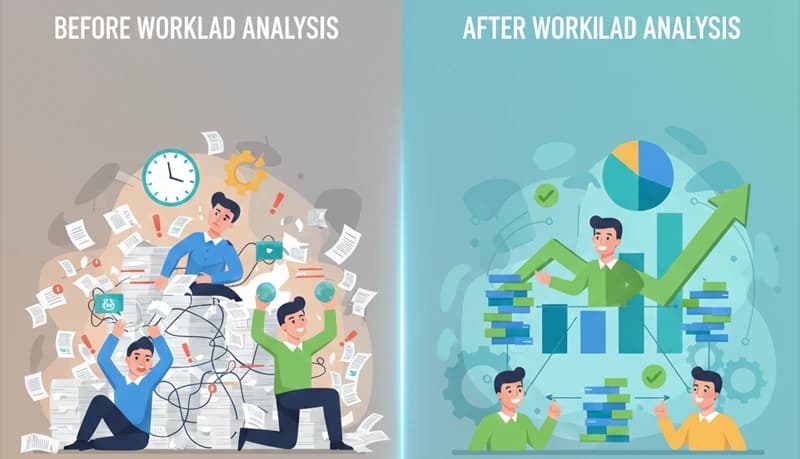
Workload analysis in a contact center is the practice of examining how work is distributed — across intervals, shifts, teams, and individual agents — to find imbalances that reduce productivity. The analysis answers specific questions: Are some intervals overstaffed while others are understaffed? Are some agents consistently overloaded while others are idle? Is the call mix changing in ways the staffing model has not accounted for? Is off-phone time eating more productive capacity than the shrinkage assumption reflects?
Every one of these imbalances has a cost — either wasted labor (agents paid but not productive) or degraded output (agents overloaded and producing lower quality). Workload analysis makes these costs visible and quantifiable so that the operation can fix the highest-impact problems first.
For the concepts behind workload management — what occupancy means, the overload/underload spectrum, and the levers that control workload — see the workload management guide. This post covers the analytical process: what data to pull, what patterns to look for, and what each finding means for productivity.
The data you need
Workload analysis requires data from multiple systems. Each system provides a different dimension of the workload picture.
| Data | Source | What it shows |
|---|---|---|
| Call volume by interval (30-minute or hourly) | ACD reports | When calls arrive. Reveals the demand curve — peaks, dips, and tapers that the schedule must match |
| AHT by call type | ACD reports | How long different call types take. A blended AHT average hides the variation between a 3-minute address change and a 12-minute technical troubleshoot |
| Agents logged in by interval | ACD or WFM | How many agents were available to handle calls during each interval. Compared to volume, this reveals whether the schedule matched demand |
| Occupancy by agent, team, and interval | ACD or WFM | How busy agents were. The core workload metric |
| Time by activity category | Time tracking or WFM | How agents spent their time: on calls, in ACW, on break, in training, in coaching, in meetings, in admin tasks. This is the actual shrinkage breakdown |
| QA scores by agent | QA system | Quality output. Combined with occupancy data, reveals whether high workload is degrading quality |
| FCR by call type | ACD or CRM | Resolution effectiveness. Low FCR on specific call types indicates the workload from those calls is higher than it appears (callbacks double the real workload) |
Time period: Pull at least 4 weeks of data to identify patterns. A single week may include anomalies (holidays, outages, unusual volume) that distort the picture.
Analysis 1: Interval-level staffing match
Question: Does the schedule put the right number of agents on the phones during each interval?
How to run it
For each interval in a typical day, compare three numbers:
| Interval | Calls offered | Agents needed (calculated) | Agents logged in (actual) | Variance |
|---|---|---|---|---|
| 8:00–8:30 | 45 | 12 | 18 | +6 (overstaffed) |
| 8:30–9:00 | 62 | 16 | 18 | +2 |
| 9:00–9:30 | 78 | 20 | 18 | −2 (understaffed) |
| 9:30–10:00 | 85 | 22 | 18 | −4 (understaffed) |
| 10:00–10:30 | 80 | 21 | 22 | +1 |
| 10:30–11:00 | 72 | 18 | 22 | +4 (overstaffed) |
| ... | ... | ... | ... | ... |
| 4:00–4:30 | 25 | 7 | 18 | +11 (overstaffed) |
| 4:30–5:00 | 18 | 5 | 18 | +13 (overstaffed) |
"Agents needed" is calculated from: (Calls × AHT) ÷ (Interval length × Target occupancy). See the staffing calculation for the formula.
What the pattern reveals
| Pattern | What it means | Productivity impact |
|---|---|---|
| Understaffed during peak, overstaffed during taper | The schedule uses flat shift sizes instead of matching the volume curve. Same number of agents all day while demand varies | During peak: agents are overloaded (occupancy above 90%), quality drops. During taper: agents are idle (occupancy below 65%), labor is wasted |
| Consistently understaffed across all intervals | The operation does not have enough total headcount. The schedule matches the shape of the curve but the level is too low | Chronic overload across all intervals. Service level misses, overtime, and attrition |
| Well-matched most of the day, gap during lunch | Break placement is not staggered. Too many agents on break simultaneously | A predictable coverage gap every day at the same time. Easy to fix by staggering breaks |
Quantifying the cost
Overstaffing cost: Count the total agent-hours in intervals where actual agents exceed needed agents. Multiply by the hourly rate.
Example: 8 intervals per day with an average of 5 surplus agents × 0.5 hours per interval = 20 surplus agent-hours/day × $15/hour = $300/day wasted = $78,000/year.
Understaffing cost: Count the intervals where agents needed exceeds actual. For each, estimate the service level impact and overtime cost to recover coverage.
Analysis 2: Team-level workload imbalance
Question: Are some teams or skill groups consistently more overloaded than others?
How to run it
Pull average weekly occupancy by team (or by supervisor, which is effectively the same thing in most operations).
| Team | Avg occupancy | Headcount | Primary call type |
|---|---|---|---|
| Team A (Supervisor Jones) | 91% | 12 | Technical support |
| Team B (Supervisor Smith) | 78% | 14 | Billing inquiries |
| Team C (Supervisor Garcia) | 84% | 11 | General inquiries |
| Team D (Supervisor Park) | 72% | 13 | Account changes |
What the pattern reveals
| Pattern | What it means | Fix |
|---|---|---|
| One team consistently above 88% | That team's call type has higher volume or longer AHT than the staffing plan accounts for | Rebalance: add agents to the overloaded team, either by hiring or by cross-training agents from underloaded teams |
| One team consistently below 72% | That team is overstaffed for its volume. Agents are idle | Move agents or cross-train them to support higher-volume queues. Alternatively, the call type may be declining — check the volume trend |
| Occupancy varies widely within a team | Some agents on the team have 90%+ occupancy while others on the same team have 70%. The ACD routing is uneven or agent skill levels cause different handle times | Review ACD routing. Check whether some agents have skills that cause them to receive more calls. Check whether new agents have higher AHT that reduces their call capacity |
Productivity improvement from rebalancing
If Team A is at 91% occupancy (overloaded — quality declining) and Team D is at 72% (underloaded — agents idle), moving 2 agents from Team D to Team A (after cross-training) shifts both teams toward the 80–85% target range. The productivity gain comes from:
- Team A: quality recovers (QA scores improve, FCR improves, callbacks decrease)
- Team D: idle time decreases (labor cost per call drops)
- Net: same headcount, better output
Analysis 3: Call-type complexity distribution
Question: Is the call mix creating workload that the blended metrics do not capture?
How to run it
Break down volume, AHT, and FCR by call type for the past 4 weeks.
| Call type | % of volume | Avg AHT (min) | FCR | Agent workload contribution |
|---|---|---|---|---|
| Password reset | 18% | 2.5 | 95% | Low — short, simple, high resolution |
| Billing inquiry | 25% | 5.0 | 82% | Moderate |
| Technical troubleshoot | 22% | 9.5 | 68% | High — long calls, lower resolution, generates callbacks |
| Account change | 15% | 4.0 | 90% | Low to moderate |
| Complaint / escalation | 8% | 14.0 | 55% | Very high — longest calls, lowest resolution, emotionally demanding |
| New service inquiry | 12% | 6.5 | 78% | Moderate |
What the pattern reveals
| Finding | What it means |
|---|---|
| One call type has disproportionately high AHT and low FCR | That call type is generating more workload than its volume share suggests. Technical troubleshoot is 22% of calls but consumes 33% of agent time (22% × 9.5 min vs. the 5.8-minute blended average). Plus, at 68% FCR, 32% of those calls generate a callback — adding more workload |
| A simple call type represents a large volume share | Password resets are 18% of volume but only consume 7% of agent time (18% × 2.5 min). These calls could potentially be deflected to self-service, freeing agent capacity for the complex calls that require a human |
| Complaint/escalation calls have very high AHT | At 14 minutes and 8% of volume, complaints consume 18% of agent time. Agents who handle several complaints in a row experience higher cognitive load and fatigue than occupancy alone captures |
Productivity actions from this analysis
| Action | Impact |
|---|---|
| Deflect password resets to self-service | Removes 18% of call volume. Equivalent to freeing 3–4 agents in a 50-agent operation |
| Create a troubleshooting flowchart for the top technical issues | Reduces technical AHT from 9.5 to 7–8 minutes. Increases FCR from 68% to 75%+, reducing callbacks |
| Limit complaint calls per agent per shift | If agents handle no more than 3 complaints per shift (with other call types between complaints), quality on complaint calls improves and overall fatigue decreases |
Analysis 4: Shrinkage breakdown
Question: Where is productive time going? Is off-phone time higher than assumed?
How to run it
Pull 4 weeks of time tracking data and categorize all paid time by activity.
| Activity | Hours/week (50-agent operation) | % of total paid time |
|---|---|---|
| On-phone (talk + hold) | 1,240 | 62% |
| After-call work | 200 | 10% |
| Scheduled breaks | 200 | 10% |
| Lunch | 200 | 10% |
| Training | 40 | 2% |
| Coaching | 30 | 1.5% |
| Team meetings | 20 | 1% |
| Admin / other | 30 | 1.5% |
| Unscheduled off-phone | 40 | 2% |
| Total paid time | 2,000 | 100% |
Actual productive time (on-phone + ACW): 1,440 hours = 72% of paid time. Actual shrinkage: 28%. Shrinkage assumed in the staffing model: Check the assumption. If the model assumes 25%, the operation is understaffed by the 3-point gap.
What the pattern reveals
| Finding | What it means | Action |
|---|---|---|
| ACW is 10% of paid time | At a 5.8-minute blended AHT, 10% ACW means agents spend roughly 1.5 minutes on documentation per call. Check whether this is justified by the documentation requirements or whether agents are using ACW as a buffer | Review ACW standards. If documentation takes 45 seconds but agents average 90 seconds, investigate whether agents are extending ACW for recovery time — which signals occupancy is too high |
| Unscheduled off-phone is 2% | 40 hours/week of unaccounted off-phone time across 50 agents = approximately 5 minutes per agent per day | 5 minutes/day is within normal range (bathroom, water, brief tech issue). If this number is 5%+, it indicates adherence problems |
| Training + coaching is 3.5% | 70 hours/week. For a 50-agent operation, that is 1.4 hours per agent per week — reasonable for ongoing development | If training + coaching is below 1%, agents are not receiving enough development and quality problems will surface over time. If above 6%, the shrinkage impact may justify consolidating training into fewer, longer sessions |
Analysis 5: Workload trend over time
Question: Is workload increasing, decreasing, or stable? If increasing, will it cross the overload threshold?
How to run it
Plot weekly average occupancy for the past 8–12 weeks. Overlay with headcount and volume.
| Week | Avg occupancy | Headcount | Weekly volume |
|---|---|---|---|
| 1 | 80% | 50 | 4,200 |
| 2 | 81% | 50 | 4,300 |
| 3 | 82% | 49 | 4,350 |
| 4 | 83% | 48 | 4,400 |
| 5 | 85% | 47 | 4,500 |
| 6 | 86% | 47 | 4,450 |
| 7 | 88% | 46 | 4,500 |
| 8 | 90% | 45 | 4,550 |
What the pattern reveals
This operation's occupancy rose from 80% (healthy) to 90% (overloaded) in 8 weeks. The driver is clear: headcount dropped from 50 to 45 (attrition outpacing hiring) while volume increased slightly. The remaining agents absorbed the gap as higher workload.
If unaddressed: Occupancy will continue rising. At 90%+, quality degrades, AHT increases (fatigue), and attrition accelerates — creating a downward spiral where more departures create more overload which creates more departures.
The hiring math: To return to 82% occupancy at current volume: 4,550 calls/week × 5.8 min AHT ÷ (40 productive hours/week × 60 min × 0.82 target occupancy) = 4,550 × 5.8 ÷ 1,968 = 13.4 agents on phones, so 13.4 ÷ (1 − 0.28 shrinkage) = 18.6 agents scheduled per interval... At total headcount level with days off coverage, the operation needs approximately 52 agents — 7 more than the current 45. The hiring pipeline must deliver 7 agents plus cover ongoing attrition.
Putting it together: the workload analysis cadence
| Analysis | Frequency | Who | What triggers action |
|---|---|---|---|
| Interval staffing match | Monthly (or when the schedule is rebuilt) | WFM analyst | Any interval where variance exceeds ±3 agents consistently |
| Team-level occupancy comparison | Biweekly | Ops manager | Any team above 88% or below 72% for 2+ consecutive periods |
| Call-type complexity | Quarterly (or when the call mix changes) | WFM analyst + ops manager | Any call type consuming more than 1.5× its volume share in agent time, or FCR below 70% |
| Shrinkage breakdown | Monthly | WFM analyst | Actual shrinkage exceeding planned by more than 3 percentage points |
| Workload trend | Weekly (as part of productivity tracking) | Ops manager | Occupancy trending upward for 3+ consecutive weeks |
BPO workload analysis additions
BPO operations need all of the above analyses run per client account, not just in aggregate.
| Analysis | BPO addition |
|---|---|
| Interval staffing match | Run per account. Account A may be well-staffed while Account B is chronically understaffed — the aggregate masks the problem |
| Occupancy comparison | Compare across accounts. If Account A agents have 75% occupancy and Account B agents have 92%, cross-training can rebalance without hiring |
| Call-type complexity | Different clients have different call mixes. An account with 40% complaint calls has fundamentally different workload characteristics than an account with 60% routine inquiries — even if volume is the same |
| Workload trend | Track per account. If one account's volume is growing while headcount is flat, that account will cross the overload threshold before the others — and its SLA will be the first to miss |
| Client billing alignment | Compare the workload per account to the billing structure. If Account B generates 2× the workload per call as Account A but is billed at the same rate, Account B's profitability is lower than reported. This analysis informs contract renewal conversations |
