

GPS Time Clock for Field and Mobile Employees
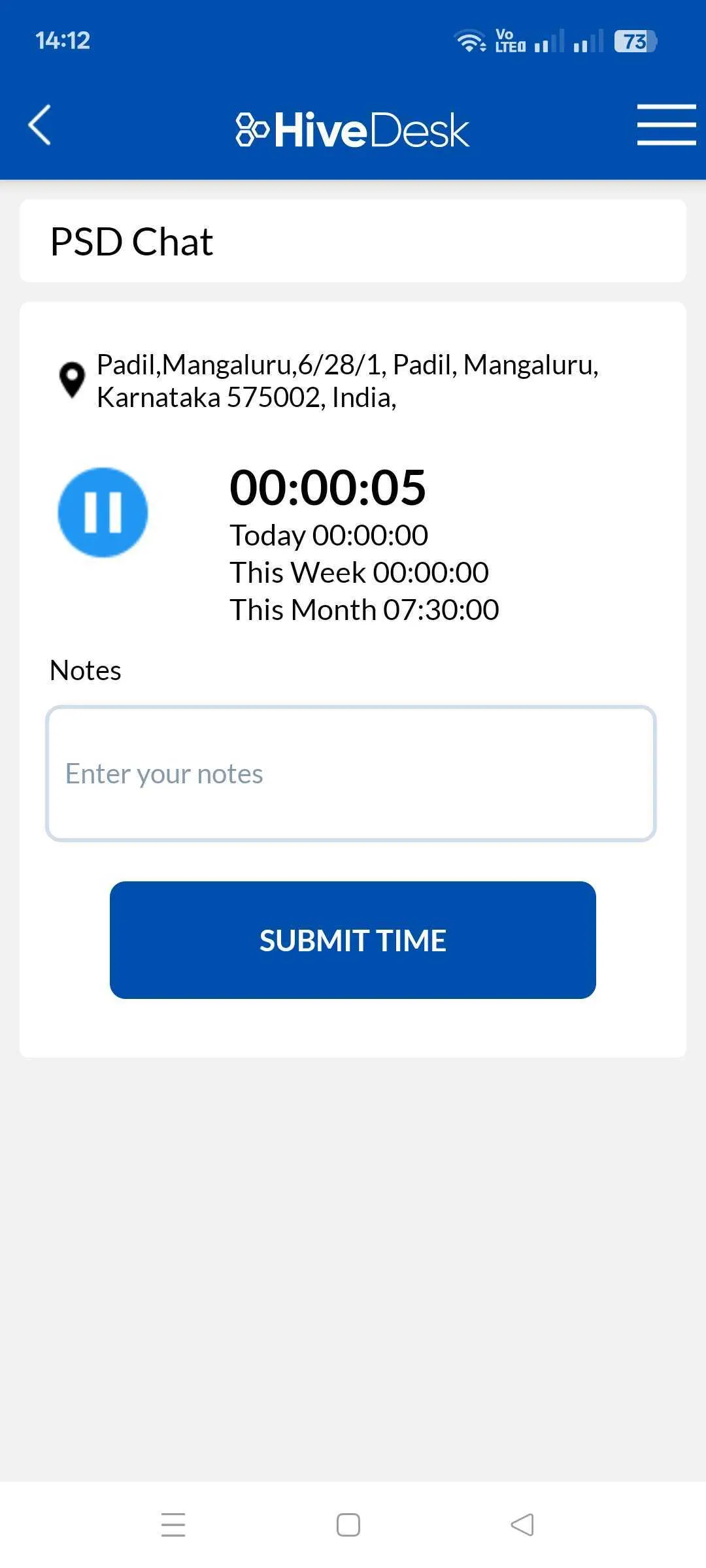
Stop guessing where your field workers are. HiveDesk records GPS coordinates every time employees clock in or out on the iOS mobile app — giving you verified time and location data for accurate timesheets, payroll, and accountability.
No credit card required · 14-day free trial · $5/user/month
Field time tracking is broken without location data
When employees work across job sites, client offices, and the field, you have no way to verify where they actually spent their hours. That leads to real problems.
Without GPS Time Tracking
- No way to confirm employees are at the correct job site
- Timesheets based on memory — hours get inflated or forgotten
- Payroll disputes over hours worked and locations visited
- Managers waste time calling to check on field workers
- No audit trail for client billing or labor compliance
With HiveDesk GPS Time Clock
- GPS coordinates recorded at every clock-in and clock-out
- Automatic timesheets generated from verified time entries
- Clear records eliminate payroll disputes
- Managers review location data from the dashboard
- Exportable records for client billing and compliance
GPS Time Tracking
Verify employee location at every clock-in
When field employees clock in using the HiveDesk iOS app, their GPS coordinates are recorded automatically. You get a verified record of where each employee was when they started and ended work — no more relying on their word alone.
GPS data is attached to every time entry, giving managers a clear audit trail of employee locations across job sites, client offices, and work zones.
- GPS coordinates captured at clock-in and clock-out
- Location data visible on every time entry
- Works on the iOS mobile app
Field Employee Tracking
Know where your mobile workforce is working
Managing employees across multiple job sites is difficult when you cannot verify their locations. HiveDesk gives you location data for every work session so you can confirm employees are at the right place at the right time.
Review GPS data alongside time entries to spot patterns, address no-shows quickly, and maintain accountability across your entire field team.
- Track employees across multiple job sites
- Verify attendance at client locations
- Review location history by employee or date

Accurate Timesheets
Generate timesheets you can actually trust
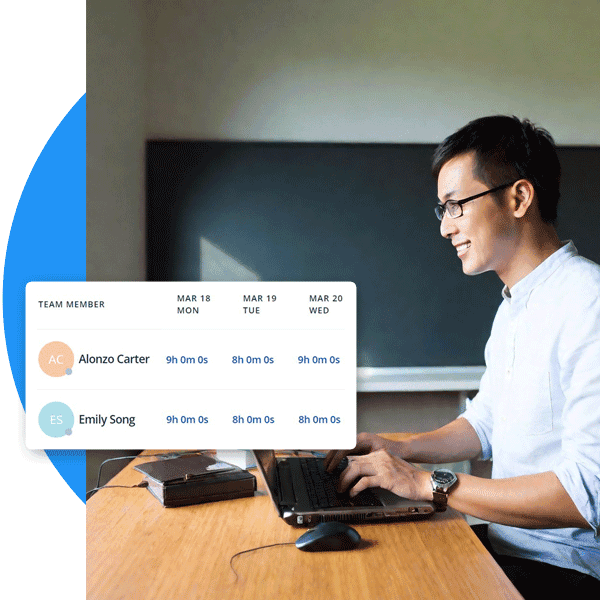
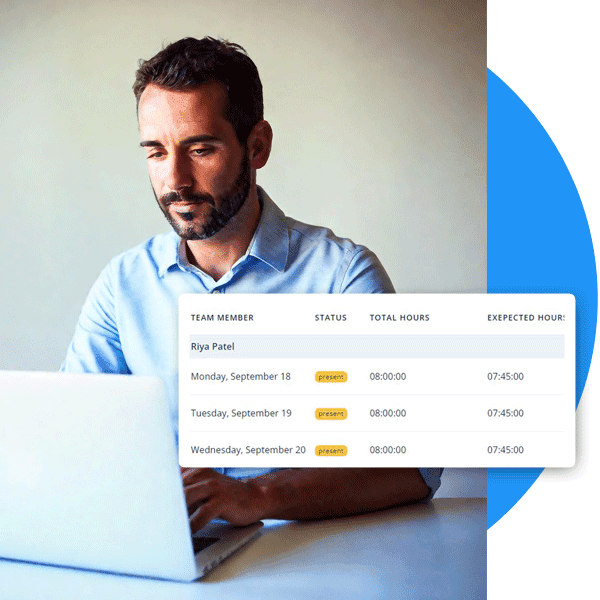
Every time entry in HiveDesk is backed by GPS data and timestamps. Automatic timesheets are generated from tracked hours — no manual entry, no guesswork, no inflated hours.
Managers review and approve timesheets through a built-in approval workflow. Approved timesheets export to PDF or Excel for payroll processing.
- Automatic timesheets from tracked time
- GPS-verified time entries reduce disputes
- Export to PDF or Excel for payroll
Payroll Management
Process payroll with verified time data
Accurate time records mean accurate paychecks. HiveDesk calculates total hours, overtime, and time-off automatically, so you can process payroll with confidence that every hour is accounted for.
Export timesheet data in CSV format compatible with any payroll software. Maintain compliance with labor laws by keeping detailed, GPS-verified time records.
- Automatic overtime calculations
- CSV and Excel export for payroll software
- Detailed records for labor law compliance
Get started with GPS time tracking in minutes
No complex setup. No hardware to install. Your team can be tracking time with GPS today.
Create your free account
Sign up in under two minutes. Add your projects, job sites, and team members.
Employees download the app
Field workers install the iOS app for GPS time tracking. Desk workers use the desktop or Chrome app.
Clock in with GPS
Employees tap to start the timer. The app records their GPS coordinates along with the clock-in time.
Review timesheets and run payroll
GPS-verified timesheets are generated automatically. Review, approve, and export for payroll.
GPS time tracking for every field-based industry
Any business with employees working outside a fixed office benefits from location-verified time tracking.
Construction
Track crew hours across job sites. Verify that workers are on-site when they clock in. Generate timesheets for prevailing wage and certified payroll.
Learn more →Field Services
HVAC, plumbing, electrical, and maintenance teams working at client locations. Verify attendance and track billable hours per job.
Staffing Agencies
Place temporary workers at client sites and verify their attendance with GPS. Generate accurate timesheets for billing and payroll.
Learn more →Home Healthcare
Caregivers visit patients at their homes. GPS time tracking verifies visit times and locations for compliance and billing.
Cleaning & Janitorial
Cleaning crews work across multiple buildings and locations. Confirm arrival times and track hours per site for accurate client billing.
Delivery & Logistics
Drivers and delivery personnel working across routes and stops. Record time and location for each shift to improve accountability.
More than a GPS time clock
HiveDesk is a complete workforce management platform. GPS time tracking is just the beginning — you also get scheduling, attendance, activity monitoring, and reporting in one place.
Employee Time Tracking
Track employee hours with desktop, mobile, and browser apps. One-click timer with automatic time recording by task and project.
Employee Scheduling
Create shifts and schedules for your team. Employees see their assignments. Track attendance and adherence.
Activity Monitoring
Periodic screenshots and activity levels for desktop workers. Employees always know when tracking is active.
Timesheets & Approval
Auto-generated timesheets with manager approval workflow. Export to PDF or Excel for payroll processing.
Attendance & Leave
Track attendance automatically from clock-in data. Manage time-off requests, approvals, and leave balances.
Real-Time Dashboards
See who is working, on what, and where. Drill into projects, tasks, and individual contributors from one dashboard.
Trusted by teams across 6 continents since 2011
“We have used every time tracking software under the sun, and they all fall short in some area that we need, but overall HiveDesk has met our needs. Their PDF screen shot reports are clean, easy to use and understand. Our clients prefer them over the complicated reports of other systems.”

Lindsey Meadows
Owner, Meadows Resources
“HiveDesk has been a game changer for our team. We manage remote employees across multiple time zones and the time tracking and screenshot features give us the visibility we need without micromanaging. The timesheets make payroll straightforward.”
Patrick W.
Director of Client Success
Frequently asked questions about GPS time clocks
Everything you need to know about GPS time tracking, employee location verification, and how HiveDesk works.
A GPS time clock is a time tracking tool that records both when and where employees clock in and out. When an employee starts their timer on a GPS-enabled device, the app captures their GPS coordinates along with the timestamp. This gives managers a verified record of employee location at the start and end of each work session — essential for businesses with field, mobile, or remote workers who are not in a fixed office.
GPS time tracking in HiveDesk works through the iOS mobile app. When a field employee starts the timer on their iPhone, the app records their GPS coordinates along with the clock-in time. The same happens at clock-out. Managers can see the location data on each time entry in the HiveDesk dashboard. Desktop apps (Windows, macOS, Linux) and the Chrome extension track time without GPS — they are designed for office and remote desk workers.
Yes, GPS employee tracking is legal in the United States and most countries when employees are informed and consent to tracking during work hours. Many states require written notice before tracking employee location. HiveDesk operates transparently — employees know when the timer is running and that GPS data is being recorded. We recommend checking your local and state labor laws, and informing employees through your company handbook or employment agreements.
Yes. HiveDesk is designed for businesses with field and mobile employees. Field workers clock in and out using the iOS mobile app, which records GPS coordinates with each time entry. Managers can verify that employees were at the correct job site or client location. Time, location, and project data all appear in the same dashboard for easy review.
HiveDesk costs $5 per user per month — a single plan that includes every feature, including GPS time tracking, automatic timesheets, employee scheduling, attendance management, activity monitoring, and reporting. There are no tiers, no hidden fees, and no extra charge for GPS. A 14-day free trial is available with no credit card required.
HiveDesk has native apps for Windows, macOS, and Linux desktops, an iOS mobile app with GPS tracking, a Chrome browser extension, and a web-based management dashboard. GPS location tracking is available on the iOS mobile app. Desktop and Chrome apps track time, take screenshots, and monitor activity without GPS.
No. HiveDesk does not currently offer geofencing. The GPS time clock records employee location at clock-in and clock-out, which managers can review to verify job site attendance. If you need automatic alerts when employees enter or leave a location, geofencing is not available in HiveDesk at this time.
Each GPS time entry includes the timestamp, duration, project/task, and the GPS coordinates recorded at clock-in and clock-out. This data flows into automatic timesheets that managers can review and approve. Approved timesheets can be exported as PDF or Excel for payroll processing. The location data gives you an additional layer of verification beyond just hours worked.
GPS time tracking is most valuable for businesses with employees who work at varying job sites or client locations. Common industries include construction, field services (HVAC, plumbing, electrical), staffing agencies, home healthcare, real estate, delivery and logistics, cleaning services, and landscaping. Any business that needs to verify employee location during work hours benefits from a GPS time clock.
Yes. HiveDesk offers a 14-day free trial with full access to every feature, including GPS time tracking on the iOS app. No credit card is required to start. You can add your team, track time with GPS, generate timesheets, and test the full platform before committing.
Related resources
Ready to Get Started?
Join teams worldwide who trust HiveDesk for workforce management, time tracking, and employee monitoring. $5/user/month, all features included.