

Time Tracking Best Practices for Agencies

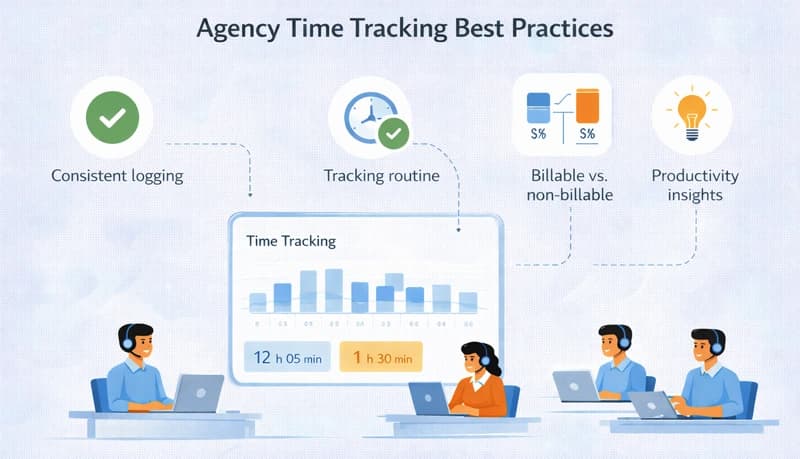
Agencies — marketing, design, development, PR, consulting — share a common business model: you sell your team's time and expertise to clients. Whether you bill hourly, by project, or on retainer, understanding how your team spends its hours determines whether your agency is profitable or slowly bleeding money. (For a broader look at the operational hurdles agencies face, see our post on the top challenges faced by digital marketing agencies.)
The challenge is that agency work is inherently fragmented. A designer might touch four client projects in a day. An account manager splits time between client calls, internal meetings, and new business pitches. A developer might spend the morning on billable work and the afternoon fighting a production issue that's hard to classify. Without time tracking, this complexity makes it nearly impossible to know where time goes — and where profit leaks hide. Tools built for marketing agencies address this by connecting tracked hours to client projects and billing.
Track all time, not just billable time
The most common mistake agencies make is only tracking billable hours. This gives you half the picture and hides your real cost structure.
What non-billable time reveals
Agency overhead isn't just rent and software subscriptions — it's the hours your team spends on work that doesn't generate revenue:
- New business — Pitches, proposals, RFP responses, chemistry meetings
- Account management — Internal status meetings, resourcing discussions, client onboarding
- Admin — Timesheets, invoicing, HR, office management
- Professional development — Training, conferences, skill-building
- Internal projects — Agency website, case studies, social media, marketing
Tracking this time tells you your true non-billable overhead. If your team averages 60% billable utilization, 40% of your labor cost generates zero direct revenue. Your billing rates need to cover that 40% — and you can't set rates correctly without knowing the actual number.
Billable utilization targets by role
Not every role in an agency should have the same utilization target:
- Production roles (designers, developers, writers) — 70–80% billable
- Account managers / project managers — 50–65% billable (significant time on coordination and client communication)
- Creative directors / senior strategists — 40–60% billable (more time on internal leadership, pitches, and oversight)
- Agency leadership — 20–40% billable (business development, management, strategy)
Track actual utilization against these targets monthly. Consistent underperformance signals either too much overhead, not enough client work, or an unrealistic target.
Track at the right level of detail
Project and task-level tracking
Every time entry should be associated with a specific client project. Within each project, use task categories that match how your agency works:
- Strategy and planning — Research, briefings, creative strategy
- Production — Design, development, writing, editing, production
- Revisions — Client-requested changes and rounds of feedback
- Meetings — Client calls, internal syncs, presentations
- Project management — Scheduling, coordination, status updates, timesheet review
Separating revisions from initial production is particularly important for agencies. If revisions consistently consume 30–40% of a project's hours, you either need to charge for them, improve your briefing process, or set clearer expectations with clients about what's included.
Don't over-track
Forcing every team member to log time in six-minute increments against dozens of micro-tasks creates friction and resentment. Most agency work fits into 5–10 task categories per project. If your time tracking system requires more effort than that, simplify it — inaccurate data from a complex system is worse than approximate data from a simple one.
Use time data to price work accurately
Fixed-fee projects
Most agencies quote fixed fees for project work. Without historical time data, these quotes are educated guesses — and in competitive situations, they tend to be optimistic guesses that erode margins.
After tracking time on completed projects, you can price future work based on reality:
- A website redesign that you quoted at 80 hours but actually took 120 tells you to quote 120 next time — or reduce scope to fit 80 hours.
- A monthly content package that consistently takes 25 hours shouldn't be priced for 15 hours of effort.
- A brand identity project that averages 60 hours across your last five similar projects gives you a defensible basis for your next proposal.
Track every fixed-fee project internally, even though you don't bill by the hour. The data is for you, not the client.
Retainer pricing
Retainer clients pay a monthly fee for ongoing work. Time tracking tells you whether each retainer is profitable:
Retainer profit = monthly fee − (hours tracked × loaded hourly cost)
If a retainer client consistently consumes more hours than the fee covers, you have three options: renegotiate the fee, reduce the scope of work, or accept the loss as a strategic investment in the relationship. But you can't make that choice without the data.
Hourly billing
For hourly work, time tracking is straightforward — it's your invoice. But accuracy still matters. Review time entries for each client before generating invoices. Catch entries on the wrong project, vague descriptions that clients might question, and hours that seem disproportionate to the deliverable.
Handle scope creep with data
Scope creep is the single biggest margin killer for agencies. A project starts with a clear brief, but "one more small change" compounds until the project has consumed twice the estimated hours.
Time tracking makes scope creep visible in real time. When you can see that a project has used 75% of its hour budget at the 50% completion mark, you can act:
- Show the client the data: "We've used 60 of the 80 budgeted hours and still have three deliverables remaining. Let's discuss adjusting the scope or budget."
- Document the additional requests that pushed hours beyond the original estimate.
- Flag the pattern internally so future proposals with this client include appropriate buffers.
Without tracked time, scope creep is invisible until the project is done and the post-mortem reveals how much money was lost.
Manage team capacity
Avoid the feast-or-famine cycle
Agencies often oscillate between overwhelmed (too much client work, everyone working overtime) and idle (projects ended, new ones haven't started). Time tracking data helps you manage this cycle:
- Monitor utilization weekly. If the team is at 90%+ utilization, you're at capacity and need to stop taking on new work or hire. If it drops below 60%, you need to accelerate business development.
- Track pipeline against capacity. When you know your team's available hours for the next month, you can make informed decisions about which new projects to take on and when to start them.
Identify overloaded team members
In agencies, the best people tend to get pulled onto everything. Time tracking reveals when specific team members are consistently overloaded — working overtime, juggling too many projects, or carrying a disproportionate share of the workload.
Address this proactively. Redistribute work, bring in additional resources, or have an honest conversation about priorities. The cost of burnout and turnover far exceeds the cost of adding capacity.
Plan for non-project time
When allocating team members to projects, don't assume 40 hours of availability per week. Between internal meetings, communication, admin, and context-switching, the realistic number is typically 28–32 hours. Time tracking data gives you the actual number for your agency, so you stop over-committing your team.
Build client trust with transparency
Share time data proactively
Clients who see detailed breakdowns of how their budget is being spent are more confident in the relationship. Share time reports at regular intervals — monthly for retainer clients, at milestones for project work.
This transparency works in your favor. When a client sees that their 100-hour project included 15 hours of revisions (all requested by them), they understand where the time went. When they see that your team spent 8 hours on strategy and research before producing anything, they appreciate the rigor.
Use data in scope conversations
When a client pushes back on a fee or requests additional work, respond with specifics rather than defensiveness:
- "Based on similar projects, this type of work typically takes 40–50 hours. Here's the breakdown by phase."
- "Last quarter, your retainer covered an average of 30 hours per month. This month's requests would require approximately 45 hours. How would you like to prioritize?"
Data-informed conversations are more productive than opinion-based negotiations.
Review cadence
Weekly
- Team utilization — are people at healthy capacity levels?
- Project hours versus budget — are any projects trending over?
- Overtime — who's working extra hours and why?
Monthly
- Billable vs. non-billable ratio by team and by role
- Retainer profitability by client
- Non-billable time breakdown — is overhead growing?
Per project
- Estimated vs. actual hours by phase
- Revision hours as a percentage of total project hours
- Lessons learned for future estimates
Quarterly
- Client profitability ranking — which clients generate the best margins?
- Service profitability — which types of work are most and least profitable?
- Rate analysis — are your rates covering your actual cost structure?
