

Generate Invoices Directly from Tracked Hours
Your team tracks time. HiveDesk turns approved timesheets into professional invoices with one click — line items, rates, and totals pulled straight from verified billable hours. No manual data entry. No guesswork. All for $5/user/month.
No credit card required · Set up in under 10 minutes · Works on Windows, macOS, Linux, iOS, Chrome
Manual Invoicing Is Costing You Revenue
When you create invoices from memory or spreadsheets, you miss billable hours, make calculation errors, and spend hours on admin work instead of client work. Clients question vague invoices, payments get delayed, and cash flow suffers.
Without time tracking invoicing
- Billable hours go untracked and uninvoiced
- Manual invoice creation takes hours every billing cycle
- Clients dispute vague line items with no proof of work
- Calculation errors lead to underbilling or overbilling
- No visibility into outstanding invoices and cash flow
- Revenue leakage from forgotten or rounded-down hours
With HiveDesk invoicing
- Every billable minute is captured automatically
- Invoices generated from approved timesheets in one click
- Line items backed by verified time data and screenshots
- Rates and totals calculated accurately from tracked hours
- Invoice status tracking from draft to paid
- Professional PDF invoices with your branding
From Tracked Hours to Paid Invoice in Minutes
No spreadsheets. No manual calculations. No copy-pasting hours into invoice templates.
Track billable hours
Employees track time by task and project using the desktop, mobile, or browser app. Hours are recorded automatically.
Approve timesheets
Managers review and approve timesheets. Only approved hours are used for invoicing.
Generate the invoice
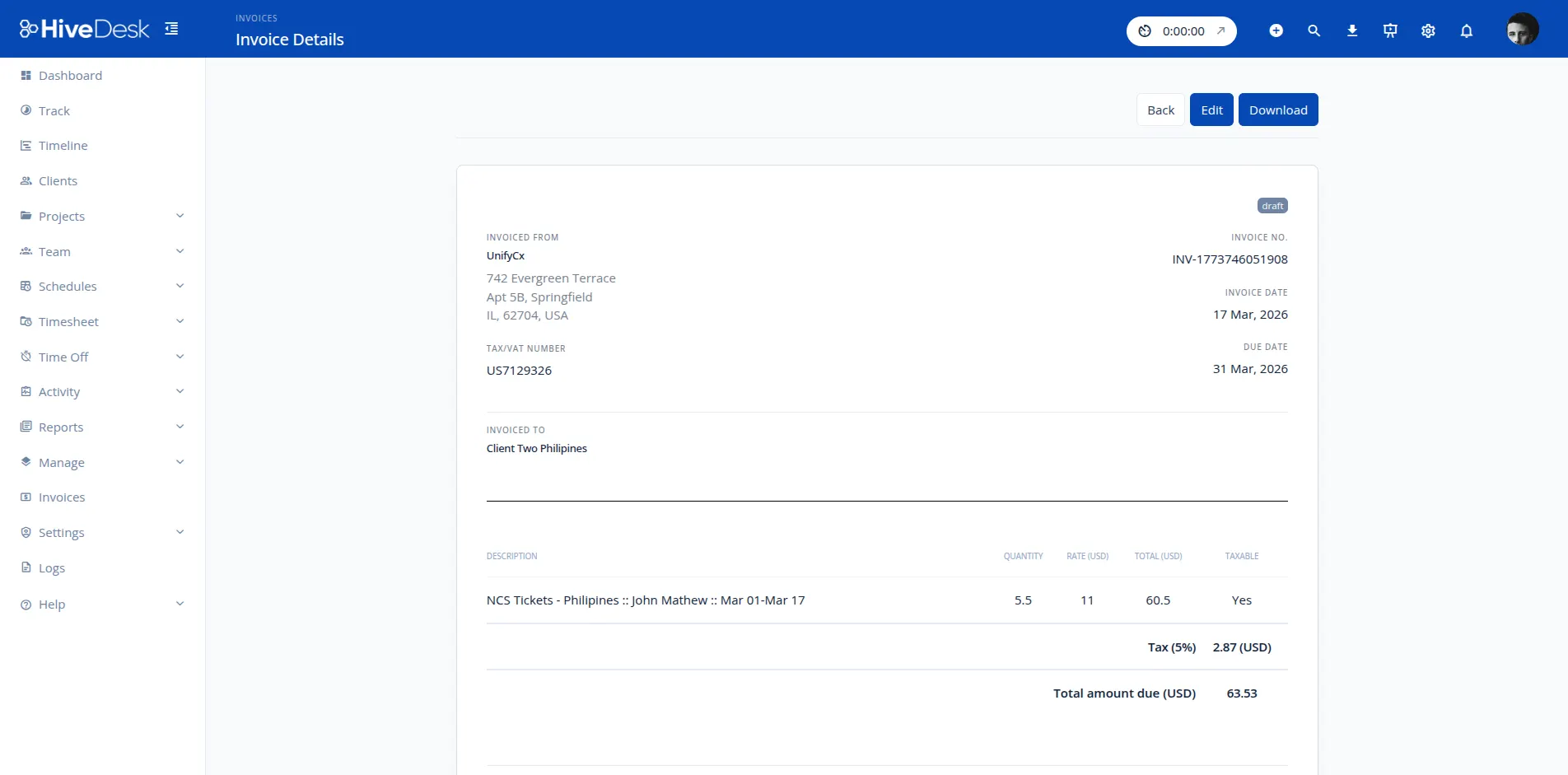
Select the client and billing period. HiveDesk creates line items from approved timesheet data in one click.
Customize and send
Add your logo, tax rates, and payment terms. Download as PDF and send to your client.
Automatic Invoicing
One click from timesheet to invoice
HiveDesk pulls approved timesheet data — hours, rates, projects, and tasks — and generates invoice line items automatically. No re-entering data. No copying from spreadsheets. Select the client, choose the billing period, and click generate.
- Invoice line items created from approved timesheet data
- Billable hours and rates calculated automatically
- Every invoice backed by verified time tracking records
- Eliminate revenue leakage from untracked hours
Professional Templates
Send invoices that build client trust
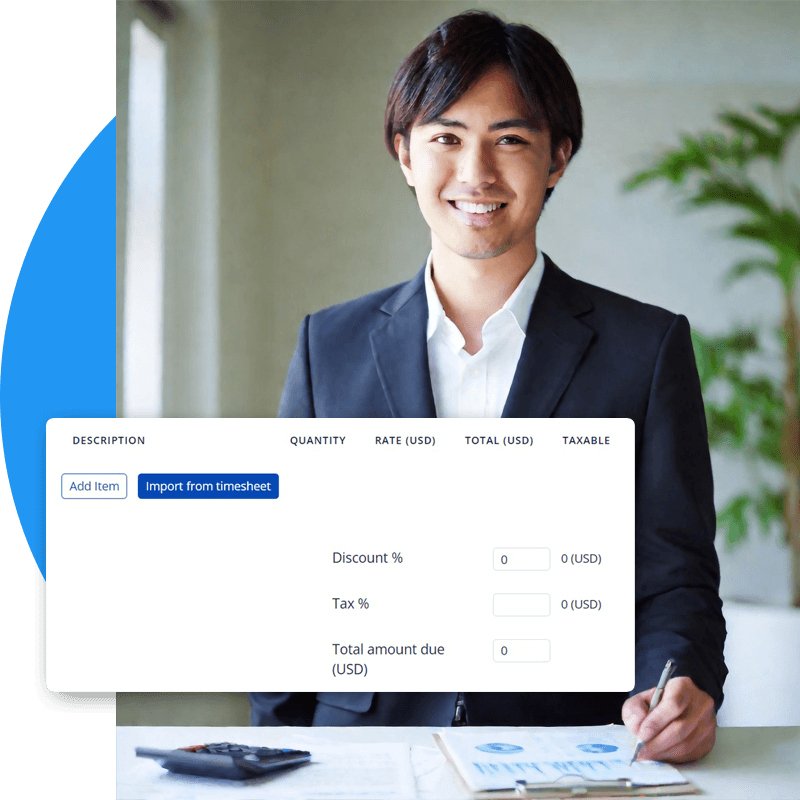
Your invoices reflect your business. HiveDesk provides professional invoice templates that you customize with your logo, company details, and client information. Add applicable tax rates, adjust line items, and download a polished PDF ready to send.
- Customize invoices with your company logo and details
- Apply tax rates and discounts per invoice
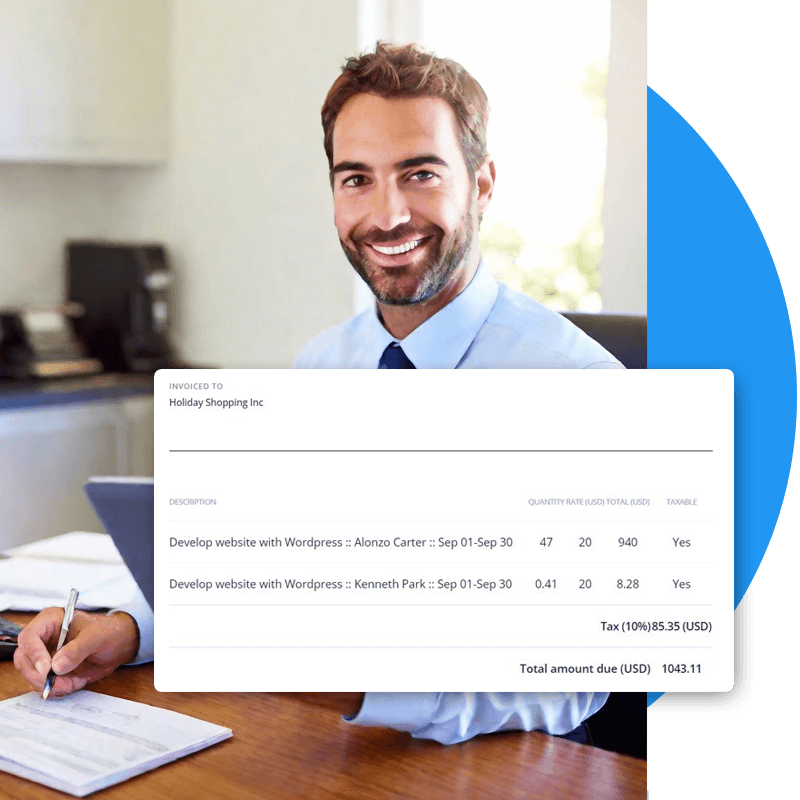
- Detailed line items show clients exactly what they are paying for
- Download and share invoices as PDF
Invoice Tracking
Know the status of every invoice
Sending invoices is only half the job. HiveDesk tracks each invoice from creation to payment so you always know what has been paid, what is outstanding, and what needs follow-up. No more digging through email to figure out which clients owe you money.
- Track invoice status: Draft, Sent, Paid, or Void
- See all outstanding invoices in one view
- Stay on top of overdue payments
- Maintain a complete invoice history per client

Proof of Work
Bill clients with proof, not promises
When you bill by the hour, clients want to know their money is well spent. HiveDesk gives you verified time records backed by optional screenshot reports. Share these alongside your invoices to eliminate billing disputes and build long-term client relationships.
- Screenshot reports show exactly what was worked on
- Activity levels verify productive work time
- Share proof-of-work reports alongside invoices
- Build client trust and reduce payment disputes

Built for Teams That Bill by the Hour
Teams across 6 continents use HiveDesk to track billable hours and invoice clients accurately.
Marketing Agencies
Track billable hours by client and campaign. Invoice clients with verified time data and screenshot reports.
Contact Centers & BPOs
Bill clients accurately for agent hours. Generate invoices backed by timesheet data and activity monitoring.
Professional Services
Attorneys, accountants, consultants — track every billable minute and invoice clients without revenue leakage.
Staffing Agencies
Track contractor hours across multiple client sites. Generate verified invoices that clients trust.
IT & Customer Support
Invoice clients for support hours with accurate time records and activity verification.
Remote & Hybrid Teams
Track remote employee hours and invoice clients with the same confidence as in-office teams.
More Than Invoicing. Complete Workforce Management.
One plan. $5/user/month. Time tracking, invoicing, timesheets, scheduling, and more — all included.
Automatic Time Tracking
One-click timer on desktop, mobile, and browser. Time is recorded by task, project, and client — ready for invoicing.
Timesheets & Approval
Auto-generated timesheets with manager approval workflow. Approved timesheets feed directly into invoice generation.
Activity Monitoring
Periodic screenshots and activity levels provide proof of work that you can share with clients alongside invoices.
Project Cost Tracking
Set hourly rates per employee and track labor costs by project. Know your margins before you invoice.
Employee Scheduling
Create and assign shifts. Track schedule adherence. Scheduled hours feed into timesheets and invoicing.
Real-Time Dashboards
See who is working, on what project, and for how long. Drill into billable hours by client before invoicing.
Trusted by Teams Worldwide Since 2011
We have used every time tracking software under the sun, and they all fall short in some area that we need, but overall HiveDesk has met our needs. Their PDF screenshot reports are clean, easy to use and understand. Our clients prefer them over the complicated reports of other systems.
HiveDesk has been instrumental in helping us manage our remote team effectively. The automatic time tracking and screenshot features give us the visibility we need without micromanaging. Setup was straightforward and our team adopted it within a day.
Frequently Asked Questions
Everything you need to know about invoicing software and billable hours invoicing.
HiveDesk tracks employee hours by project and client using desktop, mobile, and browser apps. When you are ready to invoice, select the client and billing period, and HiveDesk pulls approved timesheet data to generate line items automatically. You customize the invoice with your logo, tax rates, and payment terms, then download it as a PDF to send to your client.
Time tracking invoicing is the process of generating invoices directly from recorded work hours. Instead of manually estimating or logging billable hours on an invoice, the software pulls verified time data from timesheets. This eliminates guesswork, reduces billing disputes, and ensures you capture every billable minute.
Yes. HiveDesk invoices can include your company logo, address, and contact details. You can add tax rates, discount lines, and payment terms. Each invoice includes a unique invoice number, detailed line items from timesheet data, and the total amount due. Download the finished invoice as a PDF.
HiveDesk tracks invoices through their lifecycle. New invoices start in Draft status. You can update them to Sent once delivered to the client, mark them as Paid when payment is received, or Void if they need to be cancelled. This gives you a clear view of outstanding and collected revenue at any time.
Yes. Employees track time by task and project, and you can designate work as billable or non-billable. When generating an invoice, HiveDesk pulls only the billable hours for the selected client and period, so non-billable internal work is excluded automatically.
Billing disputes usually happen because clients question whether the hours were actually worked. HiveDesk invoices are backed by verified timesheet data and optional screenshot reports that show what was being worked on. Clients see exactly what they are paying for, which builds trust and reduces pushback.
You generate invoices per client and billing period. Select the client, choose the date range, and HiveDesk creates the invoice from approved timesheets for that client. Each invoice is separate, so clients receive a clear breakdown of only their work.
Each HiveDesk invoice includes your company details, client details, a unique invoice number, the invoice date, detailed line items with hours and rates pulled from timesheets, any applicable taxes or discounts, and the total amount due. You can add custom notes or payment instructions before downloading.
HiveDesk integrates with Asana for project and task management. For accounting, you can export invoices as PDF and timesheet data as Excel or PDF for use with any accounting or bookkeeping software. There is no direct integration with QuickBooks, Xero, or similar tools.
Invoicing is included in the HiveDesk plan at $5 per user per month. There are no add-on fees or tiers. You get time tracking, invoicing, timesheets, scheduling, attendance, leave management, screenshots, and reporting — all included. There is a free 14-day trial with no credit card required.
Related Resources
Ready to Get Started?
Join teams worldwide who trust HiveDesk for workforce management, time tracking, and employee monitoring. $5/user/month, all features included.