

Contact Center Metrics: Your Guide to Boosting Performance

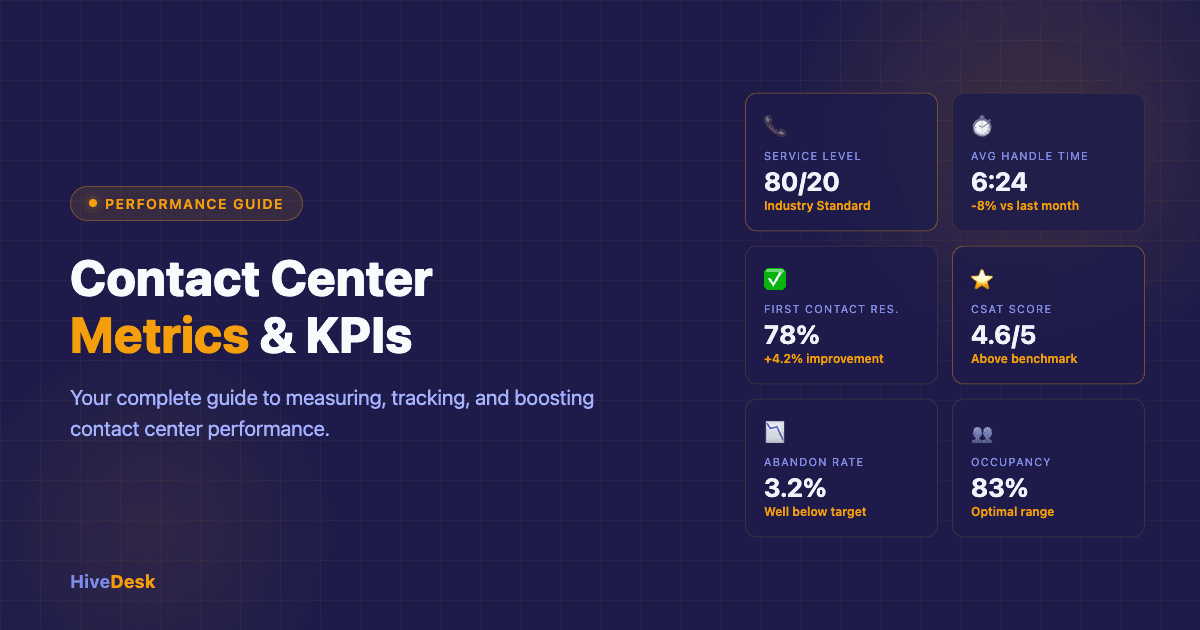
Welcome, aspiring contact center leader! You've landed here because you understand that running a successful contact center isn't just about managing a group of people answering phones or replying to chats. It's about orchestrating a complex system where every interaction, every minute, and every agent contributes to the larger symphony of customer experience. And like any good conductor, you need a score to follow – that score is your contact center metrics and call center KPIs.
Think of this guide as your personal mentor, helping you navigate the sometimes-overwhelming world of Key Performance Indicators (KPIs) and call center metrics. We're not just going to list definitions; we're going to explore why these numbers matter, what they tell you about your operation, and how you can use them to drive meaningful improvements.
Why Contact Center Metrics are the Compass for Your Success
Imagine sailing a ship across a vast ocean without a compass, charts, or any way to measure your speed or direction. You might eventually reach a shore, but it would be by sheer luck, not design. Your contact center is that ship, and performance metrics are your navigational tools. They tell you if you're on course, if you're moving too slowly, if you're hitting unexpected currents, or if you're about to run aground.
Without a robust understanding of your call center metrics, you're operating in the dark. You can't confidently say if your customers are happy, if your agents are productive, or if your resources are being used efficiently. You're guessing. And in today's competitive landscape, guessing is a luxury no business can afford.
It's Not Just About Numbers, It's About People
While we'll be diving deep into data points and percentages, never lose sight of the human element at the heart of every metric. A low First Contact Resolution (FCR) rate isn't just a number; it means a customer had to spend more time and effort to solve their problem, leading to frustration. A high agent turnover rate isn't merely a statistic; it represents individuals leaving, taking their expertise with them, and costing you significant resources to replace and retrain.
Effective metric analysis allows you to understand the experience of your customers and the working life of your agents. It empowers you to make decisions that improve both, creating a virtuous cycle where happy agents lead to satisfied customers, and satisfied customers drive business success. So, let's stop thinking of these as cold, hard numbers and start seeing them as vital insights into the human interactions that define your contact center.
The Core Pillars of Contact Center Performance: What We'll Explore
To give you a comprehensive understanding, we'll organize our journey through contact center KPIs around several core pillars:
Customer Experience: How satisfied are your customers? How easy is it for them to get help?
Operational Efficiency: How effectively are you using your resources and time?
Agent Performance: How well are your agents performing, and how engaged are they?
Financial Health: What is the cost-effectiveness of your contact center operations?
By examining metrics through these lenses, you'll gain a holistic view of your contact center's health and identify areas for strategic improvement. Whether you're a seasoned call center manager or just stepping into the role, these KPIs will guide your improvement initiatives and help you optimize call center performance across the board.
Key Performance Indicators (KPIs) for Contact Centers: The Essentials

Let's begin with the foundational call center KPIs – the ones every contact center leader should know, track, and understand intimately. These are the bedrock of performance measurement.
Service Level: The Gold Standard of Responsiveness
Imagine calling a service provider, and your call rings… and rings… and rings. Your frustration mounts with every passing second. Service Level is designed to prevent this very scenario.
What it is: Service Level is typically expressed as a percentage, indicating the proportion of contacts (calls, chats, emails) answered or responded to within a predefined time threshold. The industry standard often cited is "80/20," meaning 80% of incoming calls answered within 20 seconds. However, this isn't a universal rule; your optimal service level will depend on your industry, customer expectations, and the nature of your interactions. For high-priority customer support, you might aim for 90/10; for general inquiries, 70/30 might be acceptable.
Why it matters: It's a direct measure of your contact center's responsiveness and accessibility. A high service level means customers can consistently reach you quickly, fostering trust and reducing frustration. A consistently low service level signals understaffing, inefficient routing, or unexpected demand spikes, all of which lead to poor customer experience and potential customer churn. Service levels are typically defined in your SLA.
Example: If your Service Level is 70/20 (70% of calls answered within 20 seconds), it means nearly a third of your callers are waiting longer than your target, potentially leading to abandoned calls or dissatisfied customers even before they speak to an agent.
Average Speed of Answer (ASA): The First Impression
Closely related to Service Level, ASA gives you a single, clear number.
What it is: ASA is the average amount of time a customer waits in a queue before their contact is answered by an agent. This calculation typically excludes the time spent navigating IVR menus.
Why it matters: ASA is a critical indicator of customer wait times and directly influences the customer's initial perception of your service. A short ASA creates a positive first impression, conveying efficiency and respect for the customer's time. A long ASA, conversely, generates annoyance and can negatively color the entire interaction, regardless of how helpful the agent might be later. For each inbound call, every second of wait time erodes confidence in your operation.
Example: An ASA of 60 seconds might not sound long in isolation, but if your Service Level target is 80/20, a 60-second average clearly indicates a significant portion of your customers are experiencing much longer waits.
Average Handle Time (AHT): Efficiency Without Compromise
AHT is the contact center equivalent of a pit crew's speed in racing – it measures how quickly the job gets done.
What it is: AHT is the total time an agent spends on an interaction from start to finish. This includes talk time, hold time (if any), and any post-interaction wrap-up time (also known as after-call work).
Why it matters: AHT is a crucial call center metric for understanding operational efficiency and resource allocation. A lower AHT generally means more contacts can be handled by fewer agents, leading to cost savings. For a deeper look at how to reduce AHT without hurting quality, see the AHT optimization guide. However, there's a critical caveat: never optimize for AHT at the expense of customer experience or First Contact Resolution. Rushing agents can lead to incomplete resolutions, frustrated customers, and repeat calls, ultimately increasing overall costs. The goal is an optimal AHT, balancing speed with quality.
Example: If your AHT for a specific type of query is 8 minutes, but agents consistently report needing to call customers back or transfer them, it suggests that trying to hit an 8-minute target is compromising the quality of the interaction. Perhaps the optimal AHT for that query, considering full resolution, is closer to 10 minutes.
First Contact Resolution (FCR): Solving Problems, Not Just Answering Calls
FCR is arguably one of the most impactful KPIs for customer satisfaction and customer retention.
What it is: FCR measures the percentage of customer issues or inquiries that are completely resolved during the first interaction, without the customer needing to follow up or be transferred to another agent. It is sometimes referred to as first call resolution when measured specifically in voice channels.
Why it matters: Think about your own experiences: nothing is more frustrating than having to explain your problem multiple times or repeatedly call back for the same issue. High FCR dramatically boosts customer satisfaction, reduces customer effort, and decreases operational costs by eliminating repeat contacts. A strong first call resolution rate is a hallmark of an empowered, knowledgeable, and efficient agent force.
Example: If your FCR is 60%, it means 40% of your customers are having to make repeat calls—a second or third contact to resolve their original issue. This translates to wasted customer time, increased agent workload, and significantly higher operational costs due to duplicate efforts.
Customer Satisfaction (CSAT) / Net Promoter Score (NPS) / Customer Effort Score (CES): The Voice of Your Customer
These three metrics are your direct link to understanding how your customers feel about their interactions with you.
CSAT (Customer Satisfaction Score): Typically measured by asking customers directly, "How satisfied were you with your recent interaction?" on a scale (e.g., 1-5 or 1-10), or with a simple "yes/no." It's great for capturing satisfaction with a specific interaction. Tracking CSAT scores over time gives you a real-time pulse on how well your team is meeting customer expectations.
NPS (Net Promoter Score): Asks, "How likely are you to recommend our company/product/service to a friend or colleague?" on a 0-10 scale. Customers are categorized as Promoters (9-10), Passives (7-8), or Detractors (0-6). NPS is a strong indicator of overall customer loyalty and propensity for word-of-mouth referrals.
CES (Customer Effort Score): Asks, "How much effort did you personally have to put forth to handle your request?" on a scale (e.g., 1-7, very low effort to very high effort). A lower score indicates less effort and higher satisfaction.
Why they matter: These metrics provide qualitative data (albeit quantified) that balances the efficiency metrics. You might be answering customer calls quickly (good ASA) and handling them efficiently (good AHT), but if customers are still unhappy or finding the process difficult, you're missing the mark. They directly reflect the customer experience and are strong predictors of customer loyalty and churn. Gathering this customer feedback through post-interaction surveys is essential for understanding the true health of your operation.
Example: You might have excellent ASA and AHT, but if your CES is consistently high, it suggests that even though agents are quick, the process itself (e.g., navigating systems, explaining complex issues) is still a burden for the customer.
Adherence to Schedule: Keeping the Engine Running Smoothly
This metric focuses squarely on your agents and their discipline.
What it is: Adherence measures the percentage of time agents spend logged in and ready to handle contacts during their scheduled work time. It accounts for scheduled breaks, lunches, and other planned off-phone activities.
Why it matters: Your workforce management (WFM) team meticulously schedules agents based on forecasted contact volumes to ensure optimal coverage. If agents aren't adhering to their schedules, it creates unexpected gaps in coverage, leading to longer wait times, missed service level targets, and increased stress for other team members who have to pick up the slack. High adherence is critical for maintaining consistent service quality and efficiency across your call center operations.
Example: An agent scheduled for an 8-hour shift, with two 15-minute breaks and a 30-minute lunch, should be available for contacts for 7 hours. If they are only available for 6 hours, their adherence suffers, and the contact center is understaffed for that hour.
Occupancy Rate: Balancing Workload and Well-being
Occupancy rate is a delicate balancing act.
What it is: Occupancy rate is the percentage of time an agent spends actively handling contacts (talk time + hold time + wrap-up time) while they are logged in and available. It essentially measures how busy agents are when they are available to take contacts.
Why it matters: A high occupancy rate (e.g., consistently above 90-95%) might seem efficient on paper, but it often leads to agent burnout, stress, and decreased performance over time. Agents need breathers between calls to decompress, update notes, or prepare for the next interaction. Conversely, a very low occupancy rate suggests overstaffing or inefficient work distribution. The ideal occupancy rate is typically in the 80-85% range, allowing for buffer time and preventing agent fatigue.
Example: If your occupancy rate is 95%, it means agents are spending 95% of their available time on calls or wrap-up. This leaves very little time for breaks, internal communications, or even a quick mental reset, which can quickly lead to stress and reduced quality. Smart call center managers monitor this KPI closely to protect both agent productivity and well-being.
Call Abandonment Rate: When Customers Give Up
This is a stark metric, revealing customer frustration in its purest form.
What it is: The percentage of callers who hang up before their call is answered by an agent. It is often measured as the total number of abandoned calls divided by the total number of calls received within a given timeframe.
Why it matters: Every abandoned call represents a lost opportunity and a dissatisfied customer. It's a direct consequence of long wait times, and it tells you that customers valued their time more than the potential resolution of their issue with you. High abandonment rates signal serious issues with staffing, forecasting, or routing, and directly impact revenue and brand reputation. In many cases, offering callbacks or self-service options through the IVR can help reduce abandonment.
Example: If your abandonment rate is 10%, it means 1 out of every 10 potential customers or support interactions is simply being lost, likely due to frustration. These customers are probably calling a competitor or stewing in their anger.
Agent Turnover Rate: The Hidden Cost of Dissatisfaction
This metric, though often tracked by HR, is profoundly important for contact center leaders.
What it is: The percentage of agents who leave the contact center within a specific period (e.g., monthly, quarterly, annually).
Why it matters: Agent turnover is incredibly costly. It includes recruitment costs, agent training costs, the lost productivity of the departing agent, and the reduced productivity of new agents who are still learning. High turnover also negatively impacts team morale, institutional knowledge, and ultimately, customer experience, as new agents take longer to resolve issues. Understanding this metric helps identify issues with management, training, compensation, or workload that contribute to agent dissatisfaction. Improving retention should be a top priority for any call center manager seeking long-term stability.
Example: A 30% annual agent turnover rate means nearly a third of your workforce is replaced each year. Imagine the continuous cycle of training, onboarding, and the constant drain on resources, not to mention the impact on team cohesion.
Drilling Deeper: Advanced Contact Center Metrics
Once you've mastered the essentials, it's time to refine your understanding with a more nuanced set of call center metrics. These provide greater detail and help diagnose specific operational challenges.
Wrap-Up Time: The After-Call Huddle
Often included in AHT, but worth scrutinizing on its own.
What it is: The average time an agent spends after a customer interaction completing administrative tasks—commonly referred to as after-call work—such as updating customer records, sending follow-up emails, or documenting interaction details.
Why it matters: Efficient wrap-up time is crucial. Excessive wrap-up time can inflate AHT unnecessarily, reducing agent availability and impacting the total number of calls your team can handle. However, too little wrap-up time can lead to incomplete records, poor data quality, and potential FCR issues if information isn't accurately captured. Analyzing wrap-up time can reveal agent training needs (e.g., agents struggling with systems), system inefficiencies (e.g., slow CRM), or opportunities to streamline post-call workflows.
Example: If average wrap-up time suddenly spikes, it could indicate a new system update that's harder to navigate, a recent policy change requiring more documentation, or agents needing refresher training on how to use tools efficiently.
Transfer Rate: Are Customers Getting Where They Need to Be?
Transfers are a necessary evil in many complex contact centers, but they should be monitored.
What it is: The percentage of contacts that are transferred from one agent or department to another.
Why it matters: While some transfers are unavoidable (e.g., billing inquiries needing to go to the billing department), a high transfer rate often indicates problems. It could mean agents aren't adequately trained or empowered to handle a broader range of issues, incorrect routing of incoming contacts, or a fragmented organizational structure. Each transfer adds effort for the customer and increases AHT. The goal is to minimize unnecessary transfers and ensure that when a transfer is necessary, it's a warm, seamless handoff.
Example: A high transfer rate for a specific type of query might reveal a gap in your IVR options, consistently misrouted calls, or agents in one queue not having access to the information or tools needed to resolve the issue.
Forecast Accuracy: Predicting the Unpredictable
Good forecasting is the bedrock of good scheduling.
What it is: A measure of how closely your actual call volume and average handle times match your predictions for a given period. It's often expressed as a percentage difference.
Why it matters: Inaccurate forecasts lead to either overstaffing (wasted resources) or understaffing (poor service levels, high ASA, high abandonment). High forecast accuracy allows for optimal staffing levels, ensuring that you have the right number of agents with the right skills available at the right time. This directly impacts both operational efficiency and customer experience. When call volume spikes unexpectedly, having the right forecasting KPIs in place can mean the difference between a smooth day and a service meltdown.
Example: If you consistently forecast 1,000 calls per hour but receive 1,200, your forecast accuracy is low, leading to understaffing, long queues, and frustrated customers. Conversely, if you forecast 1,000 but only receive 800, you're paying agents to wait, which is inefficient.
Quality Score: The Art of the Conversation
This metric goes beyond the numbers to the substance of the interaction.
What it is: A subjective, yet structured, evaluation of an agent's performance on a recorded or live interaction, typically scored against a predefined rubric or scorecard. This rubric assesses elements like adherence to script, empathy, problem-solving skills, data entry accuracy, and compliance.
Why it matters: Quality scores provide critical insights into agent performance beyond mere efficiency. An agent might have a low AHT, but if their quality scores are poor (e.g., not following procedures, lacking empathy), they are likely generating FCR issues or negatively impacting customer satisfaction. These KPIs are vital for identifying training needs, coaching opportunities, and ensuring consistency in customer experience.
Example: An agent might be quick (low AHT) but consistently score low on empathy and following proper verification procedures. This indicates a need for targeted coaching on soft skills and compliance, even if their other KPIs look good.
Average Age of Queue: How Long Are They Waiting?
This metric provides a slightly different perspective on wait times, particularly useful for non-voice channels.
What it is: For non-voice channels like email or tickets, this is the average amount of time a contact has been waiting in the queue since it was received until it's picked up by an agent. For calls, it can refer to the average wait time for customers still in the queue.
Why it matters: While ASA focuses on answered contacts, Average Age of Queue highlights the potential for stale contacts or prolonged waits for customers who haven't yet been served. A growing average age of queue for emails, for instance, can indicate a backlog building up, which will eventually lead to missed service level agreements and customer frustration. It's an early warning signal.
Example: If your email queue's average age starts creeping up from 2 hours to 6 hours, it's a clear sign that you're not processing emails fast enough, and customers are waiting too long for a response, potentially leading to a higher resolution time.
Cost Per Contact: The Financial Lens
The bottom line.
What it is: The total cost of operating your contact center divided by the total number of contacts handled within a specific period. This includes agent wages, technology costs, overheads, etc. In voice-only environments, this is often referred to as cost per call.
Why it matters: Cost per contact—or cost per call for phone-based operations—is a direct measure of your contact center's financial efficiency. While you should never compromise quality for cost, understanding this metric helps you identify areas for efficiency gains, justify technology investments (which can reduce AHT or FCR), and benchmark your operations against industry standards. It's crucial for budgeting and proving ROI. The formula is straightforward: total operating costs divided by total calls handled in a given period.
Example: A rising cost per contact could be due to increased agent turnover (higher training costs), inefficient processes leading to longer AHT, or a drop in FCR causing more repeat contacts. See the labor cost calculation guide for how to break down these costs.
First Response Time (for digital channels): The Speed of Digital Service
The digital counterpart to ASA.
What it is: The average time it takes for an agent to send the initial response to a digital contact (e.g., email, chat, social media message).
Why it matters: In the digital age, customers expect swift responses across omnichannel touchpoints. While they might tolerate a longer overall resolution for complex issues, a prompt initial acknowledgment sets expectations and demonstrates that their query has been received and is being addressed. A slow First Response Time can lead to customers moving to other channels or becoming frustrated even before a substantive answer is provided.
Example: A customer sending a support email and waiting 24 hours for the first acknowledgment message might interpret that as poor service, even if the actual resolution comes quickly after that. A prompt auto-reply or agent's initial touch within an hour sets a much better tone.
Resolution Time (for digital channels): The Digital Problem Solvers
The digital counterpart to AHT for overall problem resolution.
What it is: The total time from when a digital contact is initiated by the customer until the issue is fully resolved and the interaction is closed.
Why it matters: While First Response Time handles the initial acknowledgment, Resolution Time focuses on the full lifecycle of the problem. For complex digital inquiries, customers value a complete and accurate resolution, even if it takes a bit longer, more than a rushed, incomplete answer. This metric helps assess the efficiency and effectiveness of your digital customer support team in fully addressing customer needs.
Example: A low First Response Time is good, but if the Resolution Time for complex email inquiries is consistently 3-5 days, it indicates either a lack of agent knowledge, inefficient internal processes, or insufficient resources for the digital channel.
Agent Utilization: Making Every Minute Count
A deeper look at how agents spend their time, including idle time.
What it is: The percentage of time an agent is logged in and actively engaged in productive work, including handling contacts, wrap-up time, and planned offline activities (like training or coaching). It differs from occupancy as it includes planned offline work.
Why it matters: Agent utilization provides a broader picture of how effectively agent time is being used, encompassing both customer-facing and necessary behind-the-scenes tasks. A high utilization rate is generally desirable, indicating productive agents and strong agent productivity. However, like occupancy, it needs to be balanced. Too high (e.g., constantly working with no breaks) can lead to burnout. Too low could indicate overstaffing or too much unscheduled idle time. It helps optimize scheduling and resource allocation for all types of agent activities.
Example: An agent might have an 85% occupancy rate (busy on calls), but if their utilization rate is only 60%, it suggests a significant amount of logged-in time is spent in an "available" but idle state, indicating potential overstaffing or a need for more productive offline tasks.
Why Just Measuring Isn't Enough: Actionable Insights

Collecting data is only the first step. The real magic happens when you transform that data into actionable insights that drive improvement. Here's how to ensure your call center metrics translate into real-world success:
Linking Metrics to Business Goals: The Big Picture
Never track a metric in isolation. Every KPI should ultimately tie back to a larger business objective. Is your goal to reduce churn? Then focus on FCR, CSAT scores, and agent quality. Is it to reduce operational costs? Then look at AHT, Cost Per Contact, and agent utilization. Understanding the percentage of calls resolved on first contact versus those requiring repeat calls gives you a direct line of sight between KPIs and outcomes.
Analogy: Imagine a complex machine. Each gauge tells you something specific – oil pressure, engine temperature, fuel level. Individually, they are just numbers. But when you understand how each gauge relates to the overall health and performance of the machine (its business goal), you know which lever to pull.
Understanding Trends, Not Just Snapshots: The Story in the Data
A single day's data point is just a snapshot. It tells you "what" happened. But analyzing trends over time – week-over-week, month-over-month, year-over-year – tells you "why" and "where you're headed."
Analogy: A single photograph of a child shows you their appearance at one moment. A time-lapse over several years shows you their growth, development, and where they're going. Similarly, trends reveal seasonality, the impact of new policies, the effectiveness of agent training programs, and underlying issues that might not be apparent in daily fluctuations.
Segmenting Your Data: Finding the Nuances
The "average" can often hide critical details. Segmenting your data means breaking it down by specific criteria.
By channel: How do AHT and FCR differ for calls vs. chats vs. emails?
By agent/team: Which agents or teams excel in certain areas? Where are the training gaps?
By contact type: Are certain types of issues consistently leading to low FCR or high AHT?
By customer segment: Are your VIP customers receiving the expected level of service?
Analogy: A doctor doesn't just look at a patient's overall "average" temperature. They check temperature, blood pressure, heart rate, and then also consider age, medical history, and lifestyle. Each segment offers a piece of the diagnostic puzzle. Segmenting helps you move beyond superficial observations to pinpoint root causes and tailor interventions.
Setting Realistic Goals: Ambition with a Plan
Goals should be SMART: Specific, Measurable, Achievable, Relevant, and Time-bound. Setting unrealistic goals based on vanity metrics or competitor benchmarks without understanding your own operational context is a recipe for demotivation.
Use your historical data and trends to set baselines, then set incremental, challenging, but achievable targets. Celebrate small wins along the way. Your agents need to feel that improvement is possible and that their efforts contribute to tangible results.
Tools and Technologies to Master Your Metrics
Managing all these call center metrics manually is impossible. Fortunately, a suite of powerful tools exists to automate data collection, analysis, and reporting. Modern platforms increasingly feature AI-powered analytics that can surface insights in real-time, turning raw data into immediate action.
Workforce Management (WFM) Systems
These are the backbone of call center operations. WFM systems use historical data to forecast call volume and AHT, then help schedule agents to meet service level targets and ensure optimal staffing. They also track agent adherence, occupancy, and can simulate "what-if" scenarios for planning. Without WFM, efficient scheduling and real-time management are incredibly challenging.
Quality Monitoring Software
This software records, stores, and allows for the evaluation of customer interactions across various channels. It's essential for conducting quality assurance (QA) checks, providing agent coaching, and analyzing the content of conversations to identify common customer pain points or training needs. Some advanced systems use AI-powered automation for sentiment analysis or keyword spotting, helping teams review a larger percentage of calls handled each day.
Customer Relationship Management (CRM) Tools
CRMs store all customer interaction history, preferences, and relevant data. When integrated with contact center systems, they empower agents with a 360-degree view of the customer, leading to faster, more personalized, and more effective interactions. CRM data is crucial for understanding customer journey, FCR, and for segmenting CSAT/NPS feedback.
Analytics and Business Intelligence Platforms
These powerful tools aggregate data from all your disparate systems (WFM, CRM, ACD, QM) and present it in customizable dashboards and reports. They allow you to visualize trends, drill down into specifics, perform ad-hoc analysis, and gain deeper insights that might not be apparent in individual system reports. They are your mission control for understanding overall call center performance and contact center KPIs at a glance.
The Journey to a High-Performing Contact Center: Your Next Steps
You've now got a solid foundation in contact center metrics, from the core essentials to advanced diagnostics. But remember, this isn't a one-time learning exercise; it's an ongoing journey.
Your next steps should involve:
Assess Your Current State: What call center KPIs are you currently tracking? How reliably are you collecting this data?
Define Your "Why": For each key metric, articulate why it's important to your business goals. If you can't, question its relevance.
Prioritize: You can't improve everything at once. Focus on 2-3 critical KPIs that will have the most significant impact on your customer experience or operational efficiency.
Educate Your Team: Share your insights. Help your agents and team members understand how their individual performance contributes to the larger picture. Empower them to understand the metrics.
Iterate and Optimize: The contact center environment is dynamic. Continuously review your metrics, adjust your strategies, and refine your processes. What works today might need tweaking tomorrow.
By embracing metrics not as mere numbers, but as a compass guiding your contact center towards excellence, you'll not only boost performance but also cultivate a thriving environment for your agents and deliver exceptional experiences for your customers. Go forth and lead with data-driven confidence!
