

Track Project Hours, Costs, and Progress in Real Time
Know exactly where your team's time goes. HiveDesk tracks hours by project, task, and team member automatically — then calculates labor costs so you understand profitability. Integrates with Asana for seamless task management.
No credit card required · $5/user/month · Works on Windows, macOS, Linux, iOS, Chrome
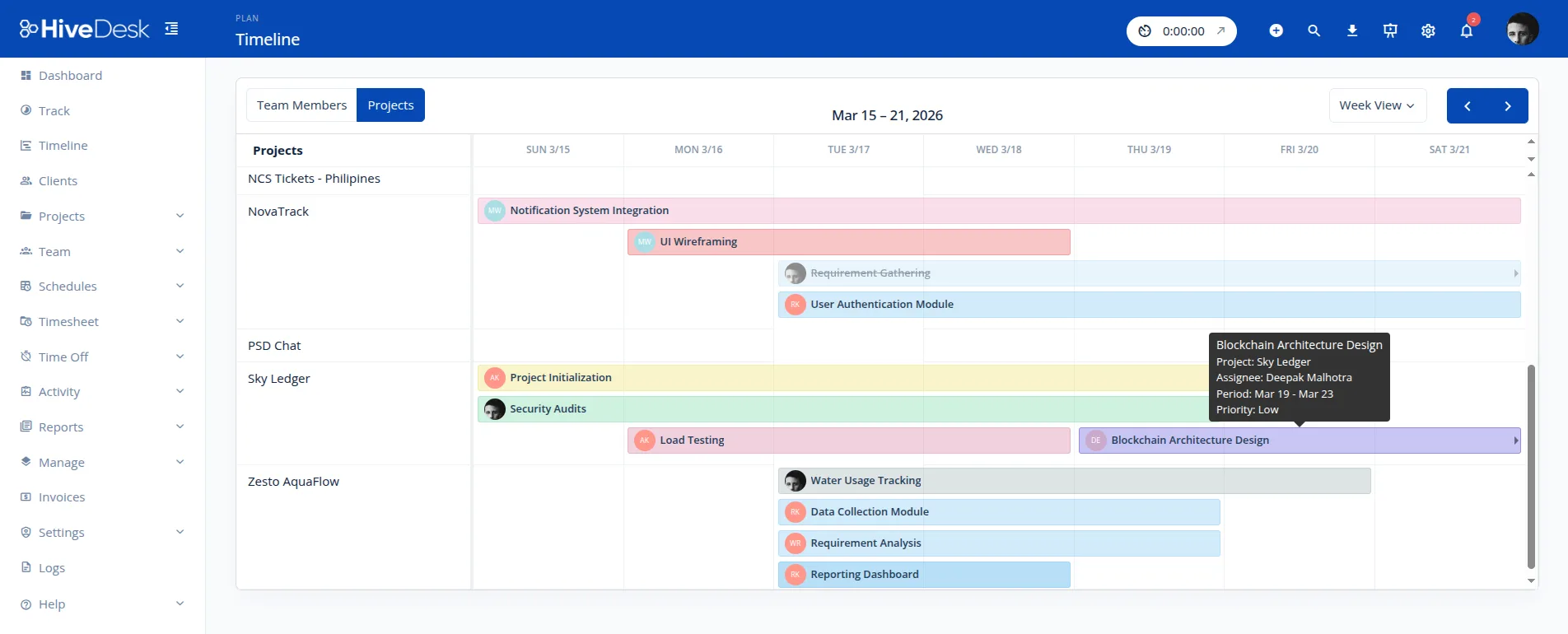
Without Project Time Data, You Are Flying Blind
You cannot manage costs, set accurate estimates, or bill clients fairly without knowing where your team's time actually goes.
Without project time tracking
- No idea how hours are distributed across clients and projects
- Labor costs per project are unknown — profitability is a guess
- Manual timesheets are inaccurate and time-consuming to compile
- Task management and time tracking live in disconnected tools
With HiveDesk
- Time tracked automatically by project, task, and team member
- Hourly rates calculate labor costs per project in real time
- Timesheets generated from tracked data — no manual entry
- Asana integration keeps task management and time tracking connected
How Project Tracking Works
Start tracking project time across your team in minutes.
Create projects & tasks
Set up projects, add tasks, assign team members. Add hourly rates if you want to track labor costs.
Track time automatically
Team members select a project and task, then click start. Hours are recorded automatically against the project.
Review & report
View project time reports by team member, task, and date range. Export as PDF or Excel for billing or internal reviews.
Project Management Features
Track time, costs, and team effort across all your projects.
Projects & Tasks
Create projects and add tasks within them. Organize work so team members know what to track time against.
Project Time Tracking
Team members select a project and task when tracking. Hours are recorded automatically so you see where time goes.
Labor Cost Tracking
Add hourly rates to team members. HiveDesk calculates labor costs from tracked hours per project or client.
Asana Integration
Connect with Asana to sync projects and tasks. Use existing task management workflows alongside time tracking.
Project Reports
See hours by project, task, and team member. Filter by date range. Export as PDF or Excel for billing or reviews.
Team Assignment
Assign team members to projects. Managers see their teams. Administrators have organization-wide visibility.
Frequently Asked Questions
Common questions about project management in HiveDesk.
Create projects and add tasks within them. Assign team members to projects. When team members start tracking time, they select a project and task. Hours are recorded automatically, giving you a breakdown of time spent per project and task.
Yes. Create tasks within projects and team members select the specific task when tracking time. This gives you task-level time breakdowns within each project, so you know exactly where hours are going.
HiveDesk integrates with Asana so you can connect your existing task management workflows. Sync projects and tasks between the two platforms. Track time directly against Asana tasks to keep your project management and time tracking in sync.
Yes. Add hourly rates to team members and HiveDesk calculates labor costs from tracked hours. See the actual cost of each project based on time spent, and understand profitability by client or project.
Project time reports show hours by project, task, and team member. Filter by date range and export as PDF or Excel for client billing or internal reviews. See time distribution to understand where your team effort is going.
Yes. Assign team members to specific projects. Managers see time data for the projects their team works on. Administrators have visibility across all projects in the organization.
Activity monitoring with screenshots shows what team members are actually working on during project time. This helps verify that tracked project hours are productive and gives managers visibility into work patterns.
Yes. Set up separate projects for each client. Team members switch between projects as they shift focus. All time is tracked and organized by client for easy reporting and billing.
Create your account, set up projects and tasks, and invite your team. Most teams are up and running the same day. The 14-day free trial includes all features with no credit card required.
HiveDesk is $5 per user per month — a single plan with all features included. Project tracking, time tracking, screenshots, scheduling, and reporting. No hidden fees, no feature tiers.
Ready to Get Started?
Join teams worldwide who trust HiveDesk for workforce management, time tracking, and employee monitoring. $5/user/month, all features included.