

Shift Scheduling and Time Tracking for Manufacturers and Distributors
Schedule every plant and warehouse, see who showed up, plan overtime, and know the labor cost of each job. One account for the floor and the office teams behind it, in every site and country.
No credit card required · $5/user/month · All features included
Rolling out to 50 or more people? We'll help you set up
From the production floor to the order desk
Manufacturers, distributors, printers and freight companies use HiveDesk for shift workers and office teams, from a single site to plants in several countries.
Plants and production sites
Manufacturers running day and night shifts, often at more than one plant or in more than one country.
Distributors and wholesalers
Warehouse, counter and delivery teams plus the inside sales and customer service staff who take the orders.
Printers and contract manufacturers
Shops that quote by the job and need to know how many labor hours each job really took.
Logistics and freight
Forwarders and logistics teams with office staff across time zones who need one record of hours.
Shift scheduling
Shifts for every line, plant and warehouse
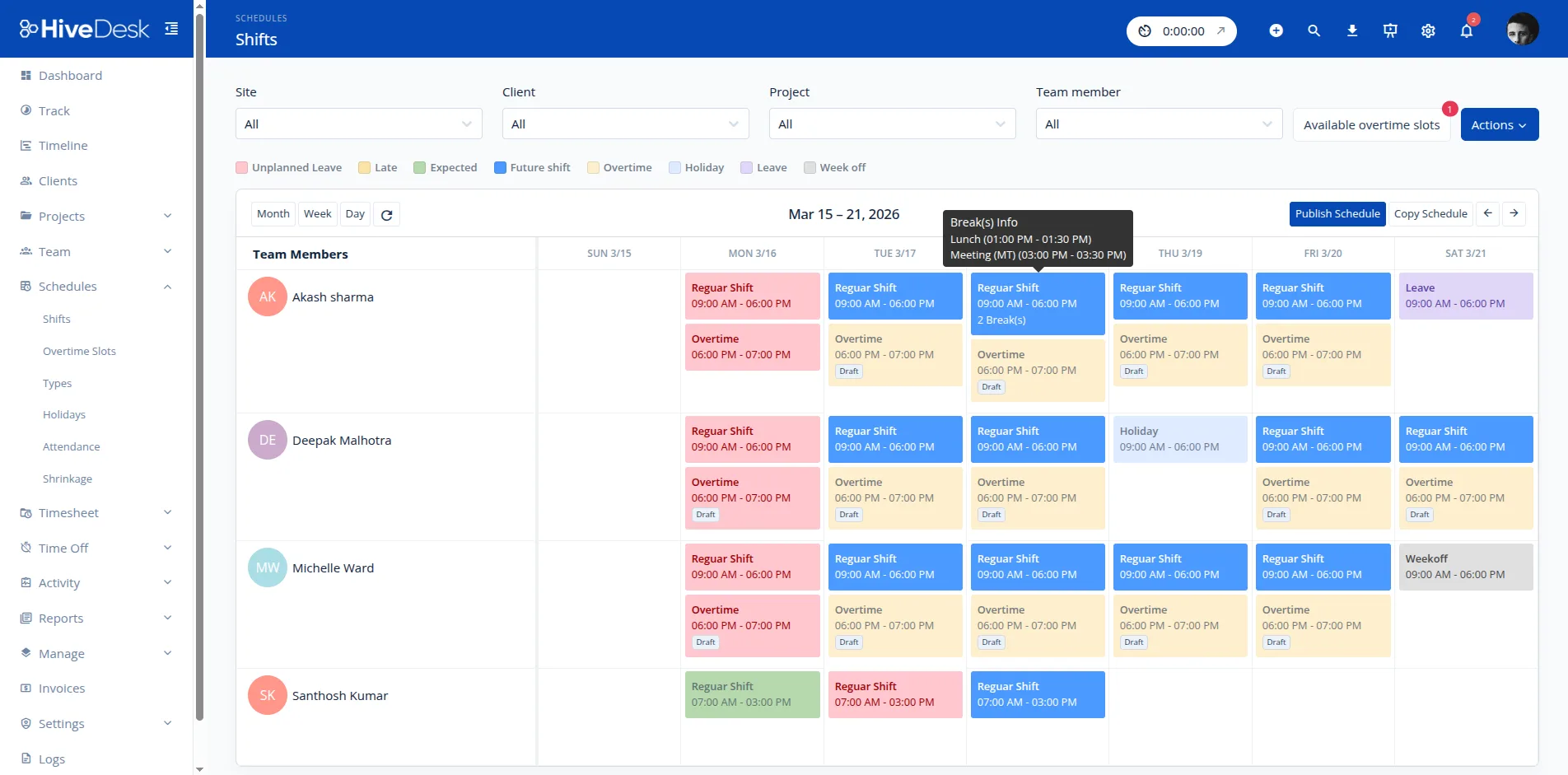
Production and warehouse work runs on shifts, and changes to them happen every week. HiveDesk keeps every site’s shifts in one schedule. Save a standard week or a rotation as a schedule type, reapply it for the next period, and let workers request shift changes instead of swapping them on a whiteboard.
- Day, night and rotating shifts by site
- Scheduled breaks inside each shift
- Saved schedule types for standard weeks and rotations
- Shift change requests that managers approve or decline
Attendance
See who showed up before the shift starts
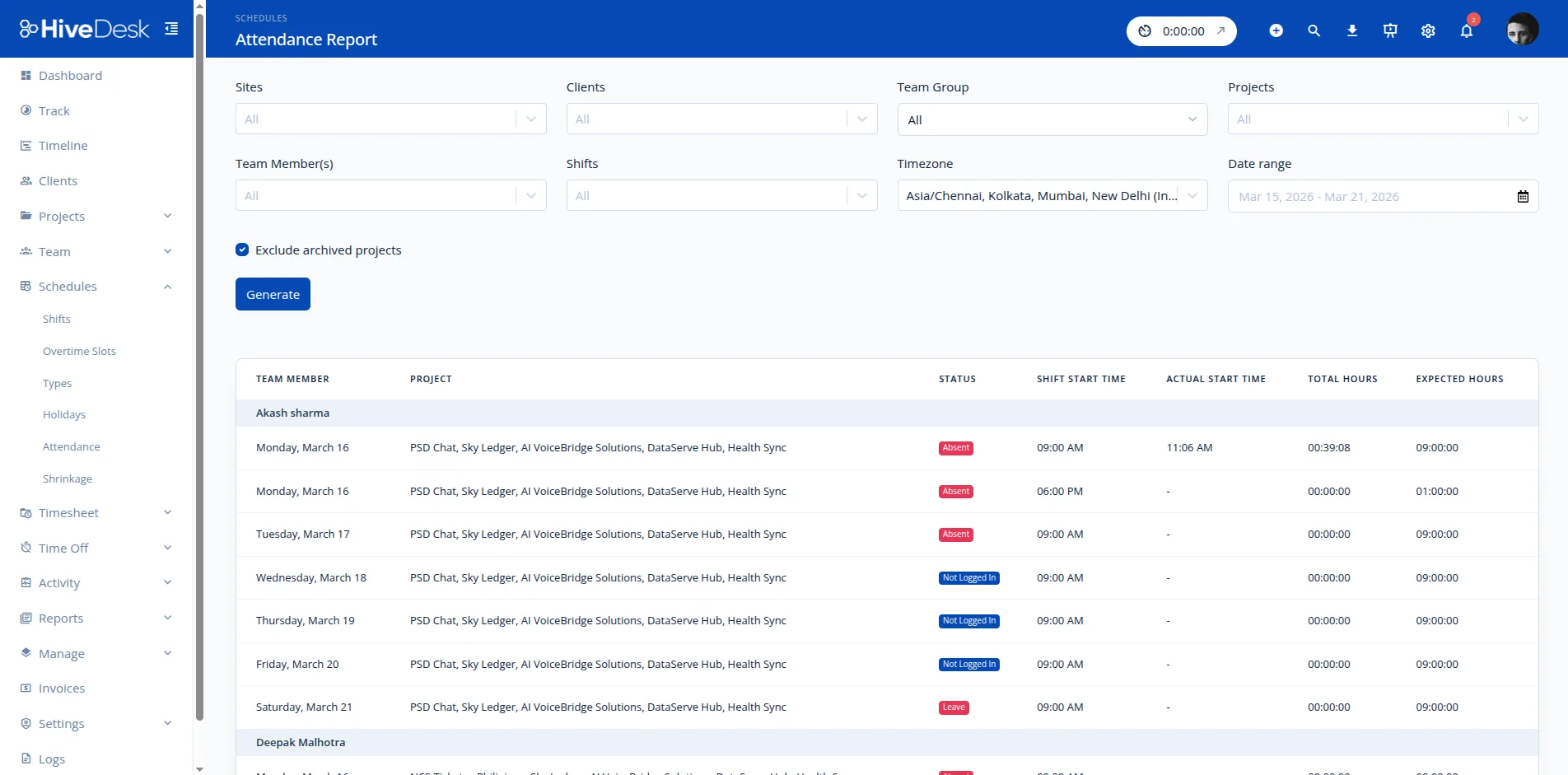
An empty station slows the whole line. HiveDesk compares each check-in with the schedule and shows every scheduled person’s status for today, so supervisors know who is missing while there is still time to cover the gap.
- Present, absent, not logged in, half day, leave and holiday status
- Late threshold and shift tolerance set in minutes
- Check-in and check-out adherence by site
- Ongoing sessions show who is working right now
Overtime
Overtime you planned, not overtime you discover
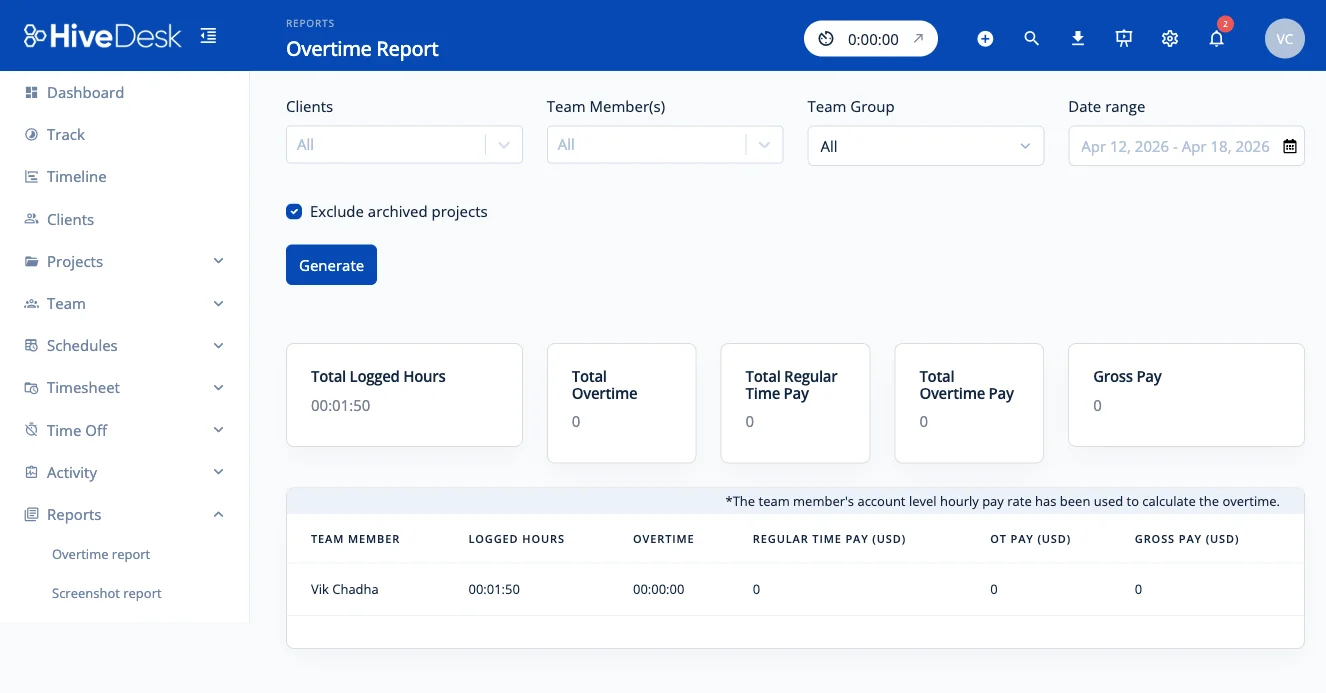
Overtime is often the biggest swing in a plant’s labor cost. HiveDesk calculates weekly overtime from your threshold and each person’s hourly rate, and lets supervisors post extra hours as overtime slots that workers commit to, so extra hours are offered and tracked rather than improvised.
- Weekly overtime from your threshold and pay multiplier
- Overtime slots that workers commit to
- Overtime commitments report
- PDF and Excel exports for payroll
Timesheets and labor cost
Approved hours and labor cost by job
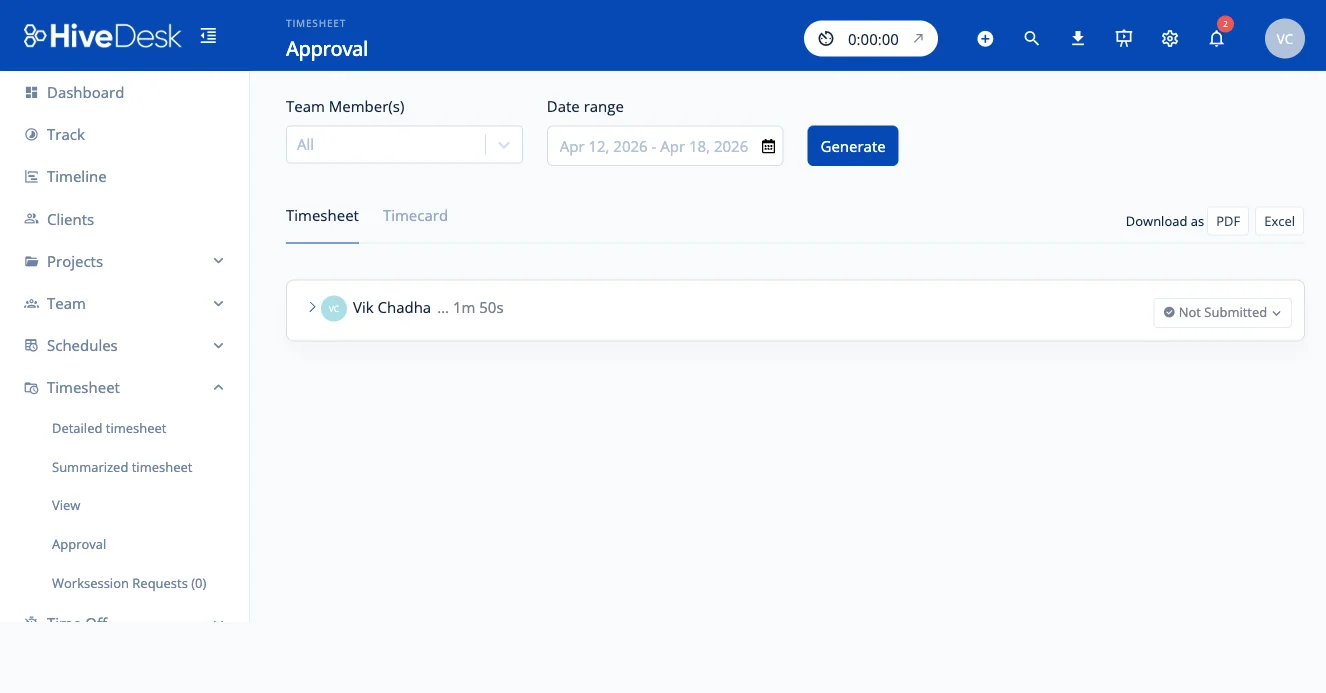
Record time against projects for jobs, orders or customers, and HiveDesk turns it into timesheets that managers approve before payroll. Because each person has an hourly rate, the same data shows labor cost per job, which is what quoting the next job needs.
- Timesheet approval before hours are final
- A review step for edits to recorded time
- Labor hours and cost by project and task
- Raw schedule and session data emailed on a schedule
Office, sales and support teams
The same tool for the people behind the floor
Inside sales, customer service, purchasing and accounting teams work at a computer, often remotely or in another country. The HiveDesk desktop app records their time against projects and tasks, with periodic screenshots and keyboard and mouse activity levels, so managers can see where the day went without standing over anyone.
Custom roles keep each plant manager, warehouse lead and office manager to their own teams and reports, and daily email summaries send each team’s hours to the people who need them.
Setting up a plant or warehouse
- Add your sites. Create a country and site for each plant, warehouse and office so reports can be filtered by location and time zone.
- Invite your people. Add each person with their hourly rate and site. Shift workers clock in from the web app or iOS app; office staff install the desktop app.
- Build shifts. Create each site’s shifts and breaks, set your late threshold and shift tolerance, and save the standard week or rotation as a schedule type.
- Set overtime and approvals. Enter your weekly overtime threshold and pay multiplier, and turn on timesheet approval.
- Set up jobs. Create projects for the jobs, orders or customers you want to cost, so every hour lands against one.
Frequently Asked Questions
Yes. Build shifts for each site with scheduled breaks inside them, and save a standard week or a rotation as a schedule type so you can reapply it instead of rebuilding it. Holidays and weeks off show on the schedule, and shift change requests go to a manager to approve or decline.
Workers start and stop their timer from the HiveDesk web app on a shared computer, from the iOS app, which records GPS location at clock-in and clock-out, or from the Chrome extension. Office, inside sales and customer service staff who work at a computer all day can use the desktop app for Windows, macOS or Linux, which adds screenshots and activity levels.
Yes. Group people by country and site, then filter attendance, adherence, overtime and timesheet reports by site and time zone. A plant manager can see their own location while operations leadership sees every site in one account.
Set a weekly overtime threshold and a pay multiplier, and HiveDesk calculates overtime from each person’s hourly rate. Managers can also post extra hours as overtime slots that workers commit to, and the overtime commitments report shows who signed up. Overtime reports export to PDF or Excel.
Yes. Set up projects and tasks for jobs, orders, customers or internal work. Because every hour is recorded against a project and each person has an hourly rate, you can see labor hours and cost per project and export them for job costing.
Approved timesheets and reports export to Excel. HiveDesk can also email raw schedule and work session data at a frequency you set, with timestamps in UTC, and a Public API is available on request for direct integrations.
HiveDesk is software only. It does not sell or connect to badge readers or biometric time clocks. Teams that clock in on a shared computer or their own phone use it in place of a hardware clock; teams that need a badge or fingerprint terminal should keep that terminal.
HiveDesk costs $5 per user per month with every feature included, with a minimum of 3 users. A 14-day free trial is available with no credit card required.
Related Resources
Features
Calculators
Ready to Get Started?
Join teams worldwide who trust HiveDesk for workforce management, time tracking, and employee monitoring. $5/user/month, all features included.