

Track Every Escalation. Schedule Every Tier. Miss No SLA.
Technical support runs on tiers, escalations, and on-call rotations. HiveDesk tracks agent hours across L1, L2, and L3 tiers, manages multi-tier scheduling, and gives you the time data you need to staff effectively and meet SLA commitments.
No credit card required · $5/user/month · All features included
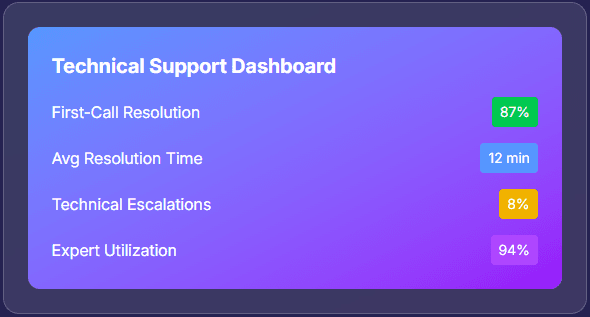
Support Tiers Create Complexity. Your Tracking Shouldn't Add More.
Technical support teams operate across multiple tiers with different schedules, skillsets, and SLA requirements. Without accurate time tracking, you cannot staff effectively, measure performance, or prove SLA compliance.
Without tech support time tracking
- No data on how long escalations actually take at each tier
- On-call rotations are managed in spreadsheets that nobody updates
- SLA compliance reporting relies on estimates, not tracked hours
- L3 engineering time lost to support is invisible to management
- Overtime from emergency escalations is a surprise at payroll time
- Remote agents work without visibility into their activity or productivity
With HiveDesk
- Track hours by tier — see exactly how long L1, L2, and L3 work takes
- On-call schedules are created, visible, and tracked with attendance data
- Per-client and per-tier time reports support SLA compliance documentation
- Engineering hours diverted to support are quantified in project reports
- Overtime is tracked in real time — visible before payroll processing
- Activity monitoring gives visibility into remote agent work during shifts
Multi-Tier Time Tracking
Track every hour across every support tier
Create separate projects for L1, L2, and L3 support — or organize by client, product, and ticket category. Agents track time against the appropriate project as they work. At the end of the week, you see exactly how many hours each tier consumed, which agents handled escalations, and where time is being spent.
- Organize projects by support tier, client, or ticket category
- Agents switch between tier projects with one click during their shift
- See per-tier time reports — L1, L2, and L3 hours at a glance
- Identify escalation bottlenecks with historical time data
- Track time on desktop, mobile, or Chrome browser
On-Call & Multi-Tier Scheduling
Schedule every tier. Manage every rotation. Track every shift.
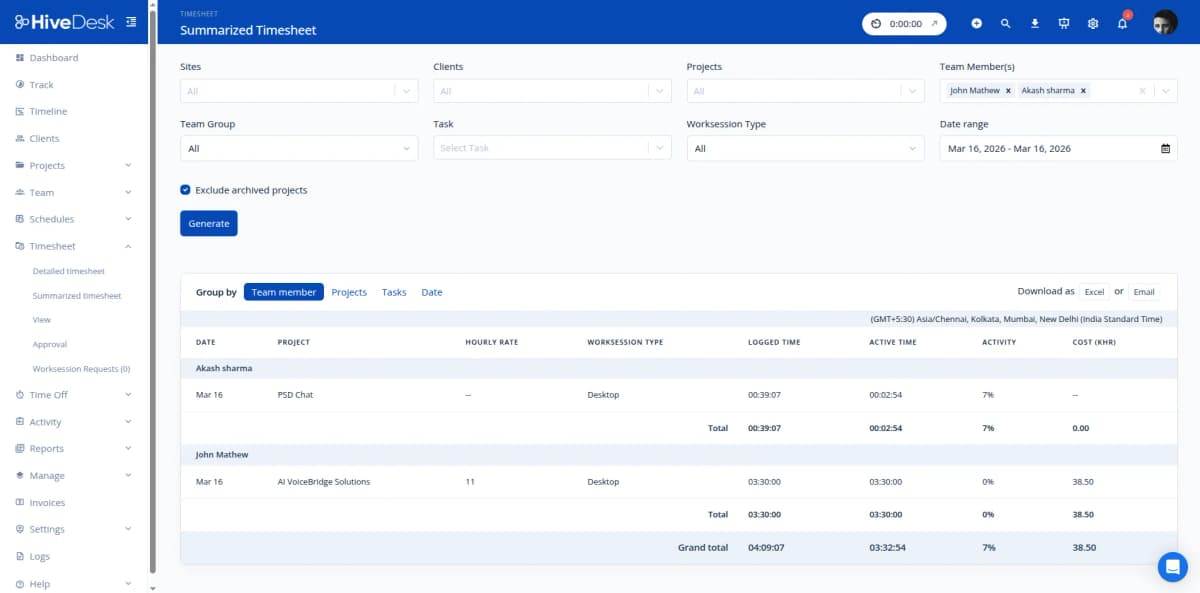
L1 agents work business hours. L2 covers extended shifts. L3 engineers rotate on-call duty. Each tier needs its own schedule, and you need to know if agents actually show up when scheduled. HiveDesk handles all of this — from creating recurring schedules to tracking attendance against them.
- Create separate schedules for each support tier
- Set up recurring on-call rotations — weekly, biweekly, or custom
- Track attendance by comparing clock-in times against scheduled shifts
- Flag late arrivals and missed on-call shifts automatically
- Manage time-off requests so coverage gaps are visible in advance
SLA & Client Reporting
Time data that supports SLA compliance and client billing
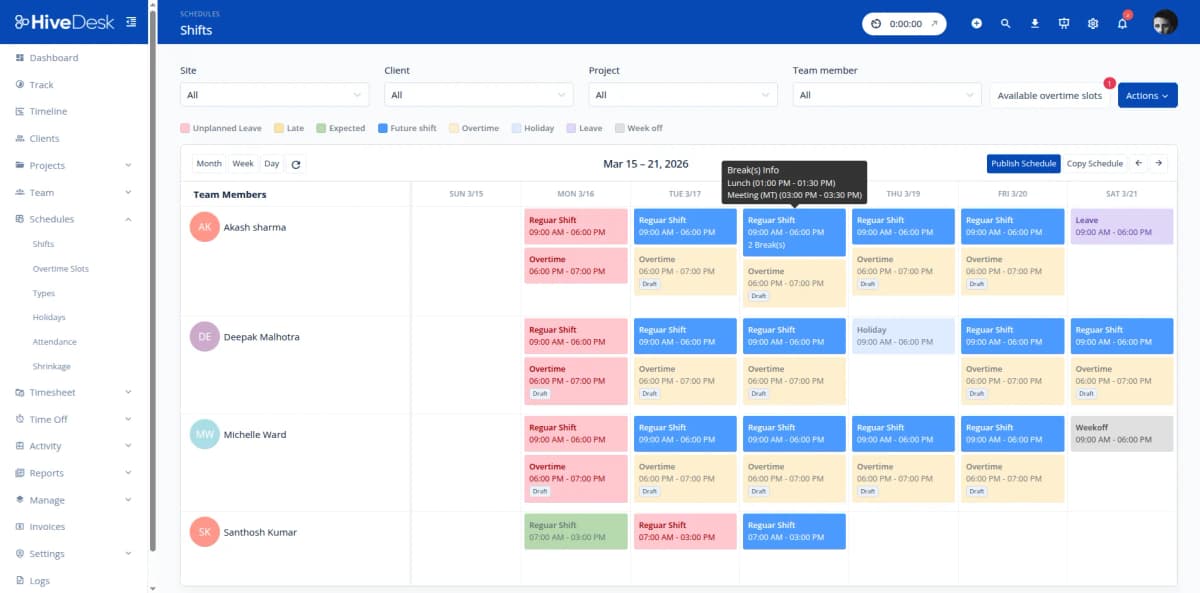
SLA commitments require evidence. HiveDesk provides per-client time reports, per-tier hour breakdowns, and activity data that you can use alongside your ticketing system metrics for SLA compliance documentation. For managed service providers, per-client timesheets make billing straightforward and defensible.
- Per-client time reports show hours spent by tier and agent
- Per-tier reports help you verify adequate staffing for SLA priorities
- Activity screenshots provide additional proof of work for clients
- Export reports as PDF or Excel for SLA compliance documentation
- Historical time data helps forecast staffing needs for contract renewals
Timesheets & Payroll
Accurate timesheets — even after emergency escalations
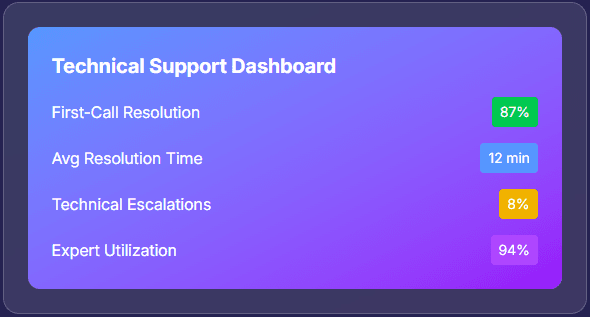
Technical support does not run 9-to-5. Emergency escalations, on-call incidents, and after-hours troubleshooting make manual time tracking unreliable. HiveDesk auto-generates timesheets from all tracked time — including overtime during incidents. Managers review and approve, then export for payroll.
- Auto-generated timesheets capture all hours — including after-hours work
- Manager review and approval before payroll processing
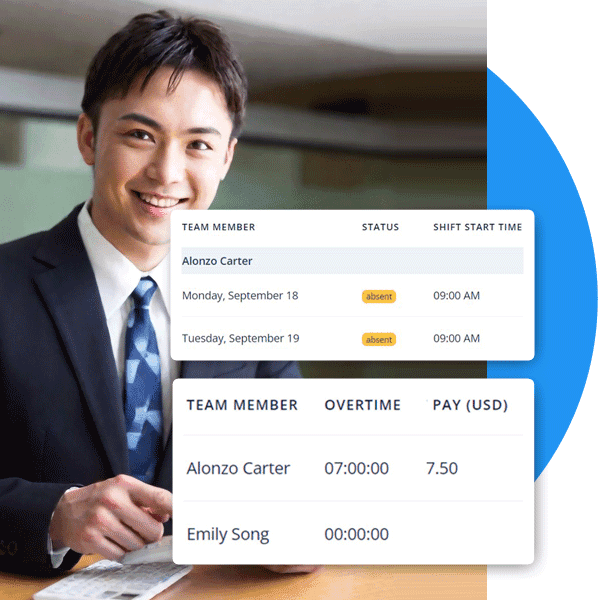
- Overtime from escalations tracked and flagged automatically
- Export approved timesheets as Excel for any payroll software
- Attendance and on-call records maintained alongside time data
How Technical Support Teams Use HiveDesk
From frontline L1 agents to on-call L3 engineers to managed service providers — every tier and role benefits from accurate time tracking and workforce management.
L1 / First Response Teams
L1 agents handle the initial wave of tickets — password resets, basic troubleshooting, and triage. Track how much time L1 consumes, identify tickets that should have been escalated sooner, and staff appropriately for volume patterns.
- Track hours spent on first-response tickets
- Identify L1 tickets that consume disproportionate time
- Schedule L1 shifts to match ticket volume patterns
L2 / Specialized Troubleshooting
L2 agents handle escalations that require deeper technical knowledge. Track how much time escalations actually take, compare against SLA targets, and identify training opportunities for L1 agents to reduce unnecessary escalations.
- Track time per escalation to measure actual handle time
- Compare escalation volume against SLA commitments
- Use time data to identify L1 training opportunities
L3 / Engineering Escalation
L3 engineers split time between product development and critical escalations. Track how much engineering time goes to support, manage on-call rotations, and ensure escalation response does not derail development sprints.
- Track engineering hours diverted to support escalations
- Manage on-call rotations with recurring shift schedules
- Quantify the impact of support escalations on engineering capacity
MSP & Managed Service Teams
Managed service providers need per-client time tracking for billing and SLA reporting. HiveDesk tracks hours by client and project, generates client-specific timesheets, and provides activity data for service level reporting.
- Track hours per client for accurate billing
- Generate per-client timesheets and activity reports
- Export time data for SLA compliance documentation
Everything Your Support Team Needs. $5/User/Month.
One plan with every feature included. No tiers, no hidden fees, no per-feature upsells.
Automatic Time Tracking
One-click timer on desktop, mobile, and browser. Agents track time against support tiers, clients, or ticket categories — no manual entries after a complex troubleshooting session.
Activity Monitoring
Periodic screenshots and activity levels verify what agents are working on during shifts. Especially useful for remote L2 and L3 agents handling complex escalations.
Employee Scheduling
Create separate schedules for each support tier. Manage on-call rotations, extended-hours coverage, and shift handoffs with recurring schedule templates.
Timesheets & Approval
Auto-generated timesheets with manager approval workflow. Export per-tier and per-client time reports as PDF or Excel for billing and payroll.
Attendance & Leave
Compare actual clock-in times against scheduled shifts. Track leave balances and manage PTO requests so on-call coverage is never left uncovered.
Real-Time Dashboards
See which agents are online across all tiers, their current activity, and hours logged. Know your coverage status at a glance during critical incidents.
Trusted by Teams Across 6 Continents Since 2011
HiveDesk has been instrumental in helping us manage our remote team effectively. The automatic time tracking and screenshot features give us the visibility we need without micromanaging. Setup was straightforward and our team adopted it within a day.
We have used every time tracking software under the sun, and they all fall short in some area that we need, but overall HiveDesk has met our needs. Their PDF screenshot reports are clean, easy to use and understand. Our clients prefer them over the complicated reports of other systems.
Simple Pricing for Support Teams
One plan with all features included. Works for a 5-person help desk or a 200-agent support operation.
All features included
- Automatic time tracking across all devices
- Activity monitoring with screenshots
- Multi-tier employee scheduling
- On-call rotation management
- Attendance & leave management
- Project & task tracking by tier/client
- Timesheet generation & approval
- Reporting & analytics dashboards
No credit card required
Frequently Asked Questions
Everything you need to know about time tracking for technical support teams.
Create separate projects for each support tier — L1 (first response), L2 (specialized troubleshooting), and L3 (engineering escalation). Agents track time against the appropriate tier as they work on tickets. At the end of the week, you can see exactly how many hours each tier consumed, which agents handled the most escalations, and where bottlenecks exist in your escalation pipeline.
Yes. Create shift schedules for on-call rotations with specific start and end times. Set up recurring schedules for weekly or biweekly rotations. Track attendance to verify agents are clocked in during their on-call shifts. When coverage changes are needed, adjust schedules and the team sees updates immediately.
HiveDesk tracks the total time agents spend working on each project and task. By organizing projects by SLA priority level or client, you can see how many hours are being allocated to high-priority vs standard tickets. Combined with your ticketing system data, this gives you a clear picture of whether your team is spending enough time on SLA-critical work to meet commitments.
Create separate shift schedules for each tier. L1 agents might work standard business hours, L2 agents might cover extended hours, and L3 engineers might rotate on-call duty. Each tier gets its own recurring schedule. Attendance tracking shows who clocked in for each shift, and leave management ensures you know about coverage gaps before they happen.
Yes. HiveDesk has native apps for Windows, macOS, and Linux desktops, an iOS mobile app, a Chrome browser extension, and a web dashboard. On-site technicians can use the mobile app, remote agents use the desktop app, and everyone is visible on the same dashboard. Managers see all agents regardless of location.
HiveDesk takes periodic screenshots and tracks keyboard and mouse activity levels during work sessions. This helps managers verify what agents are working on during their shifts — especially useful for remote L2 and L3 agents handling complex troubleshooting. Screenshot frequency is configurable, and agents always know when tracking is active.
HiveDesk integrates with Asana for task and project management. Timesheet and activity report data can be exported as PDF or Excel for use alongside your ticketing system (such as Jira, ServiceNow, or Zendesk). This lets you combine HiveDesk time data with ticket metrics from your existing ITSM tools.
HiveDesk costs $5 per user per month — one plan that includes every feature. No tiers, no per-feature upsells, no hidden fees. You get time tracking, screenshots, scheduling, attendance, leave management, task tracking, timesheets, and reporting. There is a free 14-day trial with no credit card required.
Related Resources
Guides
Templates
Ready to Get Started?
Join teams worldwide who trust HiveDesk for workforce management, time tracking, and employee monitoring. $5/user/month, all features included.