

Time Tracking Best Practices for BPO Companies

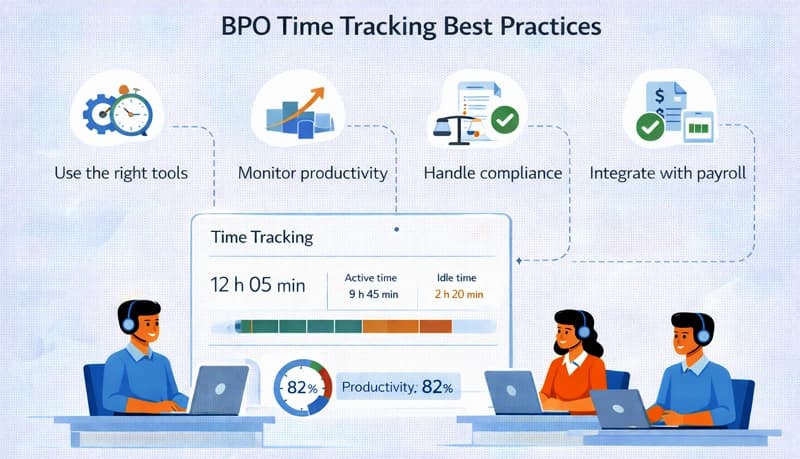
BPO companies face time tracking challenges that most businesses don't. You're managing large teams across multiple shifts, often in different time zones. Your agents work on several client accounts throughout a single shift. Your revenue depends on accurate billing — whether by the hour, per transaction, or against SLA targets. And your margins are tight enough that even small inefficiencies in time management directly affect profitability.
Generic time tracking advice doesn't address these realities. This guide covers practices specific to how BPO operations actually work.
Why time tracking is different for BPOs
Multi-account time allocation
Most BPO agents don't work on a single client account all day. They may handle calls for Client A in the morning, switch to Client B's email queue after lunch, and cover Client C's chat support during the evening. Every minute needs to be attributed to the correct account — because that's how you bill.
Misattributed time means you're either undercharging one client and overcharging another, or absorbing unbilled hours as a cost. At scale, across hundreds of agents, even a few minutes of misallocation per person per day adds up to significant revenue loss.
Shift-based operations
BPOs typically run 24/7 or near-24/7 operations with rotating shifts. Time tracking has to work seamlessly with shift scheduling — comparing scheduled hours against actual hours worked, tracking shift adherence, and flagging overtime before it becomes a cost problem.
SLA-driven performance
Client contracts often include SLAs tied to response times, resolution rates, and availability. Time tracking data feeds into SLA reporting — if an account is supposed to have 10 agents available during peak hours and time records show only 8 were logged in, that's an SLA risk you need to know about in real time.
High headcount, thin margins
BPO margins are built on labor efficiency. A 100-person operation where each agent wastes 15 minutes per shift on untracked transitions, extended breaks, or idle time between queues loses 25 hours of billable time per day. At typical BPO billing rates, that's a meaningful revenue leak.
Track time at the account level
The most important BPO-specific practice: every minute of agent time should be logged to a specific client account.
Set up account-based tracking
Structure your time tracking system with each client account as a separate project. Within each account, create task categories that match the types of work performed:
- Inbound calls — Handling customer inquiries, support requests, order processing
- Outbound calls — Follow-ups, surveys, sales calls
- Email/chat support — Written correspondence and live chat
- Back-office processing — Data entry, document processing, claims handling
- Training — Account-specific training (billable if contractually included)
- QA and compliance — Quality monitoring, audit preparation
This structure gives you billing data at the account and activity level — essential for accurate invoicing and for understanding the true cost of serving each client.
Make account switching fast
If switching between accounts in your time tracking tool takes more than a few seconds, agents won't do it consistently. The interface needs to make it easy to stop one account timer and start another — ideally a single click or selection from a short list of assigned accounts.
Align time tracking with shift schedules
Compare scheduled vs. actual hours
For every shift, compare what was scheduled against what was actually worked:
- Late arrivals — Agent was scheduled for 8:00 AM but first logged time at 8:12 AM
- Early departures — Agent stopped tracking at 4:45 PM instead of the scheduled 5:00 PM
- Extended breaks — 45-minute lunch break when policy allows 30 minutes
- Overtime — Agent worked past their scheduled shift end
These variances, tracked consistently, reveal attendance patterns that affect both billing accuracy and operational coverage.
Track shift transitions
Shift handoffs are a common source of lost time. The outgoing shift signs off before the incoming shift fully takes over, creating coverage gaps. Or both shifts log overlapping time, creating billing discrepancies.
Define a clear handoff protocol and track adherence. The incoming agent should start their timer at the designated shift start time, and the outgoing agent should stop at the designated end — not five minutes early.
Monitor overtime proactively
In shift-based operations, overtime can accumulate quickly — an agent covers for a sick colleague, a shift runs long due to a volume spike, or scheduling errors create situations where agents exceed weekly hour limits.
Configure your time tracking system to alert managers when agents approach overtime thresholds. Catching this mid-week gives you time to adjust the remaining schedule rather than discovering unexpected overtime costs on the payroll report.
Track non-productive time separately
Not all agent time is spent handling client work. Understanding how much time goes to non-productive activities — and why — is critical for margin management.
Categories of non-productive time
- Training — Initial onboarding, refresher training, new product/process training
- Team meetings — Huddles, performance reviews, policy updates
- System downtime — Waiting for systems to come back online
- Queue idle time — Agents available but no incoming work
- Administrative tasks — Filling out forms, updating records, timesheet submission
- Break time — Scheduled and unscheduled breaks
Track each category separately. "Non-productive time" as a single bucket doesn't tell you anything useful. Knowing that 8% of agent time goes to training (addressable through better onboarding) versus 3% to system downtime (an IT issue) versus 5% to idle queue time (a forecasting problem) gives you specific levers to pull.
Calculate productive utilization
Productive utilization = (hours on client work ÷ total hours paid) × 100
For BPOs, a healthy productive utilization rate is typically 75–85%. Below 75%, you're paying for too much non-productive time. Above 85%, agents likely don't have adequate break and training time, which leads to burnout and quality issues.
Track this metric weekly by team and by account. If one account consistently shows lower utilization, investigate whether it's a volume issue (not enough work to keep agents busy), a process issue (too much time on admin between interactions), or a training issue (agents aren't proficient enough to handle work efficiently).
Use time data for client billing
Hourly billing
For accounts billed by the hour, time tracking data is your invoice. Accuracy isn't just a nice-to-have — it's a contractual obligation.
Generate timesheets from tracked time, review them for accuracy (time on the correct account, reasonable hours per agent), and approve them before invoicing. Share detailed time reports with clients alongside invoices to maintain transparency.
Per-transaction or per-unit billing
Even when you bill per transaction rather than per hour, track agent time. It tells you the actual cost of each transaction:
Cost per transaction = (agent hours × loaded hourly cost) ÷ number of transactions
If your cost per transaction is creeping up while your per-transaction price stays fixed, your margin is eroding. Time data reveals this before it becomes a profitability crisis.
SLA reporting
Time tracking data supports SLA compliance reporting:
- Availability SLAs — How many agent-hours were logged during contracted coverage windows?
- Staffing SLAs — Were the agreed number of agents logged in during peak periods?
- Overtime limits — Did staffing stay within contractual parameters?
Automate these reports from your time tracking data rather than assembling them manually each reporting period.
Manage multi-site and remote BPO teams
Many BPOs operate across multiple locations — onshore, nearshore, and offshore — or have remote agents working from home.
Standardize across locations
Every site and every remote agent should use the same time tracking system with the same account structure and task categories. Inconsistent tracking across locations makes it impossible to compare productivity, consolidate billing, or produce unified client reports.
Handle time zones correctly
When agents in Manila, Bogotá, and Louisville all work on the same client account, time records need to be normalized for reporting. Your time tracking system should record each agent's local time while allowing managers to view consolidated reports in a single reference time zone.
Ensure compliance across jurisdictions
Different locations have different labor law requirements for overtime, breaks, and record-keeping. Your time tracking configuration needs to account for these differences — overtime rules in the Philippines aren't the same as in the US or Colombia. See our labor law compliance center for country-specific requirements.
Act on the data
Weekly operational reviews
Review time tracking data weekly at the team and account level:
- Productive utilization by team — is it trending up or down?
- Schedule adherence — are agents consistently starting and stopping on time?
- Overtime — where is it occurring and why?
- Account-level hours — do they match the contracted staffing levels?
Monthly client reviews
Use aggregate time data to prepare monthly client reports showing hours delivered, transactions processed, and SLA performance. If hours are trending higher than contracted, proactively discuss staffing adjustments or billing changes.
Quarterly profitability analysis
For each client account, compare revenue against the actual cost of agent time:
Account profit = revenue − (total agent hours × loaded cost per hour)
Identify accounts that are consistently unprofitable and investigate the causes — scope creep, understaffed coverage requiring overtime, excessive training time, or rates that haven't kept pace with rising labor costs. Use the data to renegotiate terms or restructure the engagement.
