

People, Process, and Technology in Back Office Operations

When back office productivity is poor — schedules take too long to build, payroll errors keep recurring, reports are late, onboarding drags on — the instinct is to buy a tool. If the tool does not fix it, the next instinct is to replace the person. Neither works if you misidentify the root cause.
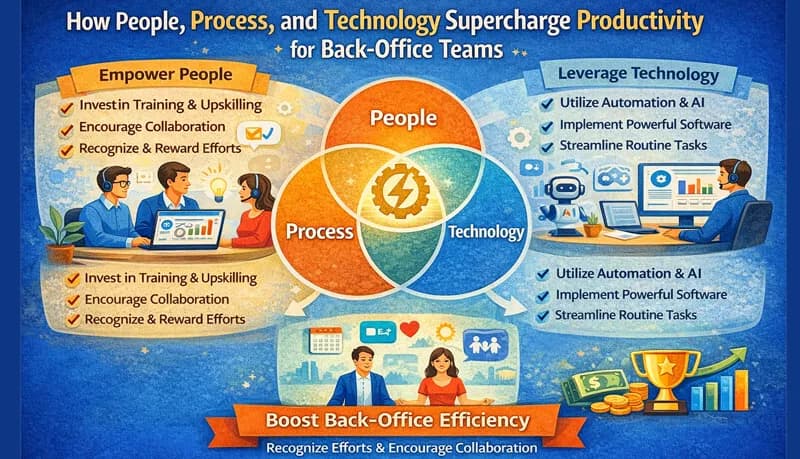
The "people, process, technology" framework is useful because it forces you to ask where the failure actually sits before choosing a fix. A technology problem cannot be solved by training. A process problem cannot be solved by software. A people problem cannot be solved by documentation. Applying the wrong fix wastes money and leaves the original problem intact.
In call center and BPO back offices, the three categories break down as follows:
- People: The person doing the work lacks the skill, knowledge, or capacity to do it well
- Process: The workflow itself is inefficient, redundant, or poorly defined — any competent person following it would be slow
- Technology: The tools are missing, inadequate, or not integrated — the person and the process are fine, but the manual effort required makes the work slow and error-prone
Most back office problems are process or technology problems that get misdiagnosed as people problems. The person building schedules in a spreadsheet for 7 hours every week is not slow — the process is slow. Replacing that person with someone faster might save an hour. Replacing the spreadsheet with scheduling software — part of a broader BPO operations platform — saves 5 hours.
Diagnosing the root cause
For each back office function, ask three questions in order:
1. Would a different person produce better results with the same tools and process? If yes → people problem. The person lacks the skill, training, or attention to detail the role requires.
2. Is the workflow itself the bottleneck — would any person be slow or error-prone following this process? If yes → process problem. The workflow has unnecessary steps, redundant handoffs, or missing definitions that create confusion.
3. Is the person following a reasonable process but spending most of their time on manual work that a tool could handle? If yes → technology problem. The right software would eliminate the manual effort.
In practice, problems often span two categories. A process problem and a technology problem frequently coexist — the process was designed around manual tools, so fixing the process means changing the technology, and the new technology requires a different process. But identifying the primary cause tells you where to start.
People, process, and technology by function
Scheduling
| Root cause | What it looks like | The fix |
|---|---|---|
| People | Scheduler does not understand volume-matched staffing — assigns equal agents to every shift regardless of call volume patterns | Train the scheduler on workforce management fundamentals: reading volume curves, calculating required staff by interval, building absence buffers |
| Process | Schedule is rebuilt from scratch each week instead of using a template with adjustments. No defined process for shift swaps or time-off approvals | Create schedule templates, define a swap approval workflow, establish a publication deadline (2 weeks ahead) |
| Technology | Schedules are built in spreadsheets with no coverage validation, no overtime alerts, no agent self-service access | Implement scheduling software that shows coverage vs. requirement, flags overtime, and lets agents view schedules on their phones |
How to tell the difference: If the scheduler builds good schedules but it takes 7 hours → technology problem. If the scheduler has good tools but the schedules still have coverage gaps → people problem (training needed). If the scheduler rebuilds from scratch each week because there is no template or approval workflow → process problem.
Payroll
| Root cause | What it looks like | The fix |
|---|---|---|
| People | Payroll administrator miscodes overtime, applies wrong tax withholding rules, or misses deadline consistently | Additional training on payroll rules, or hire someone with payroll experience if the current person lacks the background |
| Process | No checklist for payroll processing — steps are done from memory, nothing is verified before submission, corrections happen after paychecks are issued | Create a payroll processing checklist with verification steps, approval gates, and a pre-submission review |
| Technology | Overtime is calculated manually from timesheets, multi-state tax rules are looked up in reference tables, hours are re-entered from a tracking system into the payroll system | Payroll software with rule-based calculations, integrated with time tracking to eliminate manual hour entry |
How to tell the difference: If payroll errors are random (different types of errors each cycle) → people problem. If the same error recurs despite the person knowing the correct rule → process problem (no verification step catches it). If errors are concentrated in overtime or multi-state calculations → technology problem (manual calculation is inherently error-prone at scale).
QA evaluations
| Root cause | What it looks like | The fix |
|---|---|---|
| People | QA analyst scores inconsistently — same call quality gets different scores depending on the evaluator's mood or interpretation | Monthly calibration sessions, clearer scoring rubric with examples for each rating level, inter-rater reliability testing |
| Process | No defined evaluation cadence — some agents get 8 evaluations per month, others get 1. No link between QA findings and coaching actions | Set minimum evaluations per agent per month (4–6), create a process where scores below threshold trigger a coaching conversation within 48 hours |
| Technology | Evaluations stored in individual spreadsheets, no aggregation across evaluators, no trend reporting, supervisors cannot access QA data without asking the QA team | Central QA platform where evaluations are stored, scored, and reportable — per agent, per evaluator, over time |
Reporting
| Root cause | What it looks like | The fix |
|---|---|---|
| People | Report creator does not understand what the data means — assembles numbers without flagging anomalies or trends. Reports are data dumps rather than decision-support documents | Train the report creator on what the KPIs actually measure and what constitutes an actionable insight vs. background data |
| Process | Each report is created ad hoc — no templates, no standard format, no defined audience. Different stakeholders receive different formats for the same data | Standardize report templates with defined sections, metrics, and distribution lists. Create once, reuse weekly |
| Technology | Data is pulled manually from the ACD, the HR system, the time tracking system, and the payroll system — then copied into Excel for formatting | Build automated data connections or use the reporting features within existing systems. If workforce analytics is a priority, invest in a reporting layer that connects to your data sources |
Onboarding
| Root cause | What it looks like | The fix |
|---|---|---|
| People | The person responsible for onboarding lacks knowledge of all the systems a new hire needs access to — misses provisioning steps | Create a comprehensive onboarding checklist that does not rely on one person's memory |
| Process | Same employee information is entered into 4–5 separate systems (HR, payroll, scheduling, time tracking, CRM). No single checklist, no owner, no deadline | Consolidate systems where possible. Define a single owner for the onboarding process with a checklist and a completion deadline (day 1 = fully provisioned) |
| Technology | Systems do not share data — a new hire entered in the HR system must be manually re-entered into scheduling, time tracking, and payroll separately | Use platforms that combine functions (e.g., time tracking + scheduling + leave management in one system) to reduce duplicate entry |
The interaction between layers
The hardest problems to fix are the ones where two or three layers are misaligned. Common patterns in call center and BPO back offices:
Good people, bad process, no technology
Symptom: A competent operations manager spends 6 hours per week building schedules, 3 hours reviewing timesheets, and 4 hours creating reports. They do it all correctly — but the manual effort is unsustainable, and any absence creates a crisis because nobody else can replicate their undocumented process.
What is actually wrong: The person is compensating for missing process documentation and missing tools. They have internalized the process (it exists only in their head) and they execute it manually (no software support). The output is good but fragile, slow, and non-transferable.
Fix sequence:
- Document the process — write down what this person does, step by step, so others can follow it
- Implement tools that automate the manual portions — scheduling software, automatic time tracking, report templates
- Cross-train a backup person using the documented process and the new tools
Good process, wrong technology
Symptom: The team has clear SOPs, checklists, and workflows — but they execute them using spreadsheets, email, and paper forms. The process is correct but the execution is manual, slow, and error-prone.
What is actually wrong: The process was designed before modern tools were available (or affordable), and nobody has revisited whether the manual execution is still necessary.
Fix: Map each process step to the tool that should support it. For most call center back office functions:
| Process step | Manual execution | Tool-supported execution |
|---|---|---|
| Build weekly schedule | Excel spreadsheet, 5–7 hours | Scheduling software, 1–2 hours |
| Track employee hours | Manual time entries, supervisor comparison | Automatic time tracking with timesheet generation |
| Approve time-off requests | Email chain, manual calendar check | Workflow with coverage impact visibility |
| Process payroll | Manual overtime calculation, spreadsheet | Payroll software with integrated time data |
| Generate weekly report | Manual data pulls from 3–4 systems | Automated data connections, standard template |
New technology, old process
Symptom: The team bought scheduling software (or time tracking, or a QA platform) but nobody uses it properly. The old spreadsheet process continues in parallel. The tool is partially adopted — some data goes in, but the team still maintains manual workarounds.
What is actually wrong: The process was not redesigned for the new tool. The software was layered on top of the existing workflow instead of replacing it. The result is double the work — maintaining both the old process and the new tool.
Fix:
- Redesign the process around the tool's capabilities, not around the old manual workflow
- Decommission the old process — stop maintaining the parallel spreadsheet, stop the email-based approval chain, stop the manual tracking
- Train the team on the new process, not just the new tool. Knowing which buttons to click is useless without understanding the workflow the tool supports
This is the most common failure mode when call centers invest in technology. The tool works, but the process around it does not change — so the investment produces no productivity gain.
Deciding where to invest
When budget and time are limited (they always are), prioritize the layer that produces the largest return:
| Situation | Primary investment | Why |
|---|---|---|
| High error rates but reasonable speed | People (training) or Process (verification steps) | Errors indicate either skill gaps or missing quality checks — technology alone will not fix judgment problems |
| Reasonable quality but excessive time spent | Technology | The work is being done correctly but manually — automation reduces time without changing quality |
| Inconsistent output depending on who does it | Process | Different people produce different results because the workflow is not standardized — SOPs and checklists fix this |
| Single point of failure — one person knows everything | Process (documentation) + People (cross-training) | The knowledge is trapped in one person's head — it must be documented and shared |
| New tool not producing expected gains | Process (redesign around the tool) | The tool was adopted but the process was not changed to match |
| Growing workload with flat headcount | Technology first, then process simplification | Automate what can be automated, then simplify what remains — adding overtime is the most expensive option |
The sequence matters. If you invest in technology before fixing the process, you automate a broken workflow. If you invest in training before providing adequate tools, you train people on a manual process that will be replaced. If you invest in process documentation before understanding the technology options, you may document a workflow that should not exist.
The general priority for most call center and BPO back offices: process first (define what should happen), technology second (automate the defined process), people third (train on the tools and process). This sequence produces the most durable improvement because it builds each layer on the previous one.
