Best Employee Time Clock Software: A Buyer's Guide for 2026

For too long, time tracking has been seen as a necessary evil — a compliance chore rather than a strategic advantage. But if you're still clinging to spreadsheets, paper timesheets, or manual Excel files, you're missing a massive opportunity. This buyer's guide is about finding the right time clock software to transform how you manage your team's time — whether they're in an office, on a job site, or working remotely across time zones.
Beyond the Punch Card: The True Value of Time Clock Software
A modern time clock app does far more than record when someone starts and stops their workday. It's a business intelligence tool — or more precisely, a time tracker app — that gives you instant, accurate data on labor costs, overtime risks, project profitability, and time allocation.
The benefits ripple throughout your organization: enhanced payroll accuracy, improved budget adherence, simplified compliance with labor laws, better project management, and increased employee engagement through transparent and fair compensation.
What to Look For in a Time Clock Solution
Core Features (Non-Negotiables)
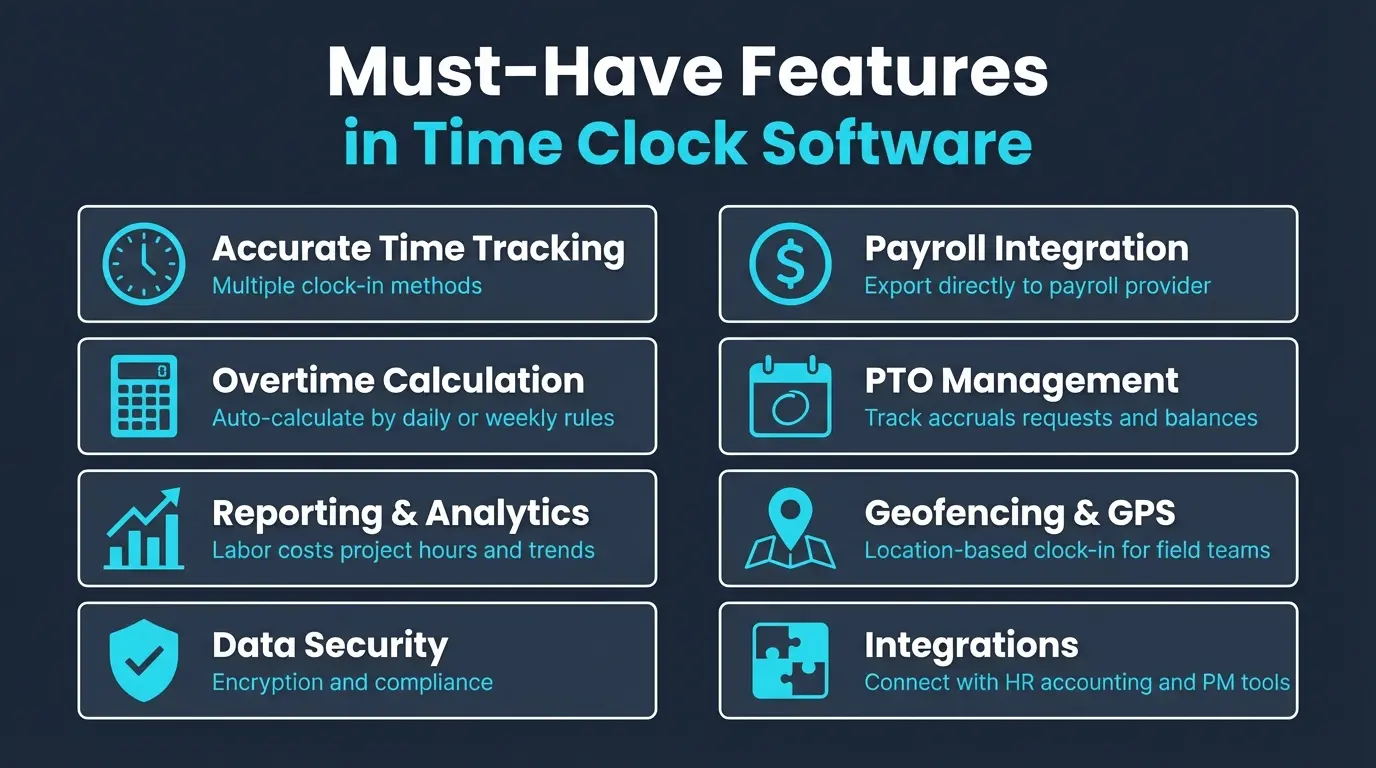
Accurate Time Tracking: Whether it's clock-in/clock-out, task timers, or geotagging for mobile employees, the system must precisely record hours. Look for auto clock-out reminders and geofencing to prevent buddy punching.
Intuitive Interface: If it's not easy to use, employees won't use it correctly. The employee interface should be accessible via mobile app or web browser with minimal clicks.
Overtime Calculation: Your software should automatically calculate overtime based on predefined rules (daily, weekly, double-time) and alert managers before it accrues. This is a major compliance safeguard.
Reporting & Analytics: Customizable dashboards for total hours, overtime, labor costs, project hours, and attendance trends.
Payroll Integration: Seamless export of approved time data directly into payroll processing, eliminating manual data entry and reducing errors. For a deeper look at connecting time data to payroll workflows, see our guide to time tracking and payroll.
PTO Management: Employees submit time-off requests, managers approve them, and the system tracks accruals and balances automatically.
Advanced Features (Differentiators)
- Geofencing & GPS Tracking — for field and mobile employees
- Project & Task Tracking — for client billing and job costing
- Employee Scheduling — shift creation, swaps, and availability management
- Kiosk/Tablet Mode — central time clock with photo or biometric verification
- Compliance Tools — audit trails, meal break tracking, regulatory reporting
- Offline Mode — for teams in areas with unreliable internet
- API Access — connect with HRIS, accounting, and project management tools
Understanding the 4 Types of Time Clock Software
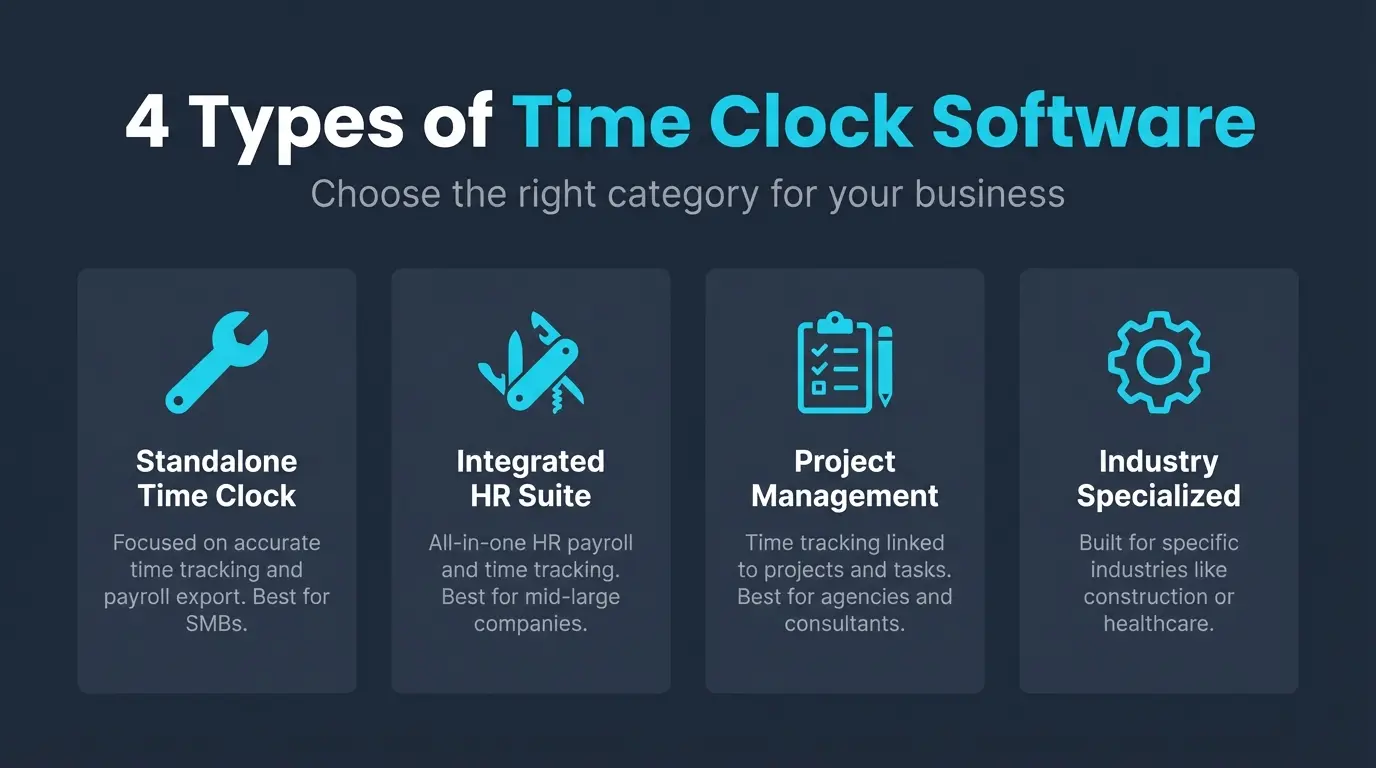
Standalone Time Clock Software
Purpose-built for time tracking, reporting, and payroll integration. Perfect for businesses whose primary need is efficient time collection without a full HR suite.
Best for: Small to medium businesses — retail, restaurants, service companies, manufacturing.
Integrated HR/Payroll Suites
All-in-one platforms offering time tracking as one component within payroll, HR management, onboarding, and benefits.
Best for: Medium to large businesses wanting a single source of truth for all HR and payroll needs.
Project Management Tools with Time Tracking
Time tracking embedded within project workflows, allowing hours to be logged against specific deliverables, clients, or milestones.
Best for: Agencies, freelancers, software teams, consulting firms that bill clients by the hour.
Specialized Industry Solutions
Built from the ground up for industries with unique requirements — healthcare shift differentials, construction job costing, field service equipment tracking.
Best for: Healthcare, construction, field services, legal, manufacturing.
The 8 Best Time Clock Software Platforms
1. Homebase
A small business favorite, particularly popular in retail, hospitality, and service industries.
Key Strengths:
- Generous free plan with basic time tracking, scheduling, and payroll exports for unlimited employees
- Integrated drag-and-drop scheduling linked directly to time tracking
- Built-in team communication and messaging
- Excellent mobile apps for iOS and Android
Best For: Small businesses in retail, food service, and hourly-based industries looking for a free-to-start solution.
2. When I Work
Excels at combining intuitive scheduling with solid time tracking for shift-heavy businesses.
Key Strengths:
- Highly visual and flexible scheduling tools
- Shift reminders, open shift requests, and team messaging
- Labor forecasting based on sales data
- Compliance tools for breaks, overtime, and state-specific labor laws
Best For: Restaurants, healthcare facilities, hotels, and retail stores with complex scheduling needs.
3. QuickBooks Time (formerly TSheets)
A powerhouse for businesses already using QuickBooks for accounting and payroll.
Key Strengths:
- Unrivaled integration with QuickBooks Online and Desktop
- Multiple tracking methods: time clock, project timers, mobile GPS
- Excellent project and job costing capabilities
- Employee self-service for time tracking, time off, and schedule viewing
Best For: Businesses using QuickBooks, field service companies, construction firms, and organizations needing project-based time tracking.
4. Clockify
A truly free time tracker with a comprehensive feature set for project-oriented teams.
Key Strengths:
- Generous free tier with unlimited users, projects, and basic reporting
- Project-centric design for logging time against tasks and clients
- Clean, minimalist interface
- Available as web app, desktop app, mobile app, and browser extension
Best For: Freelancers, consultants, small agencies, software developers — anyone needing free, project-focused time tracking.
5. Time Doctor
More than a time clock — a productivity monitoring tool designed for remote teams.
Key Strengths:
- Optional employee monitoring with screenshots and activity tracking
- Time use audits to identify unproductive activities
- Client invoicing and payroll integration
- Detailed engagement data during work hours
Best For: Remote teams and organizations focused on productivity accountability and proof of work.
6. OnTheClock
Straightforward, affordable, and effective — a no-frills option that delivers on its core promise.
Key Strengths:
- Extremely easy to set up and use
- Very competitive pricing for small teams
- Multiple clock-in options: web, mobile, fingerprint biometric
- Basic but effective PTO tracking and accrual management
Best For: Small businesses looking for budget-friendly, reliable time tracking without extensive advanced features.
7. Connecteam
An all-in-one employee management platform built for deskless and frontline workers.
Key Strengths:
- Combines time tracking, scheduling, team communication, onboarding, training, and HR forms
- Tailored for employees who don't sit at a desk
- Customizable workflows, checklists, and forms
- Centralized communication with announcements, chat, and knowledge bases
Best For: Businesses with deskless or frontline workforce — construction, cleaning services, healthcare, retail.
8. Buddy Punch
Highly customizable with a strong emphasis on compliance and fraud prevention.
Key Strengths:
- Diverse clock-in methods: web, mobile, kiosk with photo/facial recognition, QR codes
- Geofencing and IP locking for location verification
- Highly configurable rules for overtime, breaks, departments, and job codes
- Compliance focus with meal break tracking, audit trails, and clock-out enforcement
Best For: Businesses with multiple locations, field employees, or strict compliance requirements needing customizable, fraud-resistant time tracking.
How HiveDesk Compares
HiveDesk is built for remote and hybrid teams that need automatic time tracking without the manual start/stop approach. Here's what sets it apart:
- Automatic time tracking — employees check in and HiveDesk tracks time continuously across desktop, mobile, and browser
- Periodic screenshots — with full transparency, so employees always know what's being captured
- Project and task tracking — connect hours to specific projects and clients
- Employee scheduling — create and manage shifts
- Attendance management — clock-ins, breaks, clock-outs tracked automatically
- Real-time dashboards — see who's working, on what, right now
- Timesheet generation — auto-generated from tracked time for approval
All at $5/user/month with a 14-day free trial — no credit card required. It's particularly well-suited for contact centers, BPOs, agencies, and remote teams that need visibility without complexity. For a mobile-focused comparison, see our guide to the best employee time clock apps.
How to Choose the Right Time Clock Software
1. Assess Your Specific Needs
What are your biggest pain points? Are you a small retail store concerned with payroll accuracy, or a construction company needing GPS tracking and job costing? List every headache your current system causes.
2. Define Your Budget
Most software uses per-user-per-month pricing. Factor in setup fees, training, and integration costs. Calculate the ROI from reduced errors and saved admin time.
3. Prioritize Features
Create a must-have list and a nice-to-have list based on your needs assessment. Don't pay for features you'll never use.
4. Read Reviews
Check G2, Capterra, and Software Advice. Filter by your business size and industry. Look for patterns in feedback.
5. Take Free Trials
Test your everyday tasks: clocking in/out, approving timesheets, generating reports, requesting time off. Involve managers, employees, and payroll staff.
6. Plan for Growth
Choose a solution that scales with you — in users, features, and integrations.
Tips for Successful Implementation
Communicate the "why" — explain the benefits to employees (accurate paychecks, easier time-off requests, fair scheduling). Frame it as an improvement, not surveillance.
Provide training — conduct short hands-on sessions. Create simple guides or video tutorials. Designate internal champions who can answer questions.
Establish clear policies — define what constitutes work time, overtime rules, break tracking, and the process for correcting timesheet errors.
Review regularly — monitor reports for anomalies, gather feedback from employees and managers, and optimize your usage over time. The right software is an ongoing investment, not a one-time setup.
Try HiveDesk Free for 14 Days
Automatic time tracking, periodic screenshots, project tracking, scheduling, and attendance — all in one platform. $5/user/month, all features included.