

Call Center Schedule Optimization: Data-Driven Approaches

Call centers are the beating heart of customer support. Behind the scenes, a constant battle rages: how to perfectly align agent availability with unpredictable customer demand. Even slight missteps lead to frustrated customers, burnt-out agents, and significant financial losses.
This isn't about shuffling shifts. It's about leveraging data to transform a chaotic process into a finely tuned operation — turning guesswork into precise, proactive scheduling that benefits everyone.
- Inefficient scheduling silently erodes profitability through overstaffing during slow periods and understaffing during peaks
- The data-driven framework follows six steps: collect data, clean and normalize, forecast demand, calculate staffing, generate schedules, and adapt in real time
- Erlang C calculations translate volume forecasts into precise agent requirements — accounting for shrinkage rates of 25-35%
- Measure success across three dimensions: operational metrics, employee metrics, and customer metrics
Why Call Center Scheduling Needs a Data Revolution
The Hidden Costs of Inefficient Scheduling
During peak hours in an unoptimized call center, hold times skyrocket. Customers grow impatient, abandonment rates climb, and agents face immense pressure leading to rushed calls and increased stress.
During slow periods, agents sit idle — on the clock, ready to assist, but with nothing to do. This isn't just wasted payroll; it drains morale and breeds complacency.
These two extremes — overstaffing and understaffing — quietly erode profitability and customer loyalty. The true cost extends beyond payroll to brand reputation, agent retention, and your bottom line.
The Data Advantage
Every interaction, hold time, agent login and logout generates a data point. Instead of saying "Tuesdays usually feel busy," you can say: "Tuesdays between 10 AM and 1 PM consistently see a 20% surge in billing inquiries, requiring 15 additional agents to maintain our 80/20 service level."
That's the difference between reactive firefighting and proactive scheduling.
Key Takeaway
The shift from gut-feel scheduling to data-driven scheduling turns vague observations like "Tuesdays feel busy" into precise staffing requirements you can act on.
The Data-Driven Scheduling Framework
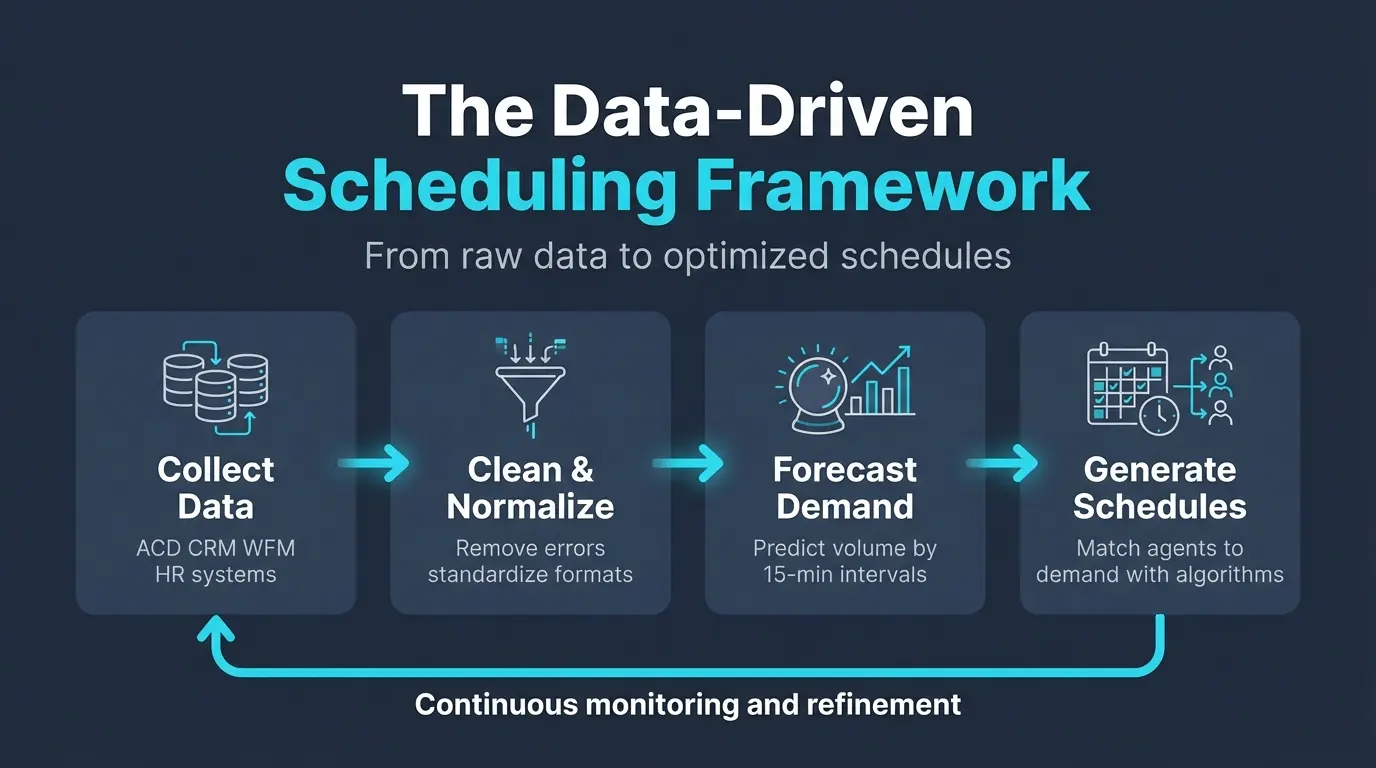
Step 1: Collect Data From Key Sources
Your primary data sources:
| Source | What It Provides |
|---|---|
| ACD System | Call volumes by interval, AHT, wait times, abandonment rates, agent states |
| CRM | Call reasons, customer history, interaction complexity |
| WFM System | Agent schedules, adherence, historical performance |
| HR/Payroll | Absenteeism rates, shift preferences, leave patterns, skill sets |
| External | Marketing campaigns, product launches, seasonal events |
The key is bringing these disparate data streams together into a coherent picture.
Step 2: Clean and Normalize
Raw data needs refining. Identify and fix:
- Missing values — agents who forgot to log their state
- Outliers — power outages or system glitches that skew averages
- Inconsistencies — different naming conventions across systems
- Duplicates — the same call counted twice
Clean, normalized data is the foundation for everything that follows.
Step 3: Forecast Demand
Predictive forecasting is the cornerstone of optimized scheduling:
Time Series Analysis: Analyze historical volumes to identify trends (year-over-year growth), seasonality (holiday spikes), and cyclicity (Monday morning peaks). Algorithms like ARIMA or exponential smoothing project future volumes.
Regression Analysis: Understand how variables influence volume. Marketing emails correlate with call spikes an hour later. Product launches increase calls by X%.
Machine Learning: For complex scenarios, ML algorithms identify subtle, non-linear relationships that traditional methods miss — even factoring in weather patterns or competitor activities.
The goal: predict volume by specific 15-minute intervals and by call type (technical support vs. billing), not just daily totals.
Get Accurate Scheduling Data Automatically
HiveDesk tracks agent hours, attendance, and activity in real time — giving you the historical data foundation for better demand forecasting and schedule optimization. Try it free for 14 days.
Step 4: Calculate Staffing Requirements
Translate volume forecasts into agent requirements using the Erlang C formula:
Inputs:
- Predicted call volume by interval
- Average handle time by call type
- Service level target (e.g., 80/20)
- Shrinkage rate (breaks, training, meetings, absences — typically 25-35%)
Example: If you need 10 agents for actual call handling and your shrinkage is 30%, you must schedule 13.
Step 5: Generate Optimized Schedules
Advanced scheduling algorithms balance multiple objectives simultaneously. You can try our shift schedule generator to build a starting rotation based on your team size and coverage requirements. From there, optimize against these constraints:
- Meeting demand — right number of agents with right skills at right time
- Labor law compliance — breaks, max shift lengths, minimum rest periods, overtime rules
- Skill matching — specialists scheduled during peak demand for their call types
- Agent preferences — shift preferences, vacation requests, personal circumstances
- Cost minimization — full-time vs. part-time mix, avoiding unnecessary overtime
Important
Always account for shrinkage (breaks, training, meetings, absences) when converting forecasted call volume into agent requirements. Typical shrinkage rates run 25-35% — scheduling without this buffer guarantees understaffing.
Step 6: Adapt in Real Time
Even perfect forecasts face disruption. Dynamic scheduling handles real-time changes:
- Skill-based routing changes — temporarily reroute calls to agents with secondary skills
- Off-phone work deferral — delay non-critical tasks during unexpected peaks
- Break management — adjust break times to cover surges
- Overtime offers — quickly identify and offer overtime when needed
- IVR deflection — optimize self-service options to reduce live agent load
Measuring Success
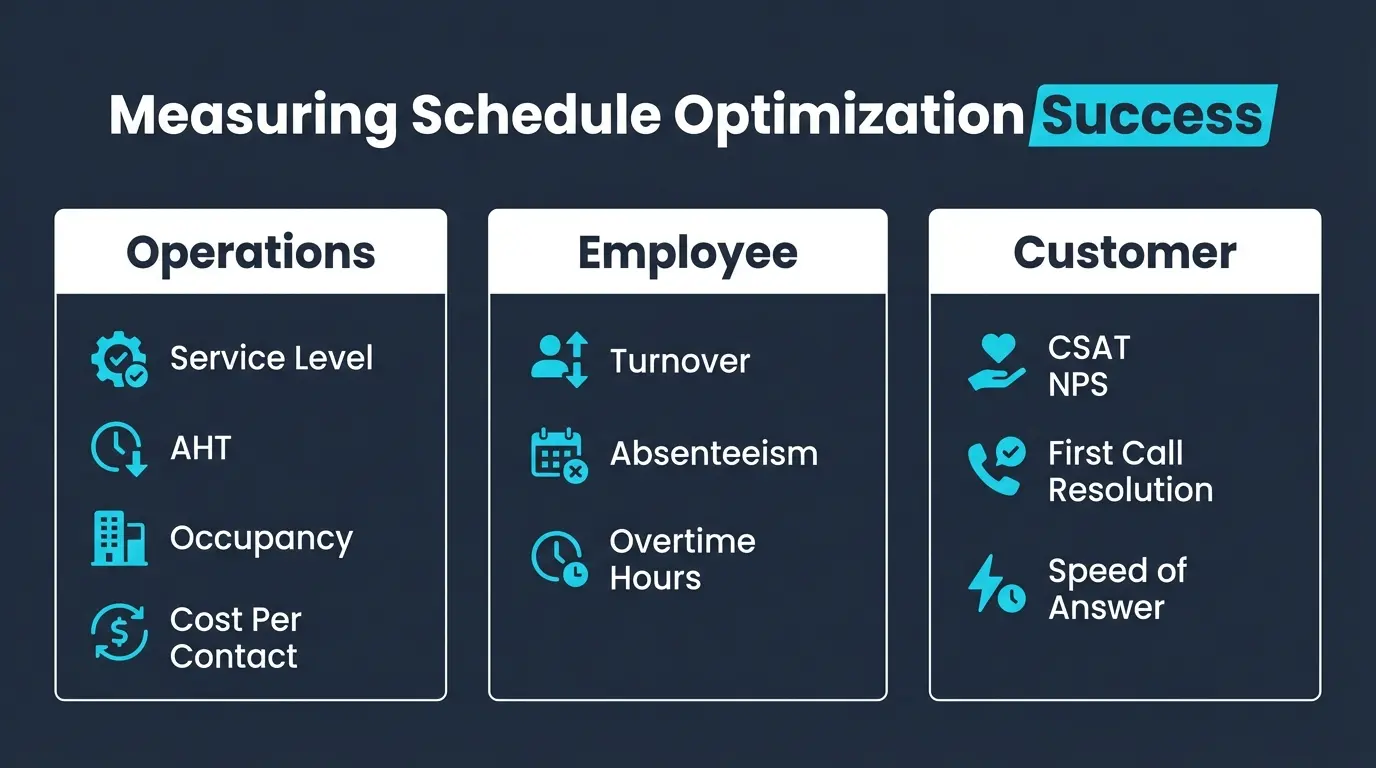
Operational Metrics
| KPI | What It Tells You |
|---|---|
| Service Level Attainment | Are you hitting 80/20 consistently across all intervals? |
| Occupancy Rate | Are agents busy enough without burning out? (Target: 80-85%) |
| Schedule Adherence | Are agents following the published schedule? (Target: 90-95%) |
| Cost Per Contact | Is your cost per interaction trending down? |
Employee Metrics
| KPI | What It Tells You |
|---|---|
| Agent Turnover | Is scheduling reducing the stress that drives attrition? |
| Absenteeism | Are predictable, fair schedules reducing sick calls? |
| Overtime Hours | Is unplanned overtime declining? |
Customer Metrics
| KPI | What It Tells You |
|---|---|
| CSAT / NPS | Are shorter wait times improving satisfaction? |
| First Call Resolution | Are properly staffed agents resolving issues on first contact? |
| Average Speed of Answer | Is the direct outcome of correct staffing improving? |
For formulas and benchmarks on all these metrics, see our call center KPI calculation guide.
Common Challenges
Data Privacy and Security
Centralizing agent and customer data requires strict adherence to GDPR, CCPA, and industry standards. Anonymize data for analytics, implement role-based access controls, and conduct regular security audits.
Legacy System Integration
Most organizations don't start from scratch. Prioritize solutions with robust APIs, consider middleware for bridging systems, and implement in phases starting with the most critical data sources.
Building a Data-Driven Culture
Technology alone isn't enough. Agents and supervisors may resist "the algorithm." Communicate the benefits transparently (more predictable schedules, fairer shift distribution, less understaffing stress), involve stakeholders in planning, and share success stories as improvements materialize.
Involve Agents in the Transition
Share scheduling data with your team. When agents see the logic behind their schedules — demand curves, service level targets, fair rotation — they're far more likely to accept and adhere to data-driven schedules.
How HiveDesk Supports Schedule Optimization
While enterprise WFM platforms handle sophisticated forecasting and scheduling for large operations, HiveDesk provides the foundational data and tools that small to mid-size contact centers need:
- Automatic time tracking — accurate data on when agents are actually working
- Employee scheduling — create and manage shifts
- Attendance management — track clock-ins, breaks, and absences in real time
- Real-time dashboards — see current staffing levels and agent status
- Performance analytics — historical data for forecasting and trend analysis
All at $5/user/month. Start a 14-day free trial.
The Future of Call Center Scheduling
The future is AI-powered and increasingly personalized:
- Granular real-time forecasting — predicting call reasons and agent-specific optimal handling times
- Personalized scheduling — algorithms that learn individual agent preferences and energy patterns
- Proactive problem solving — identifying schedule adherence risks before they occur
- Seamless AI integration — agents offloading repetitive tasks to AI assistants, changing AHT and skill requirements
By embracing data as a strategic asset and fostering a culture of informed decision-making, you don't just optimize for today — you build an agile operation ready for tomorrow's demands.
Get the Scheduling Data You Need
HiveDesk provides automatic time tracking, attendance management, and real-time dashboards — the data foundation for smarter scheduling decisions. $5/user/month, all features included.
