

Reports That Show Exactly Where Your Team's Hours Go
HiveDesk automatically compiles tracked hours into employee time reports you can filter by person, project, task, or date range. Approve timesheets, export data for payroll, and share screenshot reports with clients. All for $5/user/month.
No credit card required · Set up in under 10 minutes · Works on Windows, macOS, Linux, iOS, Chrome

You Can't Manage What You Can't See
Without reliable time reports, you are guessing at payroll, estimating client bills, and hoping your team is spending hours on the right work.
Without time reporting software
- Managers manually compile hours from spreadsheets and emails
- Payroll calculations are error-prone and time-consuming
- Client billing relies on estimates instead of verified data
- No way to see which projects are consuming the most hours
- Overtime and attendance data scattered across multiple systems
- Compliance audits require days of manual record assembly
With HiveDesk
- Reports are generated automatically from tracked time data
- Timesheets include regular hours, overtime, and time-off — ready for payroll
- Client reports show verified billable hours with screenshot proof
- Filter reports by employee, project, task, team, or date range
- Attendance, overtime, and leave data in one centralized system
- Export any report as PDF or Excel in one click
From Tracked Hours to Finished Reports in Minutes
No data entry. No manual calculations. Time flows in, reports come out.
Employees track time
One-click timer on desktop, mobile, or browser. Hours are recorded by task and project automatically.
Data flows into reports
HiveDesk compiles tracked hours into timesheets, project reports, activity reports, and attendance records.
Managers review and approve
Built-in approval workflow lets managers verify timesheets before they go to payroll or billing.
Export and share
Export reports as PDF or Excel for payroll, client invoices, or compliance documentation.
Payroll-Ready Reports
Timesheets that are ready for payroll the moment you need them
HiveDesk generates timesheets automatically from tracked time. Regular hours, overtime, attendance, and time-off data are all included. Managers approve timesheets, then export clean data for any payroll software — no manual calculations required.
- Auto-generated timesheets with regular and overtime hours
- Manager approval workflow ensures data accuracy
- Attendance and time-off records included automatically
- Export approved timesheets as Excel or PDF in one click
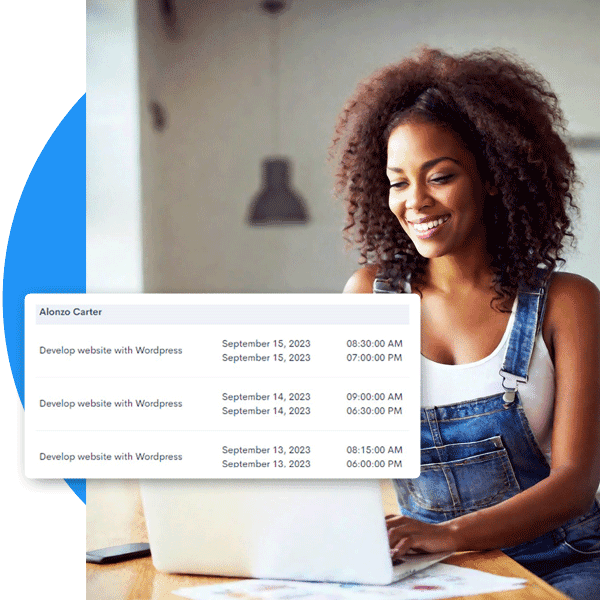
Client Billing Reports
Bill clients with verified hours, not estimates
Track billable hours by client and project. Generate reports showing exactly how many hours your team spent on each engagement. Attach screenshot reports as proof of work. Eliminate billing disputes and recover revenue from hours that would otherwise go untracked.
- Billable hours tracked by client, project, and task
- Screenshot reports provide visual proof of work completed
- Client-ready reports in PDF or Excel format
- Eliminate revenue leakage from unlogged hours
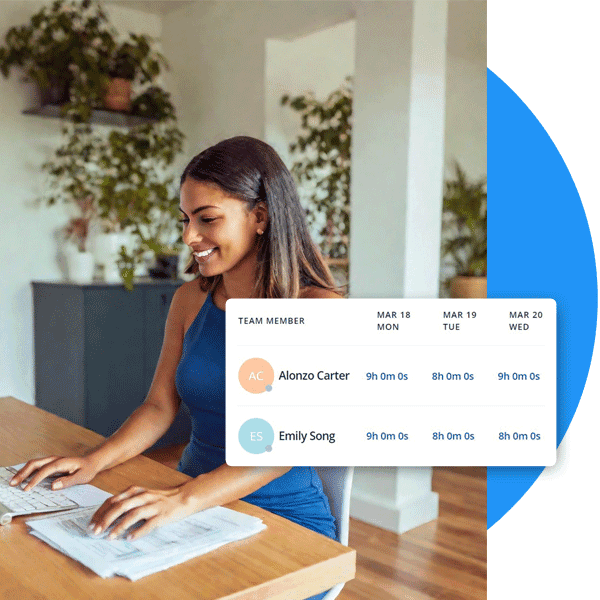
Overtime & Compliance
Overtime tracked and flagged automatically
The FLSA requires employers to keep accurate records of hours worked. HiveDesk tracks daily and weekly hours, identifies overtime automatically, and includes all data in reports and timesheets. Your records are always audit-ready.
- Daily and weekly hour records for every employee
- Overtime hours identified and flagged automatically
- Attendance and time-off records maintained continuously
- Data exports for any audit or compliance review

More Than Just Reports
One plan. $5/user/month. Every feature included.
Timesheet Reports
Auto-generated timesheets by employee and pay period with manager approval workflow. Export to PDF or Excel.
Project & Task Reports
See hours and cost by project and task. Identify which tasks consume the most time and where budgets stand.
Activity Reports
Screenshot summaries and activity levels by employee. Visual proof of work for clients and internal review.
Attendance Reports
Automatic attendance records from clock-in data. See who worked, when, and for how long — no manual tracking.
Real-Time Dashboards
Live view of who is working, on what, and for how long. Drill into projects, tasks, and individual contributors.
Employee Scheduling
Create shifts, assign employees, and track schedule adherence. Schedule data feeds into attendance reports.
Trusted by Teams Worldwide Since 2011
We have used every time tracking software under the sun, and they all fall short in some area that we need, but overall HiveDesk has met our needs. Their PDF screenshot reports are clean, easy to use and understand. Our clients prefer them over the complicated reports of other systems.
HiveDesk has been instrumental in helping us manage our remote team effectively. The automatic time tracking and screenshot features give us the visibility we need without micromanaging. Setup was straightforward and our team adopted it within a day.
Frequently Asked Questions
Everything you need to know about time reporting software.
Time reporting software automatically compiles employee work hours into structured reports that managers can filter, review, and export. Instead of manually building timesheets from punch cards or spreadsheets, the software generates reports by employee, project, task, and date range — ready for payroll processing, client billing, and compliance audits.
HiveDesk generates time reports automatically from tracked hours. Employees start a timer using the desktop app (Windows, macOS, Linux), mobile app (iOS), or Chrome extension. The software records hours by task and project, then compiles that data into reports you can filter by employee, project, date range, or team. Reports are available in the dashboard and can be exported as PDF or Excel.
HiveDesk provides timesheet reports (hours by employee and pay period), project reports (hours and cost by project and task), activity reports (screenshot summaries and productivity metrics), attendance reports (who worked when and for how long), and overtime reports (hours exceeding regular thresholds). All reports can be filtered and exported.
Yes. HiveDesk generates timesheets that include regular hours, overtime, and time-off data. Managers review and approve timesheets through a built-in approval workflow, then export approved data as Excel or PDF for use with any payroll software. This eliminates manual hour calculations and reduces payroll errors.
HiveDesk tracks billable hours by client and project, so you can generate reports showing exactly how many hours were spent on each engagement. Screenshot reports provide verifiable proof of work. Reports export to PDF or Excel for attaching to invoices, eliminating billing disputes and revenue leakage from untracked hours.
Yes. HiveDesk automatically calculates overtime based on the rules you configure. Daily and weekly hours are tracked, overtime is identified and flagged, and all overtime data flows into timesheets and reports for accurate payroll processing and labor law compliance.
HiveDesk costs $5 per user per month — one plan that includes every feature. No tiers, no hidden fees. You get time tracking, reporting, screenshots, scheduling, attendance, leave management, task tracking, and timesheet approval. There is a free 14-day trial with no credit card required.
HiveDesk has native apps for Windows, macOS, and Linux desktops, an iOS mobile app with GPS tracking, a Chrome browser extension, and a web dashboard accessible from any browser. Time data from all devices flows into the same reports.
Related Resources
Guides
Templates
Ready to Get Started?
Join teams worldwide who trust HiveDesk for workforce management, time tracking, and employee monitoring. $5/user/month, all features included.