

Stop Tracking Vacation Days in Spreadsheets
Employees request time off. Managers approve with one click. Approved leave shows on the schedule. HiveDesk replaces your spreadsheet-based leave tracking with a system that handles PTO requests, approvals, leave policies, and holiday calendars — all for $5/user/month.
No credit card required · Set up in under 10 minutes · Works on Windows, macOS, Linux, iOS, Chrome
Spreadsheet Leave Tracking Is Broken
Shared spreadsheets, email chains, and informal approvals create errors, confusion, and compliance risk. Your team deserves better.
Tracking leave in spreadsheets
- Employees email leave requests that get lost in inboxes
- Managers manually update a shared spreadsheet that is always out of date
- Approvals live in email, with no record of who signed off
- No one knows who is off next week until it is too late
- Holiday calendars differ by location but the spreadsheet does not
- Compliance risk from incomplete or inaccurate leave records
With HiveDesk vacation tracker
- Employees submit leave requests directly in HiveDesk
- Managers approve or deny with one click — no email required
- Approved leave shows on the schedule and in Scheduled Activity
- Dashboard shows who is off today, this week, and upcoming
- Region-specific holiday calendars assigned to each employee
- Complete leave records maintained automatically for compliance
Leave Requests & Approvals
Replace email requests with a real approval workflow
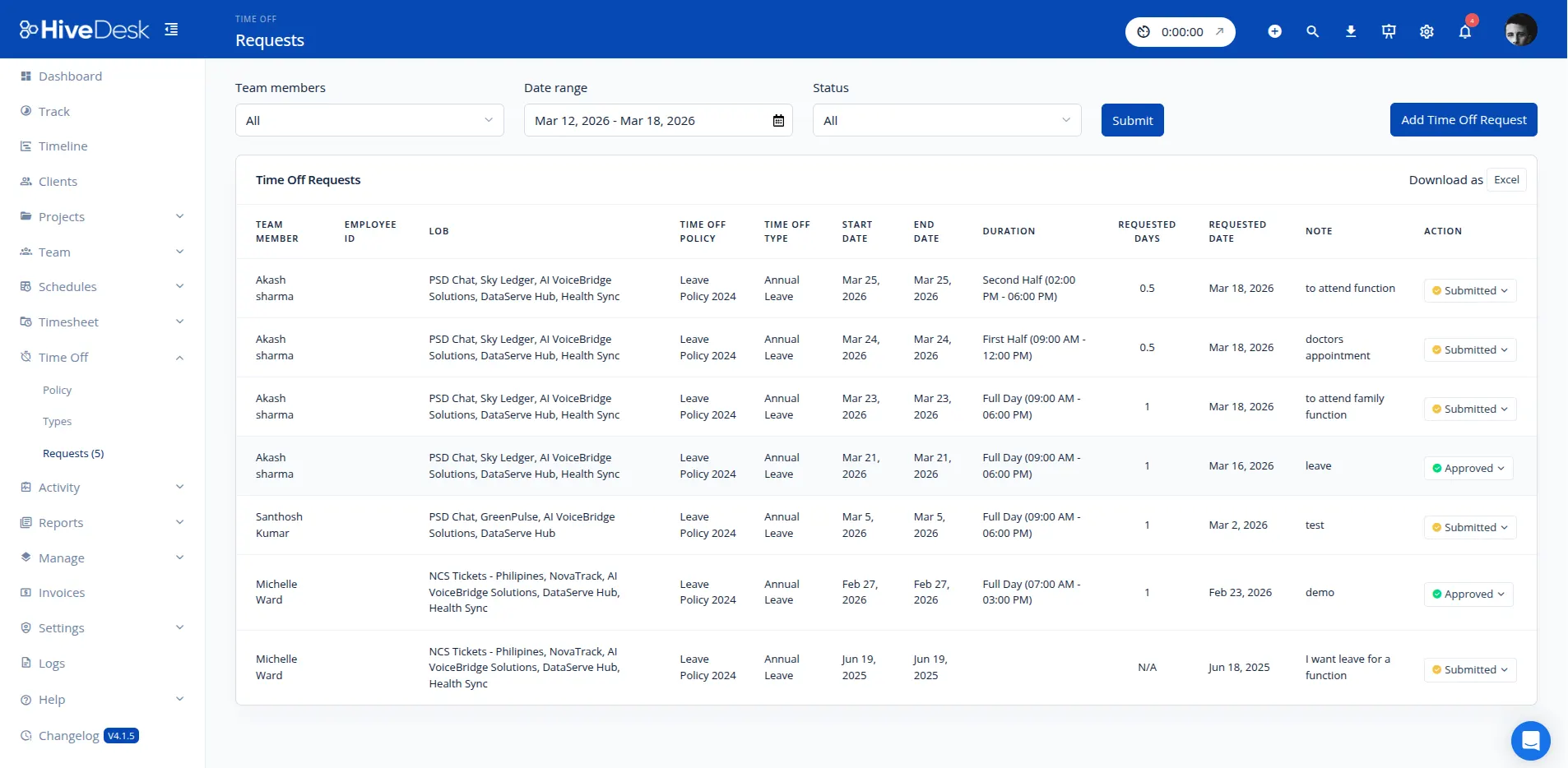
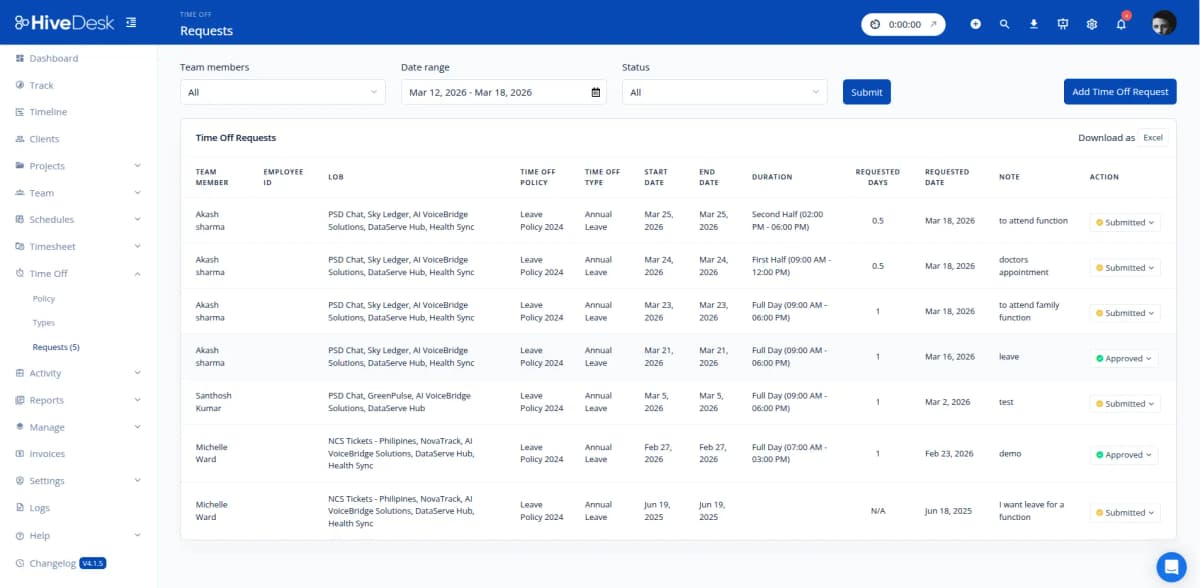
Employees submit time-off requests through HiveDesk, specifying dates and leave type. Managers review and approve or deny each request with a single click. The employee sees the updated status immediately, and approved leave shows on the schedule. No more lost emails, no more forgotten approvals, no more guessing who is off. If your team is still defining its policy, start with what PTO is and how it works.
- Employees request vacation, sick leave, or personal days in HiveDesk
- Managers approve or deny requests with one click
- Approved leave shows on the schedule and in Scheduled Activity
- Custom leave policies with a limit in days for each leave type
- Real-time view of who is on leave and upcoming time off
Holiday Calendars
Manage holidays across regions and countries
When your team spans multiple locations, holiday tracking gets complicated. HiveDesk lets you create multiple holiday calendars — national holidays, company-specific days off, and regional observances — and assign the right calendar to each employee. Everyone sees the holidays that apply to them, and scheduling conflicts are avoided automatically.
- Create multiple holiday calendars for different regions
- Include national, regional, and company-specific holidays
- Assign different holiday calendars to different employees
- Integrate holidays with leave management to prevent conflicts

Automated Attendance
Attendance and leave data in one place
HiveDesk records attendance automatically from clock-in data — no manual entry required. Combined with leave records and holiday calendars, you get a complete picture of employee availability. Know who is working, who is on leave, and who is absent without checking three different systems.
- Automatic attendance tracking from clock-in and clock-out
- Leave and attendance data combined in a single view
- Absence reports for managers and HR
- Attendance patterns visible over time for workforce planning

Payroll-Ready Data
From vacation tracking to accurate payroll
PTO days, sick leave, and holidays all affect payroll. HiveDesk combines time tracking, attendance, and leave data into accurate timesheets. Managers approve timesheets through a built-in workflow, then export the data as Excel or PDF for use with any payroll software. No more manual reconciliation between your leave tracker and payroll.
- PTO and leave data automatically reflected in timesheets
- Timesheet approval workflow for manager review
- Export approved timesheets as Excel or PDF
- Eliminate manual reconciliation between leave and payroll systems

Up and Running in Under 10 Minutes
No complex onboarding. No training sessions. No IT department required.
Create your account
Sign up for a free trial. Add your projects, tasks, and team members.
Set up leave policies
Define leave types, day limits, and holiday calendars for your team.
Employees request time off
Team members submit leave requests. Managers approve with one click.
Track and export
View leave status, attendance data, and export timesheets for payroll.
More Than Just a Vacation Tracker
HiveDesk combines leave management with time tracking, scheduling, attendance, and activity monitoring. One plan. $5/user/month. Every feature included.
Leave & Vacation Tracking
Manage PTO requests, approvals, and leave policies — all in one place.
Employee Time Tracking
One-click timer on desktop, mobile, and browser. Time is recorded by task, project, and client.
Employee Scheduling
Create and assign shifts. Employees see their schedules. Track adherence in real time.
Attendance Management
Track attendance automatically from clock-in data. See who is working, late, or absent.
Timesheets & Approval
Auto-generated timesheets with a manager approval workflow. Export to PDF or Excel for payroll.
Activity Monitoring
Periodic screenshots and activity levels for visibility without micromanaging.
Trusted by Teams Worldwide Since 2011
We have used every time tracking software under the sun, and they all fall short in some area that we need, but overall HiveDesk has met our needs. Their PDF screenshot reports are clean, easy to use and understand. Our clients prefer them over the complicated reports of other systems.
In today's world, remote work is a given. We use this software to handle those challenges. We tried a lot of the competitors and for many reasons HiveDesk won. Plus, team loves their support. Fast and attentive. We love HiveDesk. It allows us to track people's use and find areas of weakness. Their price level is perfect for us and we love their reporting.
Frequently Asked Questions
Everything you need to know about vacation and PTO tracking.
A vacation tracker is software that manages employee time off — vacation days, sick leave, personal days, and other PTO. Instead of tracking leave in spreadsheets or email threads, a vacation tracker handles requests, approvals, leave policies, and record-keeping. HiveDesk includes vacation tracking as part of its workforce management platform alongside time tracking, scheduling, and attendance.
With HiveDesk, you set up leave policies with a limit in days, such as 15 vacation days per year. Employees submit time-off requests through HiveDesk, and managers approve or deny them. You can view who is on leave and upcoming time off from a single dashboard, and Scheduled Activity shows leave status for each shift.
Yes. Employees log into HiveDesk to submit leave requests, specifying the dates and leave type. Managers receive the request and can approve or deny it directly in HiveDesk. Both the employee and manager see the updated status immediately, and approved leave shows on the schedule.
Yes. You can create multiple leave policies for different types of time off — vacation, sick leave, personal days, bereavement, parental leave, or any custom category your company needs. Each policy has its own limit in days. HiveDesk does not apply accrual rules, so set the limit to match your policy.
HiveDesk lets you create holiday calendars with national holidays, company-specific holidays, and regional holidays. If your team spans multiple countries or regions, you can assign different holiday calendars to different employees so everyone sees the holidays that apply to them.
Yes. The HiveDesk dashboard shows you a real-time view of who is currently on leave, who has upcoming time off, and the leave status for each scheduled shift. This helps managers plan workloads, avoid scheduling conflicts, and ensure adequate coverage.
HiveDesk combines time tracking data with leave and attendance records to generate accurate timesheets. When an employee takes PTO, it is reflected in their timesheet automatically. Managers approve timesheets through a built-in workflow, then export the data as Excel or PDF for payroll processing.
Yes — that is exactly what it is designed to do. Spreadsheets require manual updates, are prone to formula errors, and offer no approval workflow. HiveDesk moves the whole process into one system: employees request, managers approve, and leave records are kept in one place. No more version conflicts or forgotten updates.
HiveDesk costs $5 per user per month — one plan that includes every feature. Vacation tracking, time tracking, scheduling, attendance, screenshots, timesheets, and reporting are all included. There is a free 14-day trial with no credit card required.
Yes. HiveDesk is built for distributed teams. Remote employees submit leave requests from anywhere, managers approve them online, and everyone has visibility into team availability. The platform also includes time tracking, activity monitoring, and employee scheduling — everything you need to manage a remote or hybrid workforce.
Related Resources
Guides
Templates
Ready to Get Started?
Join teams worldwide who trust HiveDesk for workforce management, time tracking, and employee monitoring. $5/user/month, all features included.