

Build Accountability Through Visibility — Not Surveillance
HiveDesk gives your team a shared, transparent view of work hours, task progress, and attendance. When everyone sees the same data, accountability happens naturally — without micromanagement or invasive monitoring. All for $5/user/month.
No credit card required · Set up in under 10 minutes · Works on Windows, macOS, Linux, iOS, Chrome
Accountability Breaks Down Without Shared Data
When managers have to chase updates and employees have no way to show their work, trust erodes on both sides. HiveDesk creates a shared record that works for everyone.
Without accountability tools
- Managers spend time in status meetings instead of doing meaningful work
- Employees feel untrusted when asked to justify their hours
- Workload imbalances go unnoticed until someone burns out
- Task progress is invisible until deadlines are missed
- Attendance and time-off records are inaccurate or incomplete
- High performers and underperformers look the same on paper
With HiveDesk
- Real-time dashboards replace status meetings with always-on visibility
- Employees have a transparent record that shows their contributions
- Time data by task reveals workload distribution across the team
- Task tracking with deadlines makes progress visible to everyone
- Attendance and leave are recorded automatically from tracked hours
- Objective data supports fair, evidence-based performance conversations
Accountability Built Into the Workflow
No extra steps. No behavior changes. Just shared data that keeps everyone aligned.
Assign tasks and deadlines
Create projects, break them into tasks, and assign them to team members with due dates.
Employees track time
One-click timer records hours by task. Screenshots capture work activity at your chosen frequency.
Data flows to dashboards
Time, task progress, attendance, and activity are visible in real time — no status reports needed.
Review and improve
Use objective data for performance conversations, workload balancing, and process optimization.
Transparent Time Records
A shared record of hours that both sides can trust
When time is tracked automatically, there is no ambiguity about hours worked. Employees have proof of their contributions. Managers have accurate data for timesheets and payroll. Both sides benefit from the same transparent record.
- Time tracked automatically — no manual entries to dispute
- Hours recorded by task and project for full context
- Timesheets generated and approved through a clear workflow
- Data available to both managers and employees

Task Visibility
See task progress without asking for status updates
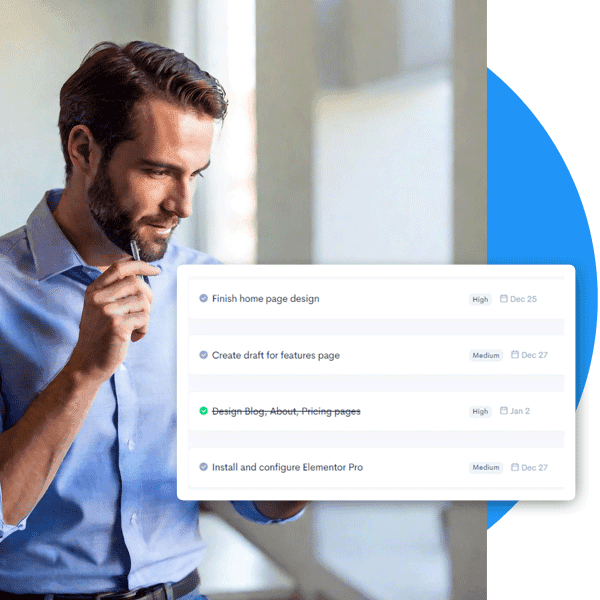
Create tasks with deadlines and assign them to team members. Track time against each task. Progress is visible to everyone in real time — managers see it in the dashboard, and team members see their own workload and priorities.
- Tasks with deadlines and clear ownership
- Time tracked per task shows actual effort spent
- Progress visible in real time — no meetings required
- Workload distribution visible across the team
Attendance & Scheduling
Attendance tracked automatically from the work itself
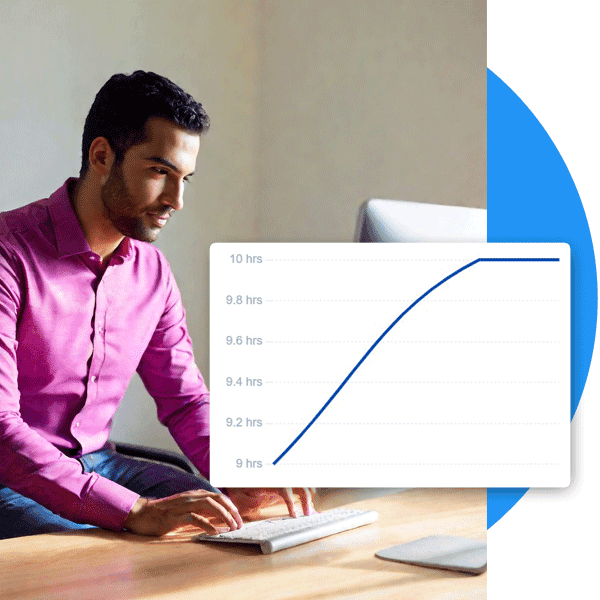
No separate attendance system. No sign-in sheets. HiveDesk records attendance from time tracking data — when employees start and stop their timer, the system logs it. Create shifts, track schedule adherence, and manage leave requests through a single platform.
- Attendance recorded automatically from clock-in and clock-out
- Shift scheduling with real-time adherence tracking
- Leave request and approval workflow with balance tracking
- All data in one system — no spreadsheets or separate tools

Everything You Need for Team Accountability
One plan. $5/user/month. Every feature included.
Automatic Time Tracking
One-click timer creates a transparent record of work hours. No manual entries, no guesswork.
Task & Project Tracking
Assign tasks with deadlines. Track progress by person and project. Everyone sees the same data.
Activity Monitoring
Periodic screenshots and activity levels provide visibility without constant surveillance.
Attendance & Leave
Automatic attendance records. Manage time-off requests and approvals. No spreadsheets needed.
Timesheets & Approval
Auto-generated timesheets with manager review. Accurate data everyone can trust.
Real-Time Dashboards
Live view of team activity. See who is working, on what, and for how long — without asking.
Trusted by Teams Worldwide Since 2011
We have used every time tracking software under the sun, and they all fall short in some area that we need, but overall HiveDesk has met our needs. Their PDF screenshot reports are clean, easy to use and understand. Our clients prefer them over the complicated reports of other systems.
HiveDesk has been instrumental in helping us manage our remote team effectively. The automatic time tracking and screenshot features give us the visibility we need without micromanaging. Setup was straightforward and our team adopted it within a day.
Frequently Asked Questions
Everything you need to know about team accountability software.
Team accountability software gives managers and team members shared visibility into work hours, task progress, and attendance. Instead of relying on status meetings and self-reports, everyone has access to the same objective data — creating a culture where accountability is built into the workflow, not enforced through surveillance.
HiveDesk focuses on transparency, not surveillance. Employees always know when tracking is active. Screenshots are taken at a configurable frequency — not constant recording — and employees can view their own data. Activity levels measure engagement patterns, not individual keystrokes. The goal is shared visibility that builds trust, not a monitoring system that erodes it.
Time tracking creates a transparent, objective record of when and how long employees work. It eliminates guesswork about hours, ensures accurate timesheets, and gives managers the data they need for informed conversations about productivity and workload distribution — without asking employees to justify their day.
Yes. HiveDesk lets you create projects, break them into tasks, and assign tasks to team members with deadlines. Employees track time against specific tasks, so everyone can see who is working on what, how long each task takes, and whether deadlines are on track — without requiring status update meetings.
HiveDesk takes periodic screenshots at a frequency you configure and measures keyboard and mouse activity levels. Employees always know when tracking is active. This gives managers a picture of work patterns for feedback and coaching, while respecting employee privacy. Screenshots can be deleted by employees if they capture personal information.
Yes. HiveDesk automatically records attendance from time tracking data. When employees start and stop their timer, the system logs clock-in and clock-out times. Managers can see who worked, what hours they logged, and what leave they have taken — all without manual tracking or attendance spreadsheets.
HiveDesk costs $5 per user per month — one plan that includes every feature. No tiers, no hidden fees. You get time tracking, screenshots, task management, scheduling, attendance, leave management, timesheets, and reporting. There is a free 14-day trial with no credit card required.
Most teams are up and running within 10 minutes. Sign up for a free trial, add your projects and team members, and have employees download the app on their preferred device. No IT department or training sessions required. The interface is intuitive and employees typically adopt it within a day.
Related Resources
Guides
Ready to Get Started?
Join teams worldwide who trust HiveDesk for workforce management, time tracking, and employee monitoring. $5/user/month, all features included.