

One Platform for Time, Tasks, Schedules, and Attendance
Stop paying for separate tools for time tracking, scheduling, attendance, and leave management. HiveDesk combines everything your team needs to manage work in a single platform — with automatic timesheets, activity monitoring, and real-time dashboards. All for $5/user/month.
No credit card required · Set up in under 10 minutes · Works on Windows, macOS, Linux, iOS, Chrome
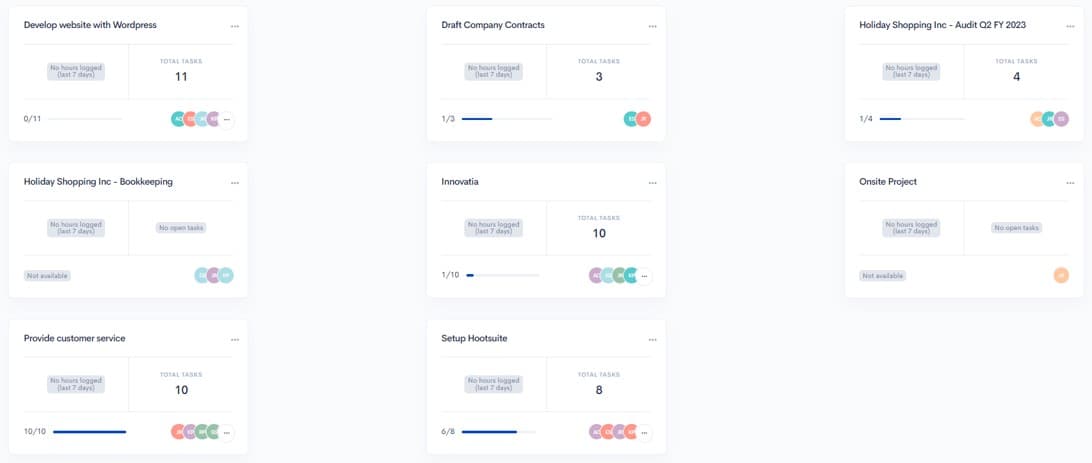
Too Many Tools. Not Enough Visibility.
Most teams cobble together separate tools for time tracking, scheduling, attendance, and leave management. Data lives in silos. Nothing talks to each other. Managers spend hours pulling reports from multiple systems just to understand what happened last week.
Multiple point solutions
- One tool for time tracking, another for scheduling, another for leave
- Data trapped in silos — nothing connects automatically
- Managers waste hours reconciling reports across systems
- Total cost adds up fast with per-user fees on each tool
- Employees juggle multiple logins and apps throughout the day
- No single view of who is working, on what, and for how long
With HiveDesk
- Time tracking, tasks, scheduling, attendance, and leave in one platform
- All data connected — timesheets include attendance, overtime, and leave
- Real-time dashboards show everything without pulling reports
- One subscription at $5/user/month covers every feature
- Employees use one app for everything — desktop, mobile, or Chrome
- Managers see who is working, on what, right now — in one dashboard
Up and Running in Under 10 Minutes
No complex onboarding. No training sessions. No IT department required.
Create your account
Sign up for a free trial. Add your projects, tasks, and team members.
Employees install the app
Desktop, mobile, or Chrome extension — employees choose their preferred device.
Set up schedules and policies
Create shifts, define leave policies, and configure overtime rules.
Manage everything in one place
Track time, monitor attendance, approve timesheets, and export reports.
Automatic Time Tracking
Know exactly where your team's time goes
Employees click one button. HiveDesk records their hours by task, project, and client. Periodic screenshots provide activity verification without surveillance. Timesheets are generated automatically and ready for manager approval — no manual entries, no chasing people for data.
- One-click timer on desktop, mobile, and Chrome extension
- Time recorded by task, project, and client automatically
- Periodic screenshots for activity verification
- Auto-generated timesheets with manager approval workflow
- Export to PDF or Excel for payroll and client billing
Task Management
Manage tasks with time data built in
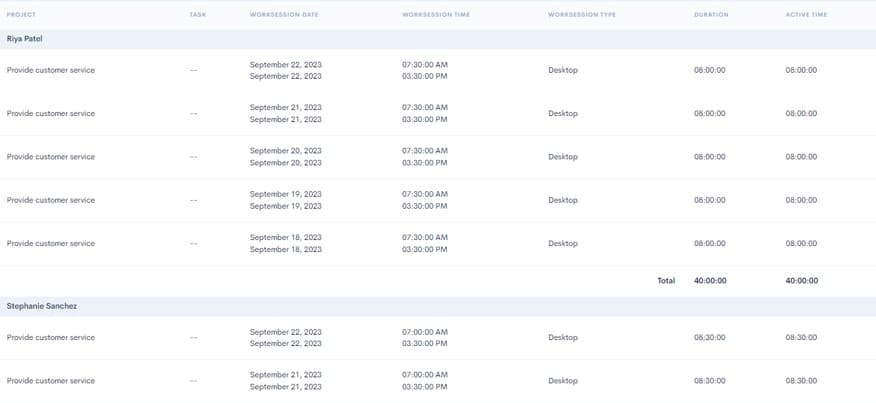
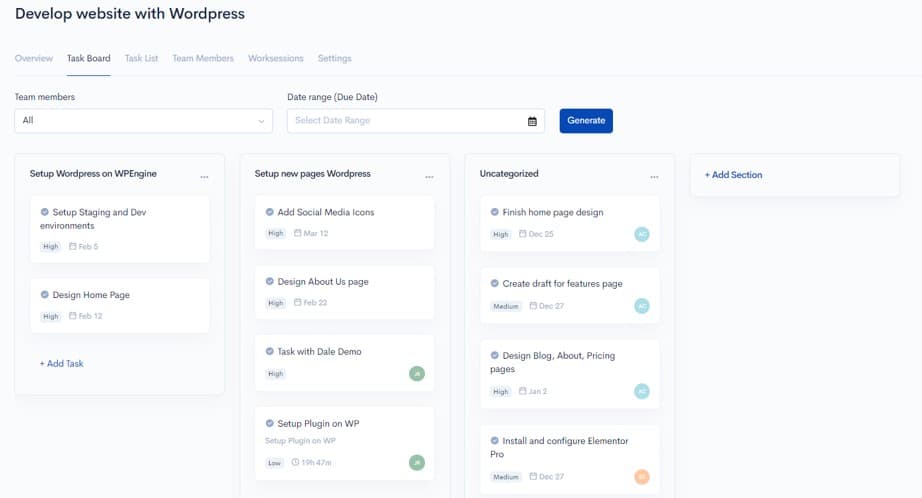
Most task management tools show you what needs to be done but not how long it takes. HiveDesk connects tasks to time tracking — so you see not just task status but exactly how many hours each task consumed. Create tasks, assign them, set deadlines, and get real-time visibility into progress and cost.
- Create and assign tasks to team members with deadlines
- Track time spent on each task automatically
- See tasks in list view with status and time data
- Identify time sinks and bottlenecks with task-level reporting
- Integrates with Asana for teams that already use it
Scheduling & Attendance
Schedules, attendance, and leave in one place
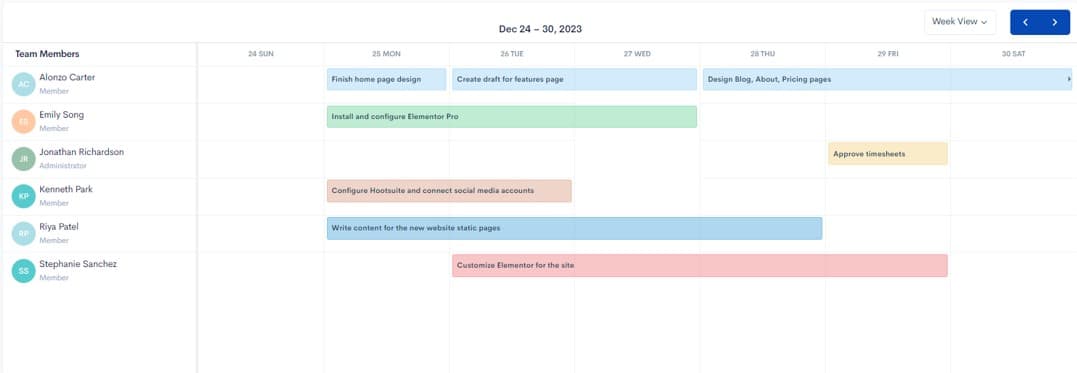
Create employee schedules, track who shows up on time, manage leave requests, and monitor overtime — all from the same platform where you track time and tasks. No more switching between tools. Attendance data feeds directly into timesheets, so payroll processing is accurate and fast.
- Create shifts and assign employees to schedules
- Track schedule adherence — see who is on time, late, or absent
- Manage PTO, sick days, and vacation with approval workflows
- Track overtime hours and flag potential compliance issues
- Attendance and leave data included in timesheets automatically
Remote Work Management
Full visibility into distributed teams
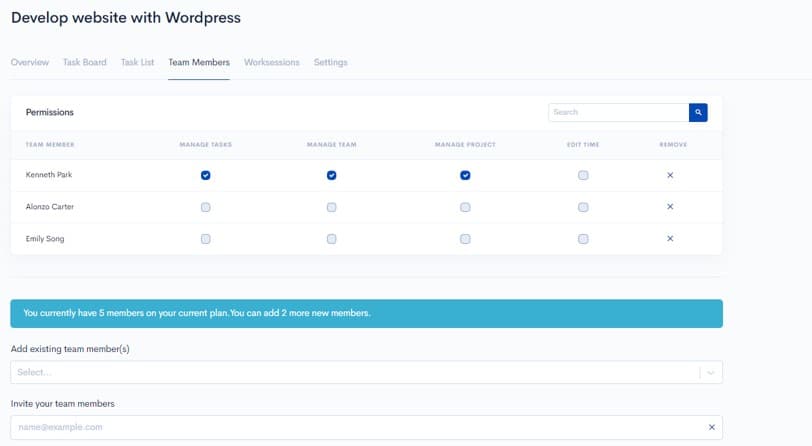
Managing remote and hybrid teams is harder when you cannot see who is working. HiveDesk gives you the same visibility you have with in-office staff — real-time activity tracking, periodic screenshots, and dashboards showing who is online, what they are working on, and how their day is going. Without surveillance. Without micromanaging.
- See who is working right now with real-time dashboards
- Periodic screenshots provide activity context, not surveillance
- Track time from anywhere — desktop, mobile, or Chrome
- GPS location tracking on iOS for field workers
- All data unified regardless of where employees work
One Platform Replaces Multiple Tools
Stop paying for and managing separate subscriptions. HiveDesk includes everything for $5/user/month.
| Category | Replaces | HiveDesk Feature |
|---|---|---|
| Time Tracking | Toggl, Clockify, Harvest | Automatic time tracking by task, project, and client across desktop, mobile, and browser. |
| Employee Scheduling | Deputy, When I Work | Shift creation, assignment, and schedule adherence tracking built in. |
| Attendance Tracking | BambooHR, Homebase | Automatic attendance from clock-in/out data. No manual entries. |
| Leave Management | PTO tracking spreadsheets | Leave policies, request/approval workflows, and balance tracking. |
| Activity Monitoring | Hubstaff, Time Doctor | Periodic screenshots and activity levels. Configurable frequency. |
| Timesheets & Payroll Data | Manual spreadsheets | Auto-generated timesheets with approval workflow. Export to Excel/PDF. |
Built for Teams That Need More Than a Timer
Teams across 6 continents use HiveDesk to manage their workforce and track time.
Contact Centers & BPOs
Manage agent shifts, track hours, monitor schedule adherence, and generate client-ready timesheets.
Marketing Agencies
Track billable hours by client and campaign. Know exactly how much time each project takes.
IT & Support Teams
Track technician hours, manage on-call schedules, and monitor productivity across distributed teams.
Professional Services
Attorneys, accountants, and consultants — track billable time, manage tasks, and generate verified timesheets.
Staffing Agencies
Track contractor hours across client sites. Generate verified timesheets for accurate billing.
Remote & Hybrid Teams
Get the same visibility into remote employee work that you have with in-office teams.
Everything You Need. One Plan. One Price.
$5/user/month. Every feature included. No tiers. No hidden fees.
Automatic Time Tracking
One-click timer on desktop, mobile, and browser. Time is recorded by task, project, and client.
Task & Project Management
Create tasks, assign them to team members, track deadlines and status. See time spent on each task.
Employee Scheduling
Create and assign shifts. Track schedule adherence. Ensure the right people are working at the right times.
Attendance & Leave
Track attendance from clock-in data. Manage time-off requests, approvals, and leave balances.
Activity Monitoring
Periodic screenshots and activity levels give you visibility without micromanaging.
Timesheets & Reporting
Auto-generated timesheets with approval workflow. Real-time dashboards and exportable reports.
Trusted by Teams Worldwide Since 2011
We have used every time tracking software under the sun, and they all fall short in some area that we need, but overall HiveDesk has met our needs. Their PDF screenshot reports are clean, easy to use and understand. Our clients prefer them over the complicated reports of other systems.
HiveDesk has been instrumental in helping us manage our remote team effectively. The automatic time tracking and screenshot features give us the visibility we need without micromanaging. Setup was straightforward and our team adopted it within a day.
Frequently Asked Questions
Everything you need to know about work management software.
Work management software is a platform that helps teams organize, track, and complete their work. Unlike project management tools that focus on specific projects, work management covers the full scope of daily operations — task assignment, time tracking, employee scheduling, attendance monitoring, leave management, and reporting. HiveDesk combines all of these capabilities in a single platform for $5/user/month.
Project management tools focus on task boards, timelines, and collaboration. They do not track employee time, take activity screenshots, manage schedules, or handle attendance and leave. HiveDesk does all of this. If you already use Asana, HiveDesk integrates with it — you can track time directly inside Asana tasks while HiveDesk handles time tracking, scheduling, attendance, and timesheets.
HiveDesk replaces separate tools for time tracking (like Toggl or Clockify), employee scheduling, attendance tracking, leave management, and activity monitoring. Instead of paying for and managing multiple subscriptions, you get one platform that handles time tracking, task management, employee scheduling, attendance, leave management, screenshot monitoring, timesheets, and reporting — all for $5/user/month.
Yes. HiveDesk works for remote, hybrid, and in-office teams. Remote employees track time via the desktop app, Chrome extension, or mobile app. The mobile app includes GPS location tracking for field workers. All data flows into the same dashboard regardless of where employees work, giving you a unified view of your entire workforce.
Managers create shifts and assign employees to them. Employees see their schedules in the HiveDesk dashboard. When employees clock in and out, HiveDesk automatically tracks schedule adherence — showing you who started on time, who was late, and who missed a shift. This is especially useful for contact centers, BPOs, and any business with shift-based operations.
Attendance is tracked automatically from employee clock-in and clock-out data — no manual entries needed. For leave management, you set up policies (PTO, sick days, vacation), employees submit requests through HiveDesk, and managers approve or deny them. Balances are tracked automatically and factored into timesheets and payroll data.
HiveDesk costs $5 per user per month — one plan with every feature included. No tiers, no hidden fees, no per-feature upsells. You get time tracking, task management, employee scheduling, attendance, leave management, screenshots, timesheets, and reporting. There is a free 14-day trial with no credit card required.
HiveDesk has native apps for Windows, macOS, and Linux desktops, an iOS mobile app with GPS tracking, a Chrome browser extension, and a web dashboard accessible from any browser. Your team can track time and manage work from whatever device they prefer.
HiveDesk integrates with Asana for project and task management — you can track time directly inside Asana tasks. Timesheet data exports to Excel and PDF for use with any payroll, accounting, or invoicing software.
Yes. HiveDesk offers a 14-day free trial with full access to every feature. No credit card required. Add your team, set up projects and schedules, track time, and test every feature before deciding.
Related Resources
Guides
Templates
Ready to Get Started?
Join teams worldwide who trust HiveDesk for workforce management, time tracking, and employee monitoring. $5/user/month, all features included.