

Track Every Billable Minute. Bill Every Client Accurately.
Your firm juggles dozens of client engagements, tax deadlines, and seasonal workload surges. HiveDesk tracks every billable hour by client and engagement automatically — so you capture all revenue, bill accurately, and see exactly where staff time goes.
No credit card required · $5/user/month · All features included
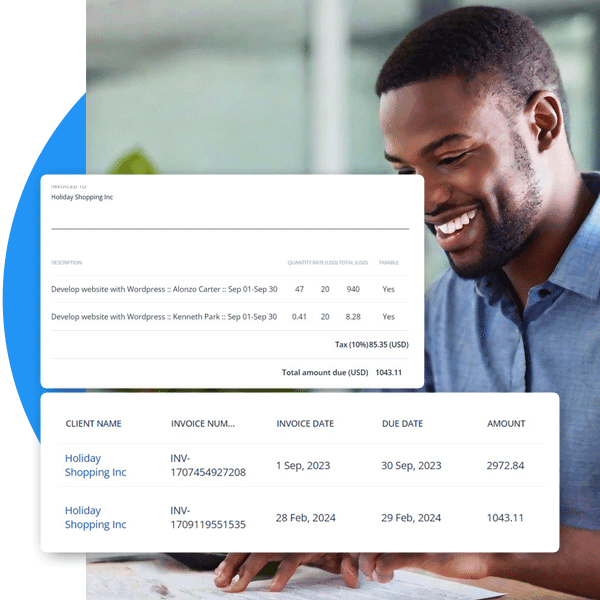
Accounting Firm Time Tracking Is Broken. Here's Why.
Most firms rely on manual time entry, spreadsheets, or the honor system. The result: lost billable hours, inaccurate invoices, and zero visibility into staff utilization.
Without accounting time tracking
- Staff forget to log hours or reconstruct timesheets at the end of the week
- Billable hours slip through the cracks — you invoice less than you worked
- No visibility into partner vs staff utilization rates
- Tax season overtime goes untracked, creating labor law compliance risks
- Client profitability is guesswork because you lack accurate time data
- Remote and hybrid staff work without any accountability
With HiveDesk
- Time is captured automatically — no end-of-day entry or guesswork
- Every billable minute is tracked by client, engagement, and staff member
- Real-time dashboards show utilization rates across your entire firm
- Overtime is tracked and flagged automatically during busy season
- Historical time data reveals true client profitability per engagement
- Screenshots and activity monitoring keep remote staff accountable
Client-Based Time Tracking
Track every billable hour across every client engagement
Accounting firms lose revenue when billable hours go untracked. HiveDesk captures time automatically as your team works — organized by client, engagement type, and task. Switch between client projects with one click. At billing time, pull per-client timesheets that account for every minute.
- Organize projects by client and engagement type (tax, audit, advisory)
- One-click switching between client engagements throughout the day
- Separate billable hours from internal non-billable time
- Per-client time reports ready for invoicing
- Track time on desktop, mobile, or Chrome browser
Staff Utilization & Workload Management
See who is overloaded and who has capacity
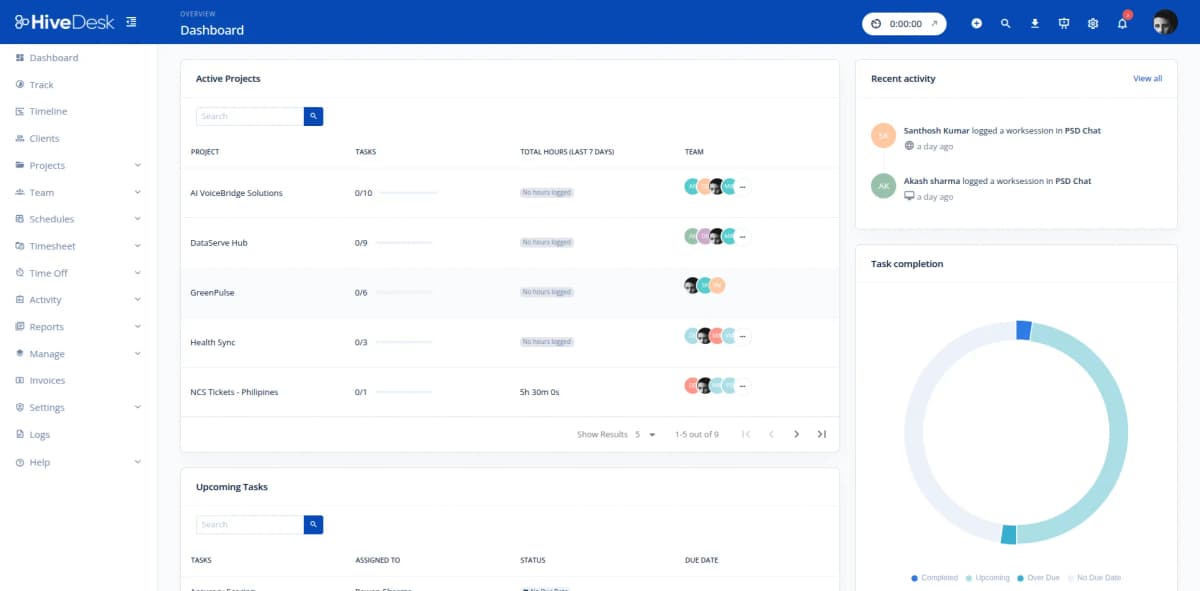
During tax season, every hour matters. HiveDesk gives partners and managers real-time visibility into staff utilization across the firm. See who is working on which client, how many hours they have logged this week, and whether workloads are balanced — without waiting for end-of-week timesheets.
- Real-time dashboard shows active staff and their current engagements
- Track billable vs non-billable utilization rates per staff member
- Employee scheduling to assign staff to client engagements
- Attendance tracking across office and remote locations
- Leave management for PTO, sick days, and seasonal scheduling
Client Billing Accuracy
Bill clients with verified time records, not estimates
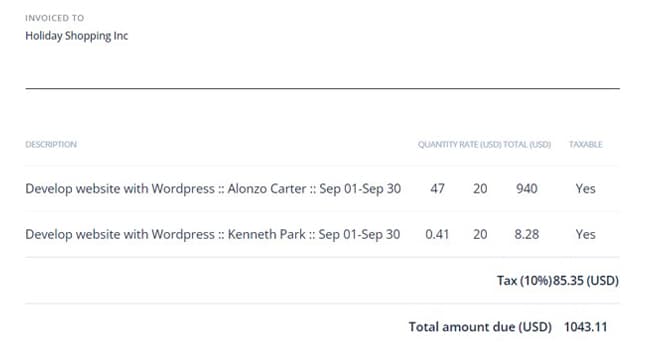
When clients question your invoices, you need more than reconstructed timesheets. HiveDesk gives you verified time records backed by activity data and optional screenshot reports. Share detailed breakdowns alongside your invoices to eliminate billing disputes and justify every hour billed.
- Per-client timesheets show hours by staff member and service type
- Screenshot reports provide verifiable proof of work when needed
- Export billing reports as PDF or Excel — ready for your invoices
- Eliminate revenue leakage from forgotten or unlogged billable hours
- Track engagement profitability — know which clients are under-billed
Timesheets & Payroll
From tracked hours to payroll in minutes
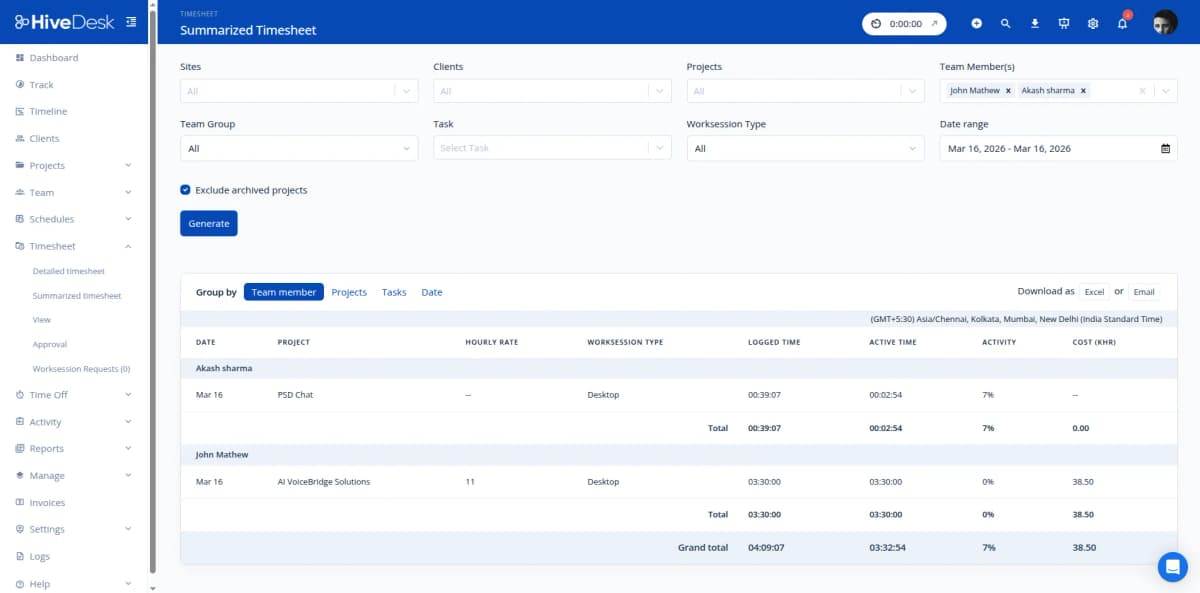
Stop manually calculating hours for payroll. HiveDesk auto-generates timesheets from tracked time, runs them through a manager approval workflow, and exports clean data for your payroll software. Tax season overtime, attendance, and time-off data are all included — so payroll is accurate even during your busiest months.
- Auto-generated timesheets with built-in approval workflow
- Manager review and approve before payroll processing
- Overtime hours tracked and flagged automatically
- Export approved timesheets as Excel for any payroll software
- Attendance and time-off records maintained continuously
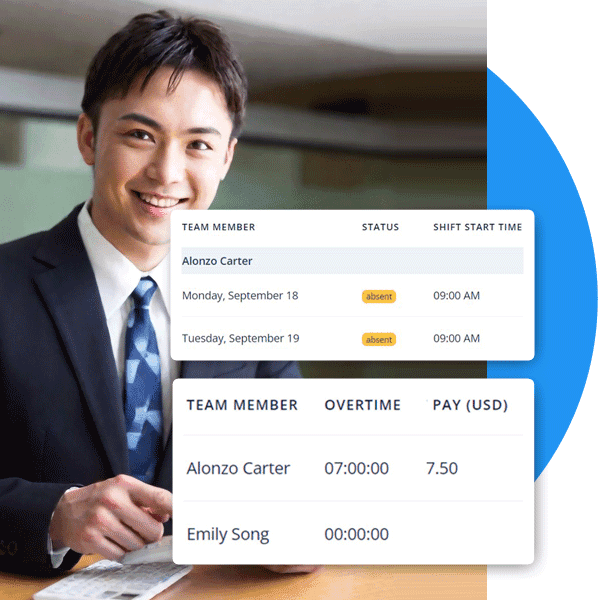
How Accounting Firms Use HiveDesk
Every role in your firm benefits from automatic time tracking. Here is how different teams use HiveDesk day to day.
Tax Preparation Teams
CPAs and tax preparers track time against individual client returns. Partners see how long each return actually takes versus estimates, improving future pricing and staffing decisions for tax season.
- Track hours per tax return and client
- Compare estimated vs actual time per engagement
- Identify which return types consume the most resources
Audit & Assurance Staff
Auditors working across multiple client engagements allocate time precisely. Track fieldwork, review, and reporting hours separately to understand true engagement costs and improve billing accuracy.
- Allocate hours across multiple audit engagements
- Track fieldwork vs review vs reporting time
- Generate per-engagement time reports for client billing
Bookkeeping & Advisory
Bookkeepers and advisory staff who manage recurring monthly work for many clients need to track time accurately. Separate billable client work from internal admin to measure true utilization rates.
- Track recurring monthly work by client
- Separate billable hours from internal admin time
- Identify clients that consume disproportionate hours
Partners & Firm Management
Partners and managers need visibility into staff utilization, client profitability, and workload distribution. Real-time dashboards and historical time data support better staffing and pricing decisions.
- Monitor staff utilization rates across the firm
- Identify under-billed engagements and revenue leakage
- Plan seasonal staffing based on historical time data
Everything Your Firm Needs. $5/User/Month.
One plan with every feature included. No tiers, no hidden fees, no per-feature upsells.
Automatic Time Tracking
One-click timer on desktop, mobile, and browser. Time is recorded by client, engagement, and task — no manual entries.
Activity Monitoring
Periodic screenshots and activity levels give you visibility into remote work without micromanaging your accounting staff.
Employee Scheduling
Assign staff to client engagements and shifts. Track schedule adherence and balance workloads during busy season.
Timesheets & Approval
Auto-generated timesheets with manager approval. Export per-client reports as PDF or Excel for invoicing.
Attendance & Leave
Track attendance automatically from clock-in data. Manage PTO requests and approvals across your firm.
Real-Time Dashboards
See who is working on which client engagement, right now. Drill into projects, tasks, and individual contributors.
Trusted by Teams Across 6 Continents Since 2011
We have used every time tracking software under the sun, and they all fall short in some area that we need, but overall HiveDesk has met our needs. Their PDF screenshot reports are clean, easy to use and understand. Our clients prefer them over the complicated reports of other systems.
HiveDesk has been instrumental in helping us manage our remote team effectively. The automatic time tracking and screenshot features give us the visibility we need without micromanaging. Setup was straightforward and our team adopted it within a day.
Simple, Firm-Friendly Pricing
One plan with all features included. Scale your team up or down as client needs change.
All features included
- Automatic time tracking across all devices
- Activity monitoring with screenshots
- Employee scheduling
- Attendance & leave management
- Project & task tracking by client
- Timesheet generation & approval
- Reporting & analytics dashboards
- Asana integration
No credit card required
Frequently Asked Questions
Everything you need to know about time tracking for accounting firms.
HiveDesk automatically tracks time while your team works on tax returns, audits, bookkeeping, and advisory services. Set up projects for each client engagement, and staff members allocate time as they switch between clients throughout the day. At the end of the billing period, generate per-client timesheets that show exactly how many hours were spent on each engagement — broken down by staff member and service type.
Yes. Create separate projects for each client and engagement type — tax preparation, quarterly reviews, bookkeeping, advisory, and so on. Staff members switch between client projects with one click, and HiveDesk tracks time per-client automatically. You get accurate, per-client time reports for billing without any manual entry or end-of-week guesswork.
HiveDesk helps you manage high-demand periods with employee scheduling, overtime tracking, and real-time workload monitoring. Schedule staff across client engagements, track overtime hours for labor law compliance, and use dashboards to see who is overloaded and who has capacity. Historical time data from previous tax seasons helps you plan staffing levels more accurately.
Yes. Organize projects as billable (client engagements) or non-billable (internal meetings, training, admin tasks). HiveDesk tracks both separately, so you can see your firm's billable utilization rate for each staff member and identify where non-billable time is eating into profitability.
HiveDesk auto-generates timesheets from tracked time data. Filter by client, date range, staff member, or engagement type. Managers review and approve timesheets through a built-in approval workflow. Export approved timesheets as PDF or Excel — ready to attach to your client invoices or import into your billing software.
HiveDesk takes periodic screenshots while your team works. These serve as verifiable proof of work and help managers confirm that billed time was spent productively. For firms with remote or hybrid staff, screenshots provide visibility without micromanaging. Screenshot frequency is configurable, and employees always know when tracking is active.
HiveDesk integrates with Asana for task and project management. You can track time directly against Asana tasks, link hours to specific client deliverables, and keep your workflow intact while getting accurate time data for billing. Timesheets can be exported in formats suitable for importing into your accounting or billing software.
HiveDesk has native apps for Windows, macOS, and Linux desktops, an iOS mobile app, a Chrome browser extension, and a web dashboard accessible from any browser. Your team can track time from whatever device they prefer — whether they are in the office, working from home, or at a client site.
HiveDesk costs $5 per user per month — one plan that includes every feature. No tiers, no per-feature upsells, no hidden fees. You get time tracking, screenshots, scheduling, attendance, leave management, task tracking, timesheets, and reporting. There is a free 14-day trial with no credit card required.
Most accounting firms are up and running within a day. Sign up for a free trial, create projects for each client engagement, invite your team, and they start tracking time immediately. No complex onboarding, no IT department required, and no training sessions needed — staff click one button to start the timer.
Related Resources
Guides
Templates
Ready to Get Started?
Join teams worldwide who trust HiveDesk for workforce management, time tracking, and employee monitoring. $5/user/month, all features included.