

Time Tracking Software Features That Actually Matter

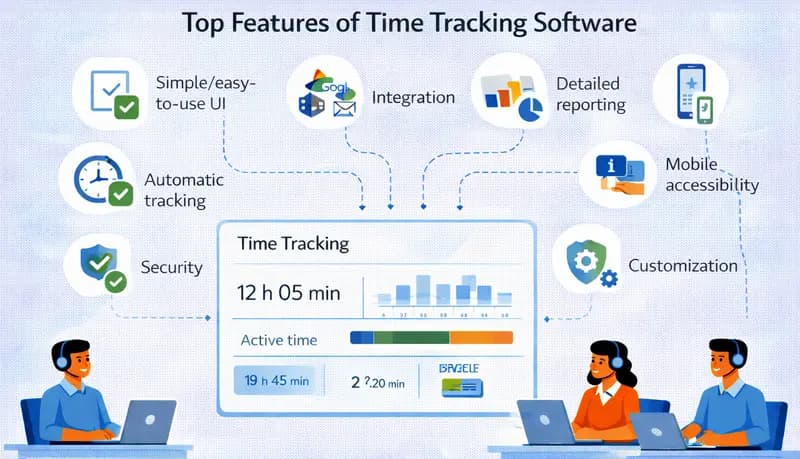
There are dozens of time tracking tools on the market, and they all claim to boost productivity and simplify operations. But when you're evaluating options for your team, the feature list is what actually matters — not the marketing copy.
The right features depend on your business. A freelancer billing a few clients has different needs than a 50-person agency tracking billable hours across multiple projects. For a comprehensive look at how these features come together, see our employee time tracking software overview. This guide covers the features that matter most for service businesses and teams that need more than a basic timer.
Automatic time capture
The most important feature is also the simplest: the software should record time automatically when employees start and stop working, rather than relying on manual entry at the end of the day or week.
Why it matters
Manual time entry is inaccurate. People forget tasks, round their hours, and estimate rather than record. Automatic time tracking — start a timer, work, stop the timer — captures actual hours with minimal effort.
What to look for
- One-click start/stop — Starting and stopping the timer should take seconds, not minutes of navigating menus.
- Desktop app — A native app that runs in the background and tracks time without needing a browser tab open.
- Idle detection — The timer should pause or prompt the user when the computer has been idle, preventing inflated hours from forgotten timers.
- Offline support — The app should work without an internet connection and sync when connectivity returns.
Project and task tracking
Knowing that an employee worked 8 hours tells you very little. Knowing they spent 3 hours on Client A's website redesign, 2 hours on Client B's support tickets, and 3 hours on internal meetings — that's actionable.
Why it matters
Project-level time tracking is the foundation of client billing, resource management, and project estimation. Without it, you can't know which projects are profitable, which clients are consuming more time than budgeted, or how to estimate the next similar project.
What to look for
- Project and task hierarchy — The ability to organize work into projects with tasks underneath, so employees can log time at the appropriate level of detail.
- Task assignment — Managers can assign tasks to team members, and employees select from their assigned tasks when starting a timer.
- Billable vs. non-billable — Each time entry should be classifiable as billable or non-billable, since this distinction drives invoicing and utilization analysis.
- Multiple projects per day — Easy switching between projects throughout the day, since most employees work on more than one thing.
Timesheets and approvals
Raw time entries need to be organized into timesheets that can be reviewed, corrected, and approved before they're used for payroll or client billing.
Why it matters
A timesheet approval process catches errors — time logged to the wrong project, duplicate entries, missing hours — before they affect paychecks or invoices. It's a quality control step that prevents costly mistakes.
What to look for
- Automatic timesheet generation — The software should compile time entries into timesheets automatically, not require employees to fill out a separate form.
- Approval workflow — Managers can review, edit, approve, or reject timesheets. Approved timesheets are locked from further changes.
- Submission reminders — Automatic notifications when timesheets are due and when approvals are pending.
- Audit trail — A record of who submitted, who approved, and any edits made, for compliance purposes.
Reporting and analytics
Time data is only valuable if you can extract insights from it. Reporting turns raw hours into information that drives decisions.
Why it matters
Reports answer the questions that matter to your business: Are projects on budget? Who's overloaded? What's our billable utilization rate? Where is non-productive time accumulating? Without reporting, you're collecting data without using it.
What to look for
- Time by project, client, employee, and date range — The basic building blocks. You should be able to slice data by any of these dimensions.
- Billable vs. non-billable breakdown — Shows your utilization rate and how much of your team's capacity generates revenue.
- Estimated vs. actual comparison — Compare budgeted hours against actual hours at the project level to assess whether projects are on track.
- Export options — The ability to export reports to CSV or PDF for sharing with clients, accountants, or leadership.
- Scheduled reports — Automatic report delivery on a regular cadence (weekly, monthly) without manual generation.
Employee scheduling
For businesses that operate across shifts — contact centers, BPOs, support teams — scheduling is closely connected to time tracking.
Why it matters
Shift scheduling determines who works when. Time tracking records whether they actually worked those hours. When these two systems are connected, you can compare scheduled versus actual hours, identify attendance issues, and manage overtime proactively.
What to look for
- Shift creation and assignment — Create shifts with defined start and end times and assign employees.
- Schedule visibility — Employees can view their upcoming schedule online or on mobile.
- Overtime alerts — Automatic warnings when scheduling or actual hours approach overtime thresholds.
Leave and time-off management
Tracking who's working also means tracking who's not working — and why.
Why it matters
Leave management affects scheduling, payroll, and compliance. When it's integrated with time tracking, approved time off automatically adjusts expected hours, prevents scheduling conflicts, and ensures accurate pay calculations.
What to look for
- Time-off request and approval — Employees request time off through the system; managers approve or deny with visibility into team coverage.
- Leave balance tracking — Automatic accrual and balance tracking for vacation, sick leave, and other leave types.
- Holiday calendars — Built-in company holiday schedules that automatically adjust expected hours.
Invoicing
For service businesses that bill clients for time, the path from tracked hours to paid invoice should be as short as possible.
Why it matters
Manual invoice creation from time data is slow and error-prone. When invoicing is built into or connected to your time tracking system, you can generate invoices directly from approved timesheets — with line items, rates, and totals already calculated.
What to look for
- Invoice generation from timesheets — Select a project and date range, and the system creates an invoice with itemized time entries.
- Configurable billing rates — Support for different rates by employee, role, project, or client.
- Invoice templates — Professional invoice formatting that includes your branding and payment terms.
Cross-platform support
Your time tracking software needs to work on whatever devices your team uses.
Why it matters
A tool that only works on Windows doesn't help your team members on Mac or Linux. A tool without mobile support doesn't help employees who need to log time from a client site or while traveling. For remote teams especially, cross-platform coverage is essential.
What to look for
- Desktop apps for Windows, Mac, and ideally Linux
- Mobile app for iOS and/or Android
- Browser-based option for any device with a web browser
- Data sync across all platforms, so time logged on one device appears everywhere
Activity monitoring
Some businesses need verification that tracked time reflects actual work, not just an idle timer running in the background.
Why it matters
For remote teams and client-facing work where you need to demonstrate that billed hours represent real effort, activity monitoring provides an additional layer of verification.
What to look for
- Periodic screenshots — Captures at configurable intervals to verify work activity. Employees should know when screenshots are active. For a full guide on how this works in practice, see screenshot-based time tracking.
- Activity indicators — Keyboard and mouse activity levels that flag periods of low or no activity during tracked time.
- Privacy controls — The ability to blur or delete screenshots, pause monitoring during breaks, and clearly define what's monitored. See our guide on time tracking and data privacy.
How to evaluate features for your business
Not every business needs every feature. Prioritize based on your actual needs:
If you bill clients by the hour, prioritize: automatic time capture, project/task tracking, billable/non-billable classification, timesheet approvals, invoicing, and reporting.
If you manage shift-based teams, prioritize: scheduling, attendance tracking, overtime alerts, leave management, and compliance features. For small business-specific recommendations, see our guide to time tracking software for small businesses.
If you manage remote teams, prioritize: cross-platform support, activity monitoring, reporting, and project tracking.
If you need compliance documentation, prioritize: automated record-keeping, overtime tracking, break monitoring, timesheet approvals with audit trails, and data retention.
Start with the features that solve your most pressing problem, then evaluate whether the tool can grow with your needs. A tool that does the basics well and is easy to adopt beats a feature-rich tool that your team won't use consistently.
