

Assign Tasks. Track Time. Know What Got Done.
Most task management tools stop at checkboxes. HiveDesk goes further — tracking exactly how long each task takes, what it costs, and verifying work with screenshots. Assign tasks, set deadlines, and get the data you need to manage your team. All for $5/user/month.
No credit card required · Set up in under 10 minutes · Works on Windows, macOS, Linux, iOS, Chrome
Task Lists Without Time Data Are Incomplete
You know what tasks were assigned. But do you know how long each one actually took? Which tasks are consuming more hours than expected? Whether the cost of a task exceeds its value? Without time data, you are managing tasks blind.
Without task time tracking
- Tasks marked "done" with no data on how long they took
- No way to know if a task consumed 1 hour or 10 hours
- Cannot compare actual effort to estimated effort
- No visibility into which tasks eat your budget
- Employee self-reporting is unreliable and time-consuming
- Client billing is based on guesses, not verified data
With HiveDesk task tracking
- Every task has verified time data showing actual hours
- Track time by task, project, and team member
- Compare actual hours to estimates at the task level
- See labor costs per task based on tracked hours and rates
- Screenshots verify what was worked on during task hours
- Task time data feeds directly into timesheets and invoices
From Task Assignment to Verified Completion
No complex setup. Assign tasks. Track time. Get the data.
Create and assign tasks
Add tasks to projects, set deadlines, and assign them to team members. Or sync tasks from Asana.
Employees track time
Team members select a task and click start. The timer runs in the background. Screenshots capture activity.
Monitor progress
See task status, hours worked, and costs in real time. Identify bottlenecks before they become problems.
Review and export
Approve timesheets by task. Generate invoices. Export data for payroll or client reporting.
Time by Task
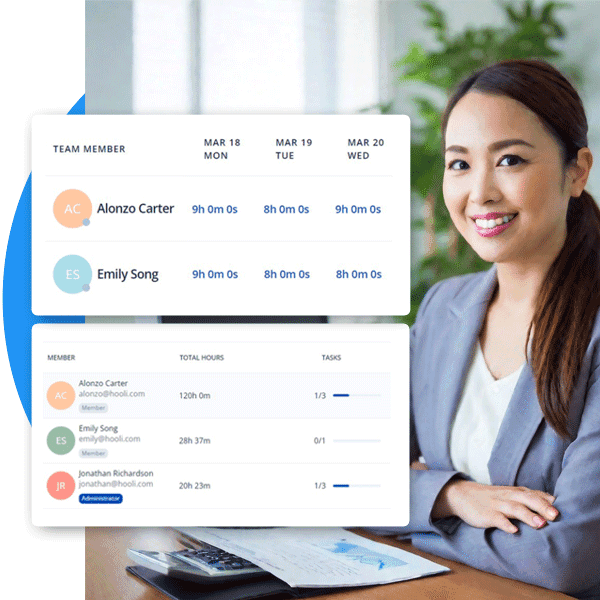
Know exactly how long every task takes
Every time entry in HiveDesk is tied to a specific task. You can see how much time was spent on each task, who contributed those hours, and how task time rolls up to project totals. This is the data you need to estimate better, staff smarter, and bill accurately.
- Automatic time tracking at the task level
- See hours per task and hours per person on a task
- Identify time-consuming tasks that exceed estimates
- Task time data feeds into timesheets and invoices
Cost by Task
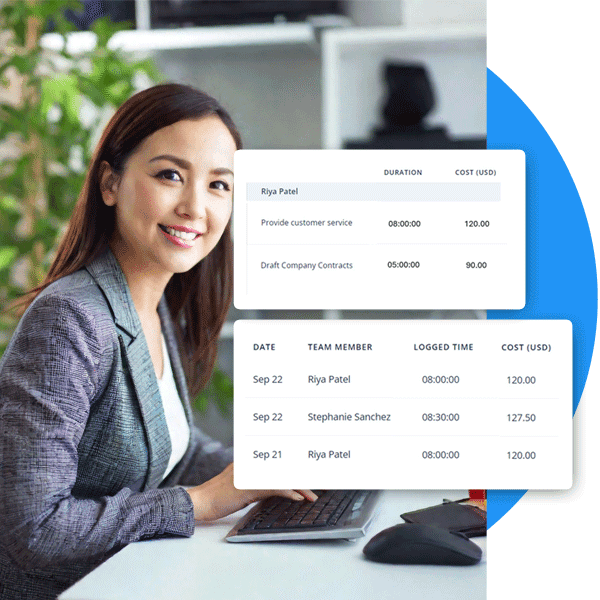
See the true cost of every task
Set hourly cost rates for each team member and HiveDesk calculates labor costs as time is tracked. See cost per task, compare actual costs to estimates, and understand which tasks are eating your margins — before the project is over.
- Automatic cost calculation from tracked hours and rates
- Cost breakdown by task, project, and team member
- Compare actual task costs to estimated budgets
- Catch cost overruns at the task level early
Multiple Views
Manage tasks the way you prefer
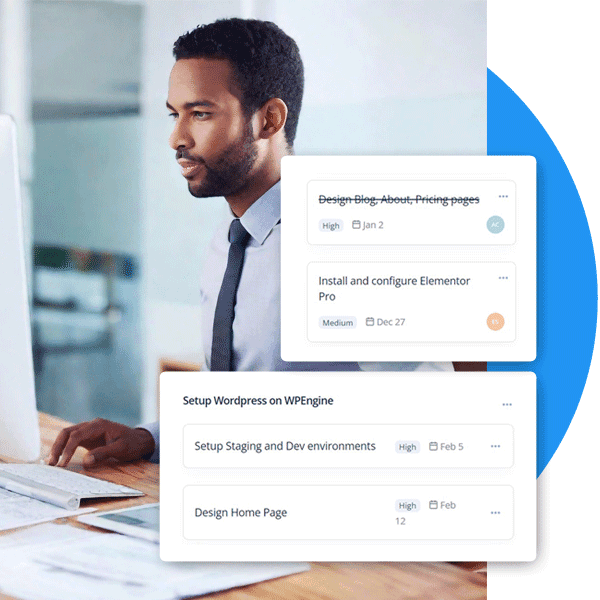
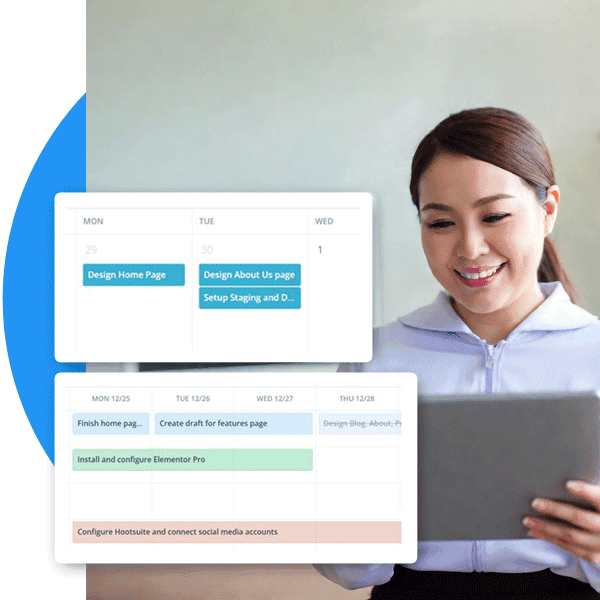
Different situations call for different views. Use the Kanban board to see task status at a glance. Switch to the timeline view to check schedules and deadlines. Use the list view for a detailed sortable overview. HiveDesk gives you the flexibility to manage tasks however works best for your team.
- Kanban board for visual task status management
- Timeline view for task schedules and deadlines
- List and calendar views for task planning
- Track task progress and completion status
Activity Verification
Verify that task hours were productive
Time tracking tells you how long a task took. Screenshots tell you what actually happened during those hours. HiveDesk takes periodic screenshots while employees work on tasks, giving you visibility into productivity without micromanaging. Share screenshot reports with clients as proof of work.
- Screenshots tied to specific tasks and time entries
- Configurable screenshot frequency
- Activity levels show keyboard and mouse engagement
- Share reports with clients alongside invoices
Task Tracking for Every Team
Teams across 6 continents use HiveDesk to assign tasks, track time, and manage their workforce.
Marketing Agencies
Assign campaign tasks, track hours by client, and know exactly how much time each deliverable takes.
Contact Centers & BPOs
Assign tasks to agents, track resolution time, and verify task completion with screenshots.
Professional Services
Attorneys, accountants, and consultants — assign client tasks, track billable time, and invoice accurately.
IT & Customer Support
Assign support tasks, track time to resolution, and monitor team productivity by task.
Staffing Agencies
Assign contractor tasks across client sites. Track hours and generate verified timesheets per task.
Remote & Hybrid Teams
Assign tasks to remote workers and verify completion with time data and activity screenshots.
Task Management + Complete Workforce Management
One plan. $5/user/month. Task tracking, time tracking, timesheets, scheduling, and more — all included.
Automatic Time Tracking
One-click timer on desktop, mobile, and browser. Time is recorded by task and project automatically.
Project Cost Tracking
Set hourly rates per employee. See labor costs by task, project, and team member in real time.
Activity Monitoring
Periodic screenshots verify that task hours are productive hours. Employees always know when tracking is active.
Timesheets & Approval
Auto-generated timesheets broken down by task with a manager approval workflow. Export for payroll.
Employee Scheduling
Create shifts and schedules. Track attendance and adherence. Know when employees are available for task work.
Real-Time Dashboards
See who is working on which task right now. Drill into hours, activity, and progress.
Trusted by Teams Worldwide Since 2011
We have used every time tracking software under the sun, and they all fall short in some area that we need, but overall HiveDesk has met our needs. Their PDF screenshot reports are clean, easy to use and understand. Our clients prefer them over the complicated reports of other systems.
HiveDesk has been instrumental in helping us manage our remote team effectively. The automatic time tracking and screenshot features give us the visibility we need without micromanaging. Setup was straightforward and our team adopted it within a day.
Frequently Asked Questions
Everything you need to know about task management with time tracking.
Most task management tools tell you what needs to be done. HiveDesk also tells you what actually got done and how long it took. Every task has built-in time tracking, so you can see actual hours worked, labor costs, and activity data for each task — not just whether someone checked a box.
Employees select a task in the HiveDesk desktop app (Windows, macOS, Linux), mobile app (iOS), or Chrome browser extension, then click start. The timer runs in the background while they work. When they switch tasks or stop working, they click stop. Time is recorded automatically by task and project.
Yes. HiveDesk records time at the task level. You can see total hours per task, hours per team member on a task, and how task time contributes to overall project hours. This data flows into timesheets, cost reports, and invoices.
HiveDesk provides Kanban board, list, and calendar views for tasks. The Kanban board shows tasks by status (to do, in progress, done). The list view gives you a sortable overview. The calendar view shows tasks by due date. You can switch between views at any time.
You set an hourly cost rate for each team member. As employees track time on tasks, HiveDesk calculates the labor cost automatically. You can see cost per task, cost per project, and cost per employee — so you know exactly where your budget is going.
Yes. HiveDesk integrates with Asana. You can sync your Asana projects and tasks into HiveDesk, then track time against them. This gives your Asana tasks the time, cost, and activity data they otherwise lack. Your Asana workflow stays the same.
When employees track time on a task, HiveDesk takes periodic screenshots at a frequency you configure. Screenshots are associated with the specific task being worked on, so managers can verify that tracked hours were productive. Employees always know when tracking is active.
You can assign tasks to individual team members. Each team member tracks their own time on assigned tasks. If multiple people work on the same task, each person's time is recorded separately, giving you a clear picture of total effort.
Time tracked on tasks is automatically compiled into timesheets broken down by project and task. Managers review and approve timesheets, then generate invoices from approved data. Clients see exactly which tasks their money went toward.
HiveDesk costs $5 per user per month — one plan with every feature included. Task management, time tracking, timesheets, invoicing, scheduling, attendance, screenshots, and reporting are all part of the same plan. There is a free 14-day trial with no credit card required.
Related Resources
Guides
Free Calculators
Ready to Get Started?
Join teams worldwide who trust HiveDesk for workforce management, time tracking, and employee monitoring. $5/user/month, all features included.